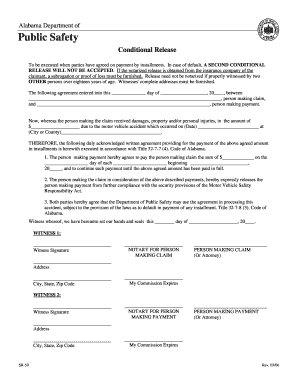
CALIFORNIA ALL-PURPOSE ACKNOWLEDGMENT 2026

Get Form
CALIFORNIA ALL-PURPOSE ACKNOWLEDGMENT Preview on Page 1

Here's how it works

01. Edit your form online
Type text, add images, blackout confidential details, add comments, highlights and more.

02. Sign it in a few clicks
Draw your signature, type it, upload its image, or use your mobile device as a signature pad.

03. Share your form with others
Send it via email, link, or fax. You can also download it, export it or print it out.

Definition & Meaning

The California All-Purpose Acknowledgment is an official notarization form used to certify the identity of individuals signing a document. It does not verify the truthfulness of the document's contents but ensures that the signer is indeed who they claim to be. This is a crucial part of legal and business processes, as it helps prevent identity fraud and guarantees that signatories understand their commitments. Notaries in California are required to use specific wording outlined in the Civil Code § 1189 when completing this form, which includes spaces for the notary's signature and seal, as well as the signer’s details.

How to Use the California All-Purpose Acknowledgment

To effectively use the California All-Purpose Acknowledgment, a notary public must first confirm the identity of the signer through satisfactory evidence, such as a state-issued ID or passport. The signatory must personally appear before the notary at the time of notarization. Once identity verification is complete, the signer will execute the document, and the notary will fill in the acknowledgment form. It is essential for the notary to ensure all mandatory fields are completed, including the date and location of signing, before placing their official seal and signature on the form.

Steps to Complete the Form

  1. Verify the signer’s identity using approved identification documents.
  2. Ensure the signer is physically present before the notary.
  3. Witness the signer execute the document requiring notarization.
  4. Complete the acknowledgment form, including the date and venue.
  5. Affix the notary’s seal and signature to the form.

Key Elements of the California All-Purpose Acknowledgment

The California All-Purpose Acknowledgment form comprises several critical elements that must be properly filled out to ensure legal validity:

  • Signer's Name: The full name of the individual whose signature is being acknowledged, as verified by identification.
  • Date and Location: The form must include the specific date and location where the acknowledgment is being executed.
  • Notary's Information: This includes the full name of the notary, their commission number, and the expiration date of their commission.
  • Notary Seal and Signature: The acknowledgment is not complete without the notary's official seal and signature, verifying that all required steps were duly followed.

Important Terms Related to the California All-Purpose Acknowledgment

Several terms are essential in the context of the California All-Purpose Acknowledgment. Understanding these can help in properly dealing with notarizations:

  • Signer: The individual whose identity is confirmed and signature is witnessed.
  • Notary Public: A certified official who conducts the acknowledgment process and bears responsibility for its validity.
  • Jurat: Distinct from an acknowledgment, a jurat requires the signer to swear or affirm the truthfulness of the document.
  • Satisfactory Evidence: Acceptable documents or evidence confirming the identity of the signer, required by law.

State-Specific Rules for the California All-Purpose Acknowledgment

California law mandates specific procedures and wording for the All-Purpose Acknowledgment. Notaries must strictly adhere to Civil Code § 1189, which prescribes the precise language to be used in acknowledgment forms. This uniformity aims to reduce instances of fraud and ensure statewide consistency in notarization practices. California also allows for an "optional" information section on acknowledgment certificates to enhance security and deter fraudulent practices, although this section is not required.

Legal Use of the California All-Purpose Acknowledgment

Legally, the California All-Purpose Acknowledgment fulfills a critical role by certifying that a document's signer has been appropriately identified in the presence of a notary. The form is utilized across various legal and business documents, including real estate transactions, affidavits, and power of attorney documents. However, users must understand that this acknowledgment does not in any way attest to the truthfulness, accuracy, or fairness of the document’s contents.

Examples of Using the California All-Purpose Acknowledgment

The California All-Purpose Acknowledgment is widely used in various scenarios:

  • Real Estate Transactions: Ensures the identities of parties involved in buying, selling, or transferring property are verified.
  • Legal Agreements: Provides a means to certify the acknowledgment of contracts or agreements, affirming the identities of all parties involved.
  • Financial Documents: Used to verify signatories on loan documents, ensuring transparency and identity verification.

Who Typically Uses the California All-Purpose Acknowledgment

The California All-Purpose Acknowledgment form is commonly used by various professionals and individuals involved in legal, financial, and real estate transactions. This includes:


  • Attorneys and Legal Professionals: To ensure the legal integrity of affidavits and declarations.
  • Real Estate Agents: For verifying identities in property transactions.
  • Business Executives: For certifying corporate documents and agreements.
decoration image ratings of Dochub

Who Issues the Form

Notaries public in California are authorized to execute the California All-Purpose Acknowledgment. They play an essential role in the completion and validation of the form, ensuring all official procedures and state requirements are met, thus confirming the identity of document signers officially and legally.

be ready to get more

Complete this form in 5 minutes or less

Get form

Got questions?

We have answers to the most popular questions from our customers. If you can't find an answer to your question, please contact us.
Contact us
The Unruh Civil Rights Act (California Civil Code Section 51) provides protection from discrimination by all business establishments in California, including housing and public accommodations, because of age, ancestry, color, disability, national origin, race, religion, sex and sexual orientation.
In California, Notaries cannot complete jurat or proof of execution certificates that come from out of state. Instead, they must use a separate certificate that exactly matches state-required wording.
Each state has different requirements for the wording on a notarial certificate. In most states, the notarial certificate must contain the venue, the words acknowledged before me, a statement that the signer executed the instrument for the purposes stated therein, and the notarys signature and seal.
The purpose of an acknowledgment is for a signer, whose identity has been verified, to declare to a Notary or notarial officer that he or she willingly signed the document. This acknowledgment wording is mandatory for all acknowledgments taken in the state.
Cal. Civ. Code 1189(a)(1). A certificate of acknowledgment acquires greater legal significance when it is executed on behalf of an incorporated or unincorporated entity by a duly authorized person.

Security and compliance

At DocHub, your data security is our priority. We follow HIPAA, SOC2, GDPR, and other standards, so you can work on your documents with confidence.
Learn more
ccpa2
pci-dss
gdpr-compliance
hipaa
soc-compliance
be ready to get more

Complete this form in 5 minutes or less

Get form

People also ask

1946.2. (a) Notwithstanding any other law, after a tenant has continuously and lawfully occupied a residential real property for 12 months, the owner of the residential real property shall not terminate a tenancy without just cause, which shall be stated in the written notice to terminate tenancy.
Many important documents, such as recordable documents, loan agreements, and powers of attorney require acknowledgments. A jurat (verification upon oath) requires the signer to be compelled to truthfulness regarding the content of the document.
The Civil Rights Department is the state agency charged with enforcing Californias civil rights laws. The mission of the CRD is to protect the people of California from unlawful discrimination in employment, housing, businesses, and state-funded programs, and from bias-motivated violence and human trafficking.

Related links