Understanding the Concept of "Form Online"
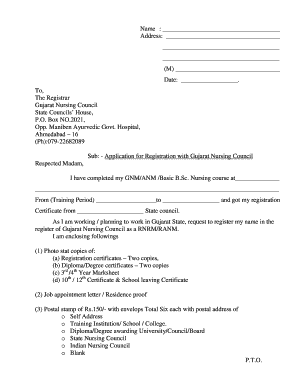
The term "form online" refers to the digital version of a traditional paper form that can be filled out, submitted, and processed on the internet. These forms are designed to streamline the data collection process, making it faster and more efficient for users to complete and submit necessary information from anywhere with internet access. In a business context, online forms are often used for applications, registrations, surveys, and feedback collection.
Benefits of Using Online Forms
- Efficiency: Online forms eliminate the need for physical paperwork, reducing time spent on manual data entry and the risk of loss or damage to physical documents.
- Accessibility: With internet access, users can fill out forms at their convenience from any location.
- Data Integration: Collected data can be automatically integrated into digital systems for easier analysis and storage.
How to Use Online Forms Effectively
Steps to Complete an Online Form
- Access the Form: Navigate to the website offering the form, such as a government portal or a service provider like DocHub.
- Read Instructions: Understand the requirements and instructions provided within the form to avoid errors or omissions.
- Enter Information: Carefully fill in the required fields. Ensure accuracy by double-checking entries before submission.
- Review Entries: Before finalizing, review all information to confirm its accuracy. Many platforms allow you to save progress and return later if needed.
- Submit: Once satisfied with your entries, submit the form as instructed. Some forms provide a confirmation receipt or number after submission.
Features of an Online Form Platform
- Intuitive Interface: A user-friendly layout simplifies the process of navigating and entering information.
- Editable Sections: Some fields may be editable after initial submission, pending the platform's capabilities and the form's conditions.
Tools for Creating and Managing Online Forms
Online Form Platforms
Platforms like DocHub offer comprehensive tools for creating and managing forms. These tools are useful in both individual and organizational contexts, providing features tailored to diverse needs.
- Customizable Templates: Allows users to design forms with various field types like text boxes, checkboxes, and dropdowns.
- Data Validation: Ensures the input meets required conditions, reducing instances of incorrect submissions.
- Analytics: Provides insights into form usage and submission patterns, aiding in process optimization.
Integration with Business Tools
Online form platforms often integrate with software like Google Workspace, enhancing productivity by allowing seamless data sharing and storage.
- Cloud Storage: Forms and collected data can be automatically stored in platforms like Google Drive, Dropbox, or OneDrive.
- Collaboration Features: Facilitates team efforts in form creation and analysis, with options to set permissions and track modifications.
Legal Aspects and Compliance
Ensuring Legal Use of Online Forms
Online forms can be legally binding, especially when used for agreements or contracts. Platforms like DocHub comply with legal standards such as the ESIGN Act, ensuring that electronic signatures and submissions are recognized under the law.
- Electronic Signatures: Legally accepted under various acts, used frequently in contracts and agreements.
- Data Security: Encryption and authentication protocols protect sensitive information submitted via forms.
Importance of Compliance
Adhering to legal standards is crucial for avoiding penalties and ensuring the validity of submissions.
- Confidentiality: Protecting data privacy in line with regulations such as GDPR or HIPAA, depending on the sector.
- Record Keeping: Maintaining audit trails for all submissions to serve as evidence in potential legal scenarios.
Examples of Using Online Forms in Practice
Real-World Applications
Online forms are implemented across various sectors, notably:
- Education: Enrollment forms, surveys, and feedback collection.
- Healthcare: Patient intake forms and consent forms.
- Government Services: Tax filings and benefit applications.
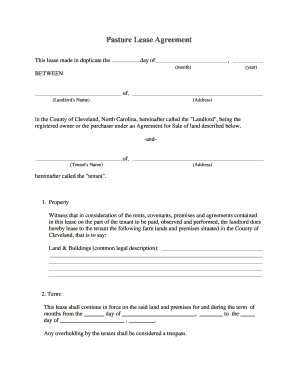
- Real Estate: Rental applications and lease agreements.
Case Studies
Businesses have optimized data collection and streamlined operations by transitioning from paper-based to online forms. For example, companies report a reduction in processing time and an increase in response rates through the use of online digital forms.
Key Elements of Online Forms
Essential Features
- Field Variety: A mix of field types to cater to different data requirements, such as text inputs and file uploads.
- Conditional Logic: Dynamic forms that change based on user inputs to provide a personalized experience.
User-Centric Design
- Responsive Design: Ensures accessibility on various devices, including smartphones and tablets.
- Feedback Mechanisms: Users can provide input on their experience, allowing continuous improvement of the form's usability.
These comprehensive sections provide a thorough understanding of online forms, their features, uses, and the associated legal frameworks.