COBRA Request for Service Form - AmeriFlex 2026

Get Form
COBRA Request for Service Form - AmeriFlex Preview on Page 1

Here's how it works

01. Edit your form online
Type text, add images, blackout confidential details, add comments, highlights and more.

02. Sign it in a few clicks
Draw your signature, type it, upload its image, or use your mobile device as a signature pad.

03. Share your form with others
Send it via email, link, or fax. You can also download it, export it or print it out.

Definition & Meaning

The COBRA Request for Service Form - AmeriFlex is a document designed for administering changes to health coverage options under the Consolidated Omnibus Budget Reconciliation Act (COBRA). This federal law permits qualified employees and their dependents to continue their group health benefits following events like job loss, reduction in hours, or other life events. The form comprehensively covers personal information, changes in contact details, dependents modification, and requests for extensions or cancelations, providing a structured method for participants to consent to and manage their continued health insurance coverage. The involvement of AmeriFlex as an administrator ensures that any changes or requests are handled efficiently and in compliance with relevant laws.

How to Use the COBRA Request for Service Form - AmeriFlex

Using the COBRA Request for Service Form - AmeriFlex requires a systematic approach to ensure all necessary information is accounted for and accurately presented. Here is a step-by-step usage guide:

  1. Identify Changes Needed: Determine which aspects of your COBRA coverage you need to modify. This could include personal information updates, adding or dropping dependents, or requesting disability extensions.

  2. Fill Out the Form Sections: Accurately complete the sections corresponding to your required changes. Ensure all fields are filled to avoid delays in processing.

  3. Attach Necessary Documentation: Provide supporting documentation as needed, such as marriage certificates for adding a spouse or proof of a new address.

  4. Signature Verification: Sign the form to confirm the changes and grant permission for AmeriFlex to update your COBRA coverage.

  5. Submission: Submit the completed form to the AmeriFlex COBRA Department by the specified method, whether online or by mail, ensuring it is within any required filing deadlines.

Steps to Complete the COBRA Request for Service Form - AmeriFlex

Completing the COBRA Request for Service Form involves several key steps to ensure accuracy and compliance:

  1. Personal Information Update:

    • Enter your full name, current address, and contact details.
    • Ensure your social security number and date of birth are correct.
  2. Dependent Modifications:

    • For adding dependents, provide their full names, relationship to you, and dates of birth.
    • If dropping dependents, clearly specify their names and current status.
  3. Disability Extension Request:

    • Include medical documentation if seeking an extension due to disability.
    • Explain the circumstances warranting the extension and expected duration.
  4. Cancellation of Coverage:

    • Clearly state the reasons for cancellation and specify the desired effective date.
  5. Final Verification and Submission:

    • Review the form for completeness and accuracy.
    • Provide a signature and date before submitting the form to AmeriFlex.

Important Terms Related to COBRA Request for Service Form - AmeriFlex

Understanding specific terms within the COBRA Request for Service Form aids in correctly completing and submitting it:

  • Qualifying Event: A significant life event that allows the continuation of health insurance under COBRA, such as job termination or divorce.
  • Election Period: The timeframe in which you must decide to continue COBRA coverage.
  • Premium Payments: The cost associated with maintaining coverage under COBRA, typically paid by the former employer.
  • Coverage Terms: Specific details circumscribing coverage duration and benefits under COBRA.

Examples of Using the COBRA Request for Service Form - AmeriFlex

Real-world situations demonstrate the use of the COBRA Request for Service Form:

  • Job Termination: Following involuntary job loss, an individual fills out the form to continue health coverage for an additional 18 months.
  • Divorce: After a marital separation, a participant uses the form to remove their spouse from coverage and adjust beneficiary details.
  • Newborn: Adding a newborn child to the existing COBRA policy requires completion of the form with the child’s birth certificate as proof.

Eligibility Criteria

Eligibility is a critical factor for COBRA coverage continuation and requires fulfillment of certain criteria:


  • Employment Connection: The employee must have been enrolled in an employer-sponsored health plan before the qualifying event.
  • Qualifying Event: Situations like termination (not for gross misconduct), reduction in work hours, or other life-event changes, such as divorce or death of an employee.
  • Election Notice: The employer must notify eligible individuals within a specified period, providing details regarding their right to choose continued coverage.
decoration image ratings of Dochub

Form Submission Methods

AmeriFlex offers several methods for submitting the COBRA Request for Service Form:

  • Online Submission: Using secure web portals to upload completed forms and required documentation.
  • Postal Mail: Sending physical copies to AmeriFlex's designated COBRA department address.
  • Fax: Transmitting forms securely via fax for rapid processing where online access might be restricted.

Legally Binding Electronic Signatures

AmeriFlex supports legally binding electronic signatures on the COBRA Request for Service Form, aligning with the ESIGN Act. Participants can utilize several signature options:

  • Drawn Signature: Using a mouse or touchscreen device to create a signature.
  • Typed Signature: Typing your name and selecting a font style.
  • Uploaded Signature: Uploading an image of your handwritten signature for authenticity.

The availability of an audit trail ensures transparency, recording when and by whom the form was viewed and signed, ensuring compliance and legal standing.

be ready to get more

Complete this form in 5 minutes or less

Get form

Got questions?

We have answers to the most popular questions from our customers. If you can't find an answer to your question, please contact us.
Contact us
1) Complete all applicable sections, sign and date. Services must be incurred in order to be reimbursed. 2) Attach all required documentation 3) Mail, fax or email the completed claim form (scanned with signature if necessary) to Ameriflex.
Contact Ameriflex Once you receive your eligibility notice, you will be provided with an access to code to view your account online at . Customer service is available by phone at (888) 868-3539* or by email at service@myameriflex.com.
Submit a message below or email us at info@cobratrading.com and a member of our client success team will contact you the same day your email is received.
If you have questions about your card or your account, please contact AmeriFlex at 888.868. FLEX (3539) or at service@flex125.com. Its that simple!
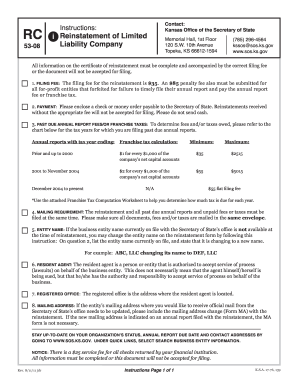
To cancel COBRA: Download and fill out our COBRA Request for Service Form. When filling out the form, indicate that you would like to Drop Coverage for the primary account holder as well as dependents, or use the appropriate fields to indicate the specific family members for who you would like to cancel coverage.

Security and compliance

At DocHub, your data security is our priority. We follow HIPAA, SOC2, GDPR, and other standards, so you can work on your documents with confidence.
Learn more
ccpa2
pci-dss
gdpr-compliance
hipaa
soc-compliance
be ready to get more

Complete this form in 5 minutes or less

Get form