




01. Edit your bna badging office online
Type text, add images, blackout confidential details, add comments, highlights and more.

Type text, add images, blackout confidential details, add comments, highlights and more.

Draw your signature, type it, upload its image, or use your mobile device as a signature pad.

Send it via email, link, or fax. You can also download it, export it or print it out.
An airport badging office plays a crucial role in the security and regulatory framework of airports across the United States. It is responsible for managing the issuance and renewal of security identification badges that control access to secure areas of an airport. This office ensures compliance with TSA regulations, thereby enhancing airport safety by granting access only to authorized personnel.
The airport badging office is integral to maintaining a secure environment within the airport. It registers individuals who require access to restricted areas and conducts the necessary background checks. The office also handles the renewal and change requests for badges, ensuring that all identification remains current and valid for continued access.
Primarily, airport employees, contractors, service providers, and government personnel are frequent users of the airport badging office. These individuals need appropriate credentials to perform their duties within secured sections of the airport. The office is also a point of contact for onboarding new employees or contractors who require access for their roles.
Each application requires authorization from an approved signatory. This individual is often a supervisor or HR representative responsible for certifying your need for a badge based on your job requirement. Their signature confirms their agreement to bear responsibility for any potential misuse or violations.
Adherence to TSA guidelines is mandatory for all applicants and badge holders. This means maintaining up-to-date identification and immediately reporting any loss or theft of badges. Non-compliance can result in penalties, including fines and revocation of access rights.
Understanding terms like "SIDA" (Security Identification Display Area) and "credentialing" is crucial for applicants. These terms refer to specific areas of the airport and the process of verifying identification for authorized entry.
Both forms of identification must be current and unexpired to fulfill the identification requirement.
Approval and badge issuance can vary, but typically, it takes a few days to a couple of weeks. Delays might occur if additional background checks are necessary or if incorrect information is submitted.
Failure to adhere to badge office protocols can lead to serious repercussions. If you're found in breach of rules or your badge is used improperly, consequences can include fines, badge confiscation, or job termination, depending on the severity of the violation.
Maintaining compliance not only secures your airport access but also upholds the safety and security of the airport environment for all users.
We've got more versions of the bna badging office form. Select the right bna badging office version from the list and start editing it straight away!
| Versions | Form popularity | Fillable & printable |
|---|---|---|
| 2013 | 4 Satisfied (22 Votes) |
At DocHub, your data security is our priority. We follow HIPAA, SOC2, GDPR, and other standards, so you can work on your documents with confidence.
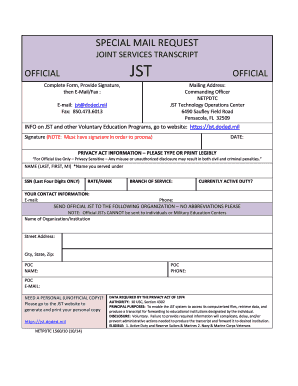

TSA Badging is located on the 2nd floor of the Maintenance Building (next to the Bookstore) and is open Monday-Friday, 8:30am - 3:30pm.
The Badging Office provides information to airport employees. For Passenger and Baggage Screening or Checkpoint questions, contact the TSA at (866) 289-9673. (


