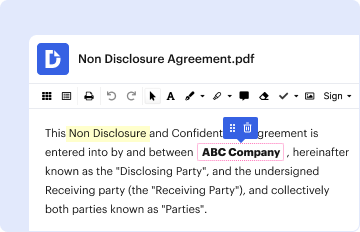
Type text, add images, blackout confidential details, add comments, highlights and more.
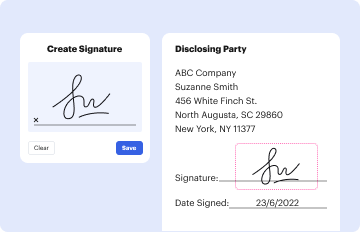
02. Sign it in a few clicks
Draw your signature, type it, upload its image, or use your mobile device as a signature pad.
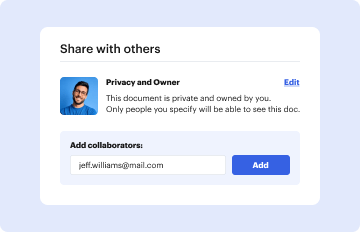
03. Share your form with others
Send it via email, link, or fax. You can also download it, export it or print it out.
How to use or fill out Form D Design-Builder Question Request March 20, 2009 with our platform
Ease of Setup
DocHub User Ratings on G2
Ease of Use
DocHub User Ratings on G2
Click ‘Get Form’ to open it in the editor.
Begin by entering the 'Name of Design-Builder' at the top of the form. Ensure that this is clearly printed for easy identification.
In the subsequent fields, fill in the details for each key personnel involved in the project. Start with the 'Project Manager', providing their name, position, years of experience, and educational qualifications.
Continue filling out information for other roles such as 'Construction Quality Manager', 'Design Manager', and 'Traffic Engineering Manager'. For each role, include their respective names, positions, years of experience, and any additional qualifications.
If you have more personnel to add, make additional copies of this sheet as indicated on the form.
Start using our platform today to streamline your document editing and form completion process for free!
Fill out Form D Design-Builder Question Request March 20, 2009 online It's free
Design Builder tutorial PDFHow to change units in design builderDesign builder downloadDesign builder HelpDesignBuilder help v7 3Design builder training
Related links
SHA Design-Build Manual January 2013
Jan 23, 2013 PART I - INTRODUCTION TO DESIGN-BUILD 1. CHAPTER 1 - OVERVIEW .
Design Manual, Part 4 (Pub. 15M) - December 2019 Edition
Dec 30, 2019 The Design Manual, which is published in loose-leaf form to facilitate changes and expansion, is divided into three parts: (A) Policies and
Cookie consent notice
This site uses cookies to enhance site navigation and personalize your experience.
By using this site you agree to our use of cookies as described in our Privacy Notice.
You can modify your selections by visiting our Cookie and Advertising Notice.