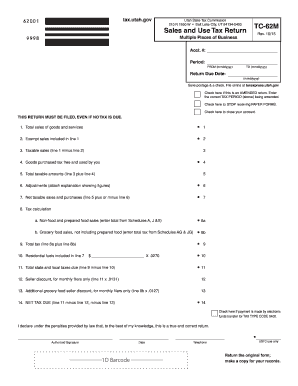
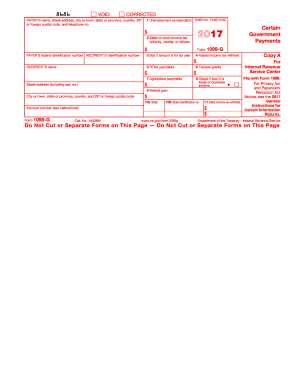
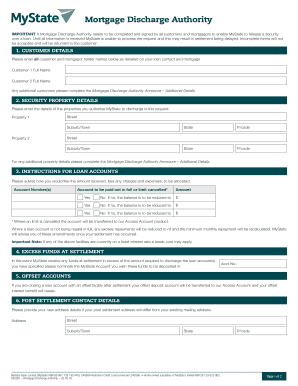
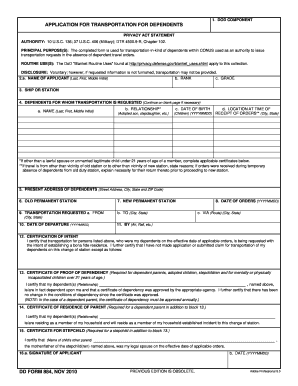
Definition & Meaning of Form 81 2012 Fillable
"Form 81 2012 fillable" refers to a specific document format that allows fields to be completed electronically on a digital platform. This form is designed to be versatile, providing users the ability to input data seamlessly without needing to print or physically fill out paperwork. Typically associated with tax forms, legal documentation, or government filings, these fillable forms offer a structured way to capture necessary information efficiently and accurately. The digital nature of these forms ensures they are user-friendly, reducing errors and streamlining submission processes.
Key Characteristics
- Editable Fields: Users can interact with text fields, checkboxes, and dropdown menus directly.
- Electronic Signatures: Often supports electronic signature capabilities for legal validations.
- Document Integrity: Designed to retain formatting and structure regardless of the digital device used for viewing.
Practical Applications
Fillable forms are widely used across various sectors including taxation, legal submissions, and employment applications. They offer an efficient way to gather structured information from multiple parties who may be located remotely.
How to Use the Form 81 2012 Fillable
The usability of a fillable form like Form 81 2012 is intended for those looking to complete and submit forms without the hassle of traditional paperwork. Here's a step-by-step guide:
- Access the Form: Obtain the form via a trusted source such as a government portal or authorized provider like DocHub.
- Review the Instructions: Before filling out the form, read any accompanying instructions or guidelines to ensure compliance.
- Complete the Fields: Click on each required field and enter the appropriate information. Take advantage of features like dropdowns for predefined selections.
- Sign Electronically: Use integrated e-signature tools to sign the form securely.
- Save and Review: Before submission, save a copy of the completed form and review it for accuracy and completion.
- Submit the Form: Follow the submission guidelines, which may involve email, secure upload, or direct submission through specific software.
Common Mistakes to Avoid
- Incomplete Information: Double-check that all mandatory fields are filled in.
- Incorrect Data Entry: Ensure data matches official records to prevent rejection.
- Ignoring Updates: Always use the most current version of the form as requirements may change annually.
Steps to Complete the Form 81 2012 Fillable
Filling out Form 81 2012 can be broken down into a series of actionable steps:
-
Preparation Stage:
- Gather all required personal and financial information before starting.
- Ensure that you have access to any necessary digital tools or platforms used for electronic signatures.
-
Filling Out the Form:
- Begin with personal information sections such as name, address, and identification number.
- Move on to financial disclosures if applicable, ensuring all numerical entries are correct.
- For tax-related forms, carefully input income and deduction details as guided.
-
Review Process:
- Conduct a thorough check for errors or omissions.
- Use built-in validation tools if available to identify missed fields or entries.
-
Finalizing and Submission:
- Apply electronic signatures where required.
- Save the document securely and follow instructions for digital or physical submission.
Tools and Resources
- Auto-Fill Options: Speed up the process by using autofill functions if supported by your document editor.
- Help Desks: Many providers offer support resources for clarification on form fields and submission methods.
Key Elements of the Form 81 2012 Fillable
Understanding the core components of the form can greatly enhance its effective completion:
- Header Information: Includes form title, ID, and the year it's applicable for.
- Personal Identification Sections: Fields for names, addresses, and social security numbers.
- Financial Disclosure Areas: Space allocated for income details, deductions, or tax liabilities.
- Certification and Signature Slots: Allows signatories to validate the document’s authenticity.
Special Features
- Conditional Logic: Some forms may adapt visibility or requirements of certain fields based on previous entries.
- Interactive Fields: Hover-over explanations or tooltips to assist users in understanding complex sections.
Eligibility Criteria for Using the Form 81 2012 Fillable
Eligibility to use Form 81 2012 often depends on the document’s intended purpose, such as a tax return or legal filing. General criteria may include:
- Residency Status: Typically, residents and citizens of the issuing state or country are required to file.
- Income Thresholds: Those meeting specific income levels may be obligated to complete and submit these forms.
- Entity Type: Individuals, businesses, or estates may each have specific forms to fill based on their nature.


Verification and Evidence
- Supporting Documents: May be necessary to provide documentation proving eligibility, such as income statements or identification.
- Professional Guidance: Consulting with a legal or tax professional can ensure proper form selection and eligibility alignment.
Software Compatibility with Form 81 2012 Fillable
For a seamless experience, ensuring software compatibility with fillable forms is crucial. Commonly used programs include:
- Adobe Acrobat: Known for robust PDF management and form editing.
- DocHub: Offers direct editing, signing, and management of fillable forms through web browsers.
- TurboTax and QuickBooks: Often compatible with tax-specific forms, facilitating integration with financial data.
Tips for Optimal Compatibility
- Update Software Regularly: Ensures new formats and standards are supported.
- Cross-Platform Access: Confirm that forms can be accessed on both desktop and mobile devices.
- Browser Extensions: Some forms require specific browser plugins for full functionality.
Important Terms Related to Form 81 2012 Fillable
To effectively utilize fillable forms, understanding relevant terminology is beneficial:
- Fillable Field: An interactive area within a document designed for data input.
- Electronic Signature: A digital mark indicating agreement or verification of the document’s content.
- Validation Check: A process ensuring all necessary fields are completed accurately before submission.
Commonly Confused Terms
- Editable vs Fillable: "Editable" refers to changes in document content, while "fillable" indicates fields where user input is expected.
- Legal vs Electronic Signature: A "legal" signature holds valid under law, while "electronic" refers specifically to digital implementations.
Legal Use of Form 81 2012 Fillable
Forms such as Form 81 2012 have specific legal implications and requirements:
- Compliance with Laws: Must adhere to applicable legislation, such as the ESIGN Act, ensuring electronic submissions are legally binding.
- Record Keeping: Legal mandates may require retention of completed forms for a specified period.
- Submission Authentication: Properly submitted forms must be verifiably received and acknowledged to fulfill legal obligations.
Considerations for Legal Compliance
- Consultation with Legal Experts: To ensure understanding of obligations and rights related to specific forms.
- Secure Transport: Sensitive forms must use encrypted channels for submission to protect data integrity.
Examples of Using Form 81 2012 Fillable
To illustrate the application of Form 81 2012 fillable, consider these scenarios:
- Income Tax Filing: An individual uses the form to report their annual income and deductions to the IRS, utilizing fillable sections to enter precise financial data.
- Estate Management: Executors of estates might employ the form to report fiduciary duties and income distributions, taking advantage of interactive fields for accuracy.
- Business Tax Reporting: Corporations could use a varied version for entity-specific tax declarations, adjusting for unique financial structures and reporting needs.
Real-World Scenario
- Remote Real Estate Transactions: A real estate agent manages transactions using fillable forms for contracts and disclosures, facilitating quicker signature collection and document exchanges.
By selecting the most relevant and detailed blocks while using proper Markdown syntax, the content provides a comprehensive and engaging exploration of the Form 81 2012 Fillable.