Kronos time clock rounding chart 2026

Get Form
kronos rounding chart Preview on Page 1

Here's how it works

01. Edit your kronos rounding chart online
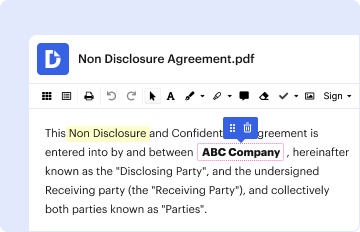
Type text, add images, blackout confidential details, add comments, highlights and more.
02. Sign it in a few clicks
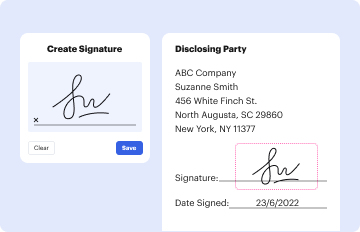
Draw your signature, type it, upload its image, or use your mobile device as a signature pad.
03. Share your form with others
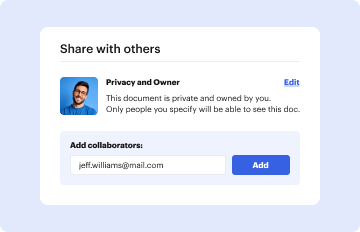
Send kronos time clock rounding chart via email, link, or fax. You can also download it, export it or print it out.

How to use or fill out kronos time clock rounding chart with our platform

Form edit decoration
9.5
Ease of Setup
DocHub User Ratings on G2
9.0
Ease of Use
DocHub User Ratings on G2
  1. Click ‘Get Form’ to open the kronos time clock rounding chart in the editor.
  2. Review the conversion table provided in the document. This table outlines how actual time is rounded based on specific rules, which is crucial for accurate timekeeping.
  3. Locate the fields where you need to input your actual clock-in and clock-out times. Ensure that you enter these times accurately to reflect your working hours.
  4. Refer to the rounding rules specified in the chart. Use these guidelines to determine how your entered times will be rounded, ensuring compliance with company policies.
  5. Once all fields are filled out, review your entries for accuracy. Make any necessary adjustments before finalizing your form.

Start using our platform today for free and streamline your time tracking process!

be ready to get more

Complete this form in 5 minutes or less

Get form

Got questions?

We have answers to the most popular questions from our customers. If you can't find an answer to your question, please contact us.
Contact us
Anything within and including 7 minutes is rounded down to the nearest quarter hour. Anything 8 minutes or more from the quarter hour will round up to the next quarter hour.
Hourly employees can use Kronos to record their work hours by punching in and out, using time clocks or computers. For employees not required to punch in and out, their schedules are fixed and entered in the Kronos system. Managers can then review, change, or approve employee time cards.
NOTE: Kronos follows a 7 minute rounding rule. This means hours worked are calculated based on quarter-hour increments. For example, if your punch time is 14:53, it will be rounded up to 15:00. If your punch time is 14:52 is will round down to 14:45.
Whether to round down or up to the nearest 5-minute increment is based on a 2 minute split of each increment. So, if an employee clocks in at 9:02, the rounding will go down to 9:00. If the clock-in time is 9:03, however, the rounding will be up to 9:05.
Employee time from 1 to 7 minutes may be rounded down, and thus not counted as hours worked, but employee time from 8 to 14 minutes must be rounded up and counted as a quarter hour of work time.