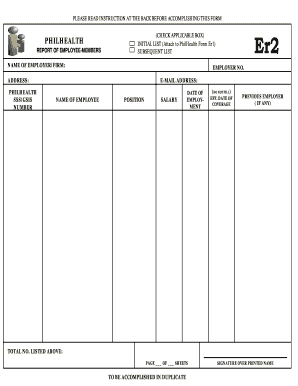
Definition & Meaning
Understanding the concept of a "form online" is crucial in today's digital world. An online form is a web-based interface that allows users to input data, submit inquiries, or complete transactions digitally. These forms are hosted on websites or platforms, making them accessible from any internet-connected device. By removing the need for paper, online forms facilitate efficient and streamlined data collection. They cater to various uses, including applications, registrations, surveys, and feedback. Their versatility is a key feature, allowing businesses, educational institutions, and government agencies to customize forms according to their specific requirements and objectives.
How to Use the Form Online
Utilizing an online form begins with accessing the form through a web browser. Once open, users should follow these essential steps:
-
Navigate the Interface: Familiarize yourself with the structure and sections of the form. Online forms generally include fields for text input, checkboxes, and dropdown menus.
-
Input Data: Enter the required information carefully, ensuring accuracy and completeness.
-
Use Navigation Tools: Navigate between different sections using buttons or tabs, being mindful of required fields often marked with an asterisk.
-
Review Entries: Before submission, review all entered information to prevent errors.
-
Submit the Form: Click the “Submit” button, which is typically located at the end of the form. Many platforms will provide a confirmation message upon successful submission.
Online forms often include guidance notes or tooltips that offer additional assistance. They also allow for saving progress and returning later, which is particularly beneficial for extensive forms requiring detailed information.
Steps to Complete the Form Online
Completing an online form effectively involves several methodical steps:
-
Read Instructions: Start by thoroughly reading any guidelines or instructions provided with the form. This ensures understanding of the expectations and requirements.
-
Gather Required Information: Assemble all necessary documents or information needed to complete the form. This might include personal identification, proof of address, or other documentation.
-
Fill Out the Form: Input your data into the respective fields, taking care to adhere to specified formats, such as date or numerical entries.
-
Attach Documents: If the form allows, upload any supporting documents in the prescribed format and size. Most forms will specify acceptable file types, like PDF or JPEG.
-
Confirm Data Accuracy: Cross-check each section for errors or omissions. Many platforms allow you to preview and edit the form before final submission.
-
Submit and Save: Once reviewed, submit the form. Save a copy or take a screenshot of the confirmation for future reference.
These steps ensure a smooth completion process, minimizing the possibility of rejections or requests for additional information.
Why Should You Form Online
Opting to use an online form offers numerous advantages:
-
Efficiency: Digital forms reduce the time and effort needed to complete and process information compared to traditional paper forms.
-
Accessibility: Forms are accessible 24/7 from anywhere with an internet connection, enabling global reach and convenience.
-
Cost-Effective: Reducing paper usage and manual processing cuts costs for both users and organizations.
-
Data Management: Online forms facilitate easy data storage, retrieval, and analysis, often integrating seamlessly with digital databases.
-
Environmental Impact: By eliminating the need for paper, online forms contribute to sustainability efforts and reduce environmental footprints.
These benefits illustrate why a digital approach is preferable in many scenarios, aiding both individual users and large organizations in maintaining efficient operations.
Important Terms Related to Form Online
Familiarity with specific terminology enhances understanding and usage of online forms:
-
Field: An area where users input data; can be text, numerical, dropdown, etc.
-
Required Field: A field that must be completed before submission; often marked with an asterisk.
-
Submission: The act of sending completed data from the user to the hosting platform.
-
Validation: The process where inputs are checked for correctness, such as verifying email formats.
-
Responsive Design: The form’s ability to adjust its layout and usability depending on the device (mobile, tablet, or desktop).
Comprehending these terms facilitates smoother navigation and interaction with online forms.
Legal Use of the Form Online
Online forms are frequently used for legal processes, such as contract signings or applications. Legal validity of these forms relies on:
-
Electronic Signatures: Many online forms incorporate e-signatures, which are legally recognized and binding in compliance with laws like the ESIGN Act.
-
Informed Consent: Users must be adequately informed about the form’s purpose and consent to provide their data, ensuring that the process is transparent and ethical.
-
Data Security: Legal forms require robust encryption and security measures to protect sensitive information.
The adherence to these legal parameters ensures that online forms maintain integrity and reliability for serious applications.
Key Elements of the Form Online
An online form typically comprises several key elements:
-
User-Friendly Interface: Ensures ease of use with clear instructions and intuitive layouts.
-
Interactive Fields: Includes various input fields such as text boxes, checkboxes, and dropdown menus for data capture.
-
Submit Button: Finalizes the data entry process, sending the information to the server.
-
Confirmation Page: A screen or message that verifies successful submission and often provides a reference number or receipt.
These elements work together to enhance user experience and effectiveness in gathering and processing information.
Software Compatibility (TurboTax, QuickBooks, etc.)
Online forms are increasingly compatible with a range of software solutions to streamline data management:
-
Integration with Accounting Software: Platforms like QuickBooks allow users to export financial data directly from completed forms for easy bookkeeping and reporting.
-
Tax Preparation Tools: Services like TurboTax facilitate form completion for tax-related needs by auto-filling information based on existing user data.
-
API Connections: Many online form providers offer API integrations that let these forms communicate with various software systems, improving data flow and automation.
Such compatibility expands the utility of online forms, making them a versatile tool for diverse applications and needs.