







Understanding the Concept of Forms Online
Forms online refer to digital documents designed for completion and submission over the internet. They serve a multitude of purposes—from tax declarations and business applications to surveys and legal agreements. This digitization allows users to fill forms remotely without physical paperwork, aligning with the trend towards virtual workflows and electronic document management.
Benefits of Using Online Forms
- Increased Efficiency: Completing forms online eliminates the need for paper, reducing processing time.
- Accessibility: Forms can be filled out from any device with internet access, providing convenience for users.
- Automated Features: Online forms often include validation checks to ensure data accuracy before submission.
- Security Features: SSL encryption ensures that the data entered is secure during transmission and storage.
Examples of Commonly Used Online Forms
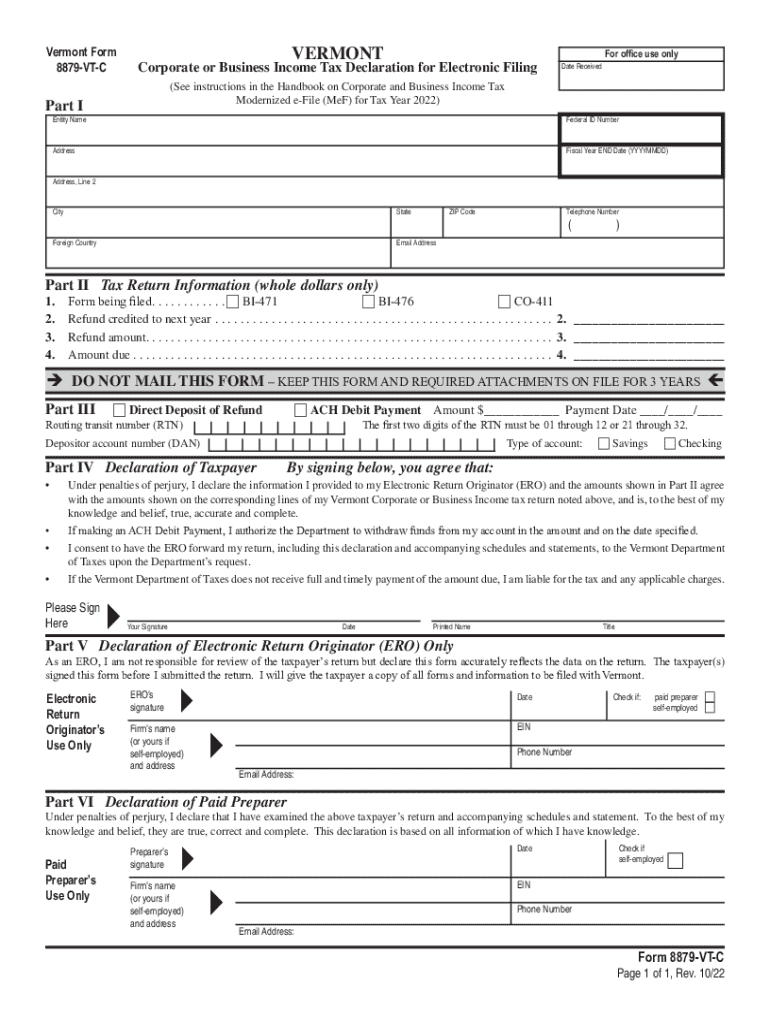
- Tax Forms: Various tax documents like the W-9 and 8879-VT-C are available online for electronic filing purposes.
- Business Applications: Many business operations, such as LLC registrations, can be performed through online forms.
- Surveys and Feedback: Companies use digital forms to gather customer feedback or conduct market research.
Steps to Complete a Form Online
-
Access the Form: Visit the website hosting the form or click on a provided link to open it.
-
Fill in Personal Information: Enter details like name, email, and other identifiers. Fields marked with an asterisk (*) are typically required.
-
Complete Specific Sections: Depending on the form type, fill in relevant data, such as financial information for tax forms or personal preferences for surveys.
-
Review the Data: Before submission, verify all entered information for accuracy and completeness.
-
Submit the Form: Once satisfied with the entries, submit the form. Confirmation and a copy of the filled form are usually sent via email.
Tips for Successful Form Submissions
- Double-check Spelling and Numbers: Errors can delay processing.
- Use Supported Browsers: Ensure compatibility by using commonly supported web browsers like Chrome or Firefox.
- Save Progress: If possible, save your progress midway to avoid data loss due to connectivity issues.
Legal and Compliance Considerations for Forms Online
Legal Use of Electronic Forms
Forms submitted online must comply with relevant legal standards. For instance, electronic signatures on contractual documents are valid under the U.S. ESIGN Act. This legal backing ensures that digitally signed forms have the same enforceability as their traditional counterparts.
Penalties for Non-Compliance
Failure to submit required forms on time may result in penalties, like fines or denial of services. For instance, missing the deadline for tax form submission could incur interest and late fees.
Regulations on Electronic Records
U.S. federal and state laws require that electronic records and signatures meet certain criteria for authenticity and integrity. It's essential to understand these regulations to prevent any legal challenges.
State-Specific Rules for Online Forms
Variability in State Requirements
Each state may impose different rules regarding the completion and submission of forms online. It’s crucial to be aware of these differences to ensure compliance.
- Tax Filings: States like Vermont may have specific forms like the VT-8879-VT-C for electronic filing.
- Business Registrations: Requirements for forming an LLC or Corporation can vary by state, impacting the forms needed and their method of submission.
Checking State Guidelines
Always consult state-specific resources or websites to verify which forms are required and acceptable methods for submission.
Integration and Software Compatibility
Compatibility with Popular Tools
Many online forms can be integrated with software like TurboTax or QuickBooks. This compatibility streamlines the filing process, allowing users to import relevant data directly into the forms.
Benefits of Software Integration
- Data Import: Reduces manual entry and potential errors by automatically pulling data from existing records.
- Streamlined Workflow: Facilitates end-to-end management of forms from a single platform.
Ensuring Proper Compatibility
Check for software updates or specific plugins that enable these integrations before starting the form process to avoid technical glitches.
Key Elements of a Standard Online Form
Mandatory Fields
Typically include:
- Personal Details: Name, address, contact info
- Identification Numbers: Social security or business tax ID
- Signature: Digital or typed, depending on form requirements
Optional Areas
- Survey Questions: Might offer additional insights but are not always required for form completion.
- Comments Sections: Allowing users to add notes optionally.
Error Checking Features
Automated alerts and highlights indicate missing or incorrect entries, ensuring form accuracy before submission.
Practical Examples and Use Cases
Individual and Business Scenarios
- Students: Completing scholarship applications through online forms.
- Self-Employed Professionals: Submitting IRS documents like the W-9 form electronically.
- Large Corporations: Utilizing online employee feedback forms for performance evaluations.
Overall Impact of Online Forms
By embracing digital forms, individuals and businesses alike benefit from improved efficiency, reduced costs, and enhanced data security. This shift to digital submission aligns with the growing preference for paperless operations, fulfilling both practical needs and environmental goals.




