







Definition and Meaning of Form Online
The term "form online" refers to various digital forms accessible via the internet, designed for input and submission directly through web platforms. These online forms enable users to perform tasks like data entry, application processing, or registration without the need for physical paperwork. Unlike traditional forms, online versions offer significant ease in data collection and processing, making them increasingly popular for both personal and professional applications. Forms can be customized for specific uses, such as tax filing, business registration, or collecting survey responses, enhancing their functionality and relevance across various contexts.
How to Use Forms Online
Using online forms effectively involves several key steps. Firstly, users should identify the form's purpose to understand the information required. Many online platforms, including DocHub, offer intuitive interfaces that guide users through each section. Users can fill out fields such as text boxes, checkboxes, or dropdown menus directly on their devices. After completing the form, a digital signature may be required to finalize the submission, ensuring authenticity and compliance with legal standards. Once completed, forms can be submitted instantly to the intended recipients for processing, eliminating delays associated with traditional mailing methods.
Practical Examples of Online Form Use
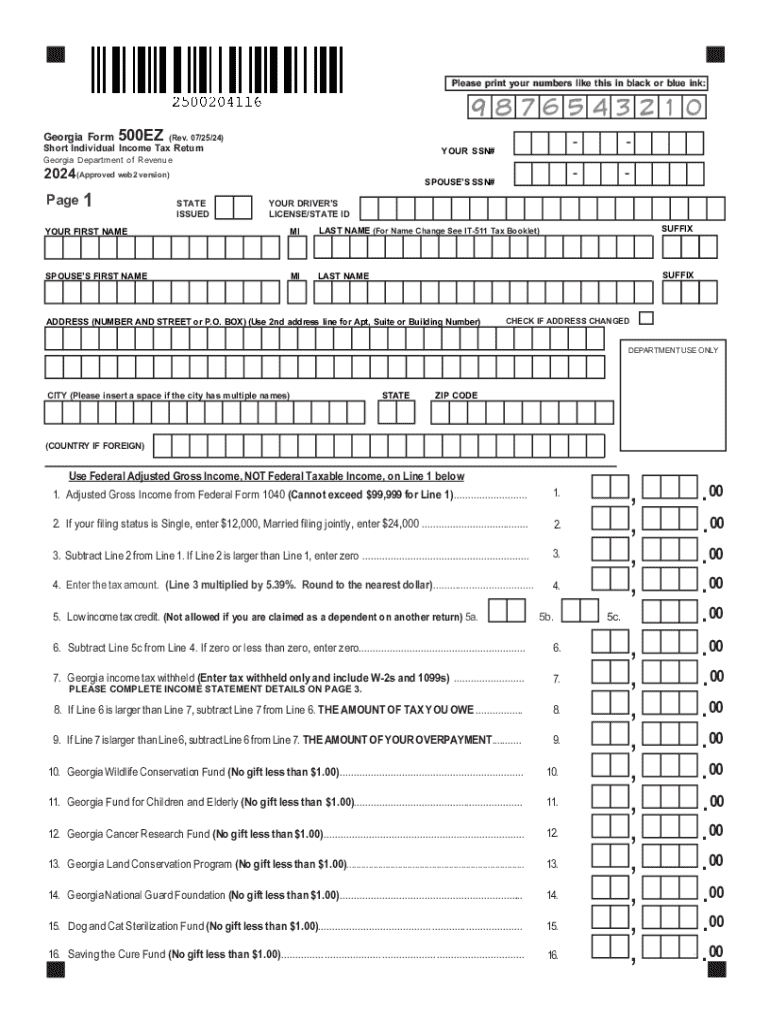
- Tax Filings: Individuals can use forms like the Georgia Form 500EZ to electronically submit state tax information.
- Job Applications: Companies often require candidates to fill out digital applications available on their websites.
- Surveys: Organizations frequently use online forms to conduct surveys and gather feedback efficiently.
Obtaining Forms Online
Forms can be accessed from various trusted platforms depending on their purpose. Official government websites often host tax and legal forms, while business-related forms may be available through related industry websites. Services like DocHub allow the importation of documents from personal devices or cloud storage, ensuring users have access to the most current versions. This accessibility eliminates the need for physical visits to offices or printing facilities, streamlining document utilization for users across different locations.
Sources for Online Forms
- Government Portals: These platforms provide direct access to forms needed for taxes, permits, and registrations.
- Cloud Storage Integration: Users may import necessary forms from services like Google Drive directly into editing platforms.
- Employer or Educational Institutions: Often, employers or schools offer access to important forms via their intranets or emails.
Steps to Complete the Form Online
Completing forms online typically involves several straightforward steps:
- Access the Form: Locate the desired form through appropriate online platforms or cloud services.
- Fill in Required Information: Use the provided fields to input necessary data such as name, address, and other relevant details.
- Review for Accuracy: Before submission, ensure all entered information is accurate and complete.
- Digital Signature: Apply your electronic signature to validate the form.
- Submit the Form: Send the completed form to the specified recipient, which could be a government entity or private organization.
Importance of Using Forms Online
Utilizing online forms provides several advantages over traditional paper forms, including enhanced efficiency, reduced errors, and quicker processing times. Digital forms are often integrated with validation features that ensure all necessary fields are completed appropriately, reducing the likelihood of incorrect submissions. Additionally, online forms facilitate the collection and processing of data from remote locations, supporting a more dynamic and responsive interaction with users' document needs.
Benefits of Digital Form Usage
- Time Efficiency: Instant submission speeds up processes significantly compared to mailing.
- Cost Reduction: Eliminates printing and mailing costs associated with paper forms.
- Accessibility: Accessible at any time from anywhere, making them particularly useful for urgent submissions.
Who Typically Uses Forms Online
Online forms are utilized by a wide range of users including individuals, businesses, government agencies, and educational institutions. Individuals frequently use digital forms for tax filings, applications, and registrations. Businesses employ online forms for hiring processes, client interactions, and internal procedures. Government agencies facilitate public access to essential services through digital forms while educational institutions rely on them for admissions and other student-related processes.
Categories of Users
- Individuals: Filing taxes, applying for jobs, or registering for services.
- Businesses: Processing employee information or conducting market research.
- Government: Providing accessible citizen services such as license renewals or social benefits applications.
Legal Use of Form Online
When completed and submitted correctly, online forms carry the same legal weight as their paper counterparts. Especially with the integration of electronic signatures, compliance with legal frameworks such as the ESIGN Act assures that digital submissions are valid and enforceable. This legal acknowledgment allows users to engage in official transactions or filings securely, making online forms an essential element in today’s digital-first world.
Key Legal Considerations
- Electronic Signatures: Secure and legally binding, recognized under acts like ESIGN.
- Confidentiality: Ensure forms are accessed through secure connections to protect sensitive information.
- Compliance: Adherence to specific industry requirements, such as HIPAA for health-related forms, remains critical.
Key Elements of Form Online
Essential components of online forms include user interface design, form fields, and validation tools. A well-designed interface should be user-friendly and accessible on various devices, facilitating easy completion. The form fields must be clearly labeled and relevant to the form's purpose, guiding users to supply accurate data. Moreover, validation tools cross-check data entries to maintain correctness before submission, aiding in reducing user errors and improving the overall quality of the collected data.
Key Components
- User Interface: Intuitive design for quick navigation and data entry.
- Form Fields: Customizable according to specific requirements, such as text boxes or dropdowns.
- Data Validation: Built-in checks to ensure data completeness and validity.
Examples of Using Forms Online
Examples of online form usage span across diverse scenarios, highlighting their adaptability. Tax return submissions via platforms like DocHub illustrate the convenience of digital forms for personal finance management. In educational settings, admission forms are distributed online, simplifying the application process for students and administrators. Businesses benefit by employing customer feedback forms online to gauge satisfaction and drive improvements.
Common Use Cases
- Tax Returns: Efficient submission and processing of state or federal taxes.
- School Admissions: Streamlined application processing for prospective students.
- Customer Feedback: Actionable insights through surveys to improve service delivery.




