




01. Edit your form online
Type text, add images, blackout confidential details, add comments, highlights and more.

Type text, add images, blackout confidential details, add comments, highlights and more.

Draw your signature, type it, upload its image, or use your mobile device as a signature pad.

Send it via email, link, or fax. You can also download it, export it or print it out.
The term "form online" refers to digital versions of official documents that can be completed, submitted, and often signed on the internet without the need for physical paperwork. These forms may encompass a wide range of applications, from business and governmental forms to personal declarations and administrative documents. The primary advantages of forms online include convenience, efficiency, and the ability to quickly gather and process data electronically.
Digital forms are often employed by various organizations to streamline processes and reduce the need for physical document storage. These documents are designed to facilitate tasks such as tax filings, business registrations, employment applications, and more. By utilizing forms online, users can avoid the hassle of mailing documents or delivering them in person, thereby saving time and reducing errors associated with manual data entry.
Access the Form: Locate the digital form through the issuing institution's website or a platform like DocHub. Ensure you are using a secure connection to avoid data breaches.
Review Instructions: Before filling in the form, read any provided instructions or guidelines to understand the requirements and how to complete each section correctly.
Input Information: Begin entering your information into the designated fields. Forms online often include editable sections such as text boxes, checkboxes, and dropdown menus for easy data insertion.
Attach Necessary Documents: If required, upload any supporting documents. This may include identification, proof of address, or other relevant documents specific to the form type.
Review and Edit: Double-check all entered information for accuracy and completeness. Editing tools within platforms like DocHub can assist in making corrections or adjustments.
Submit the Form: Once satisfied with the content, submit the form through the platform. Many online systems provide confirmation receipts to verify submission.
To acquire a form online, begin by identifying the specific document needed, such as tax forms, business registration applications, or government benefits forms. Visit the official website of the agency or organization that issues the form. For instance, U.S. federal tax forms can be found on the Internal Revenue Service (IRS) website. Look for sections labeled "Forms" or "Documents" to locate and download the required form.
Online platforms like DocHub also provide access to a wide range of forms, allowing users to search for and obtain necessary documents. Ensure the source is reliable and that the form is the most current version available. Users may be required to create an account or log in to access certain forms, particularly if they contain sensitive personal data.
Forms completed online must adhere to relevant legal frameworks to ensure validity and compliance. In the United States, federal forms are commonly governed by acts such as the Electronic Signatures in Global and National Commerce (ESIGN) Act, which gives electronic signatures the same legal standing as handwritten ones. It is crucial to understand the legal implications of completing a form online, particularly if it involves sensitive information or legal declarations.
Organizations issuing forms online should adhere to privacy laws and regulations to protect users' personal data. Users should also be informed of their rights and responsibilities when completing digital forms, such as understanding the implications of providing false information or failing to submit within specified deadlines.
Using software or platforms that support forms online is essential for seamless completion and submission. Tools like DocHub are compatible with various file formats and can integrate with cloud services like Google Drive, enhancing accessibility and ease of use. Compatibility with widely used software packages like Microsoft Office or accounting software like QuickBooks allows users to manage data efficiently across different platforms.
Ensure that your device is updated with the latest software versions to avoid compatibility issues when working with forms online. Browser-based platforms typically function well with the latest versions of browsers such as Chrome, Firefox, or Safari.
Each state in the U.S. may have specific rules or modifications concerning the use of online forms, particularly in areas such as taxation, business registration, and professional licensing. Understanding these state-specific requirements is crucial to ensure compliance and prevent any legal or administrative issues.
For instance, some states may require additional documentation or specific electronic submission formats. When completing online forms related to state matters, it may be beneficial to consult legal advisors or local government websites to obtain detailed guidance on the process.
Non-compliance with the requirements of an online form can result in various penalties, depending on the form's nature and the issuing authority. Common consequences may include late fees, legal penalties, or the rejection/revocation of applications or services. For instance, failing to accurately file tax forms can lead to audits, fines, or other legal actions by the IRS.
It is imperative to carefully review instructions and ensure all information is accurate and complete. Staying informed about submission deadlines and required documentation helps mitigate the risk of penalties. Additionally, when dealing with governmental forms, keeping records of submissions and communications can provide a safeguard against disputes.
At DocHub, your data security is our priority. We follow HIPAA, SOC2, GDPR, and other standards, so you can work on your documents with confidence.

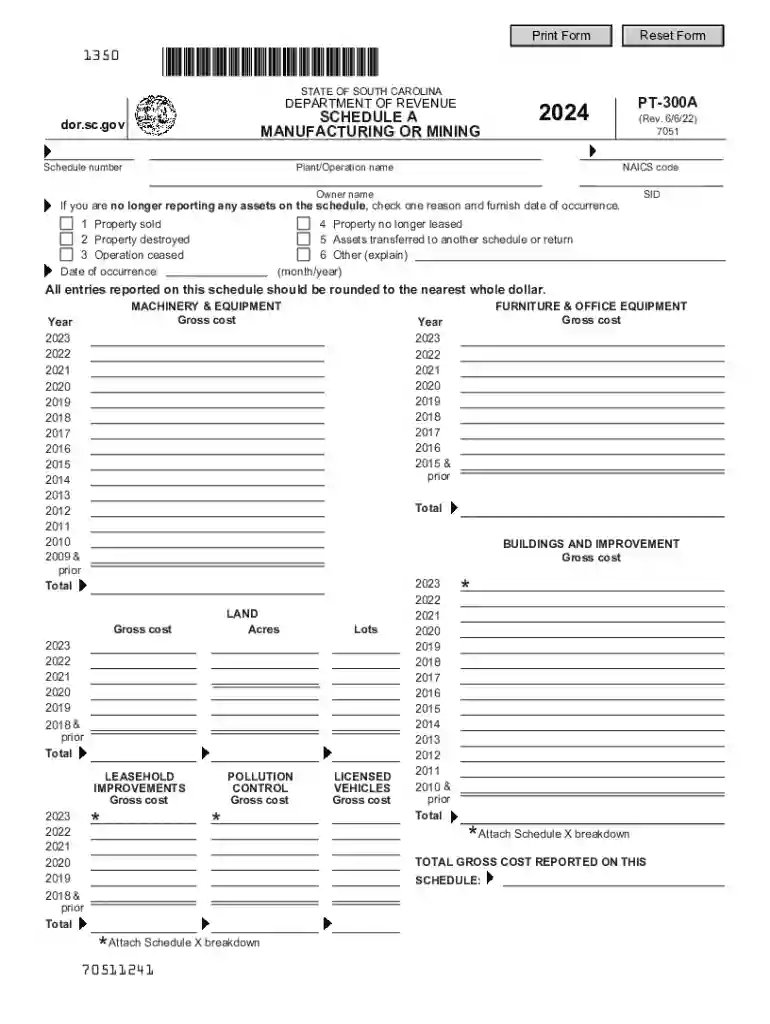
Forms ; Property Tax Return, PT-300 PT-300 ; Property Tax Return Instructions, PT-300 PT-300 ; Schedule A - Manufacturing or Mining, PT-300 A PT-300 ARead more
4. The PT-300 is designed to be used for all property types listed below under Who is Required to File? and should be used for any RETURN FILING STATUS fromRead more
Sep 3, 1998 This entire document, including data forms and other appendices, can be downloaded from the website of the USEPA Office of Wetlands, Oceans,


