




Here's how it works

01. Edit your rct 101 online
Type text, add images, blackout confidential details, add comments, highlights and more.

02. Sign it in a few clicks
Draw your signature, type it, upload its image, or use your mobile device as a signature pad.

03. Share your form with others
Send it via email, link, or fax. You can also download it, export it or print it out.
How to use or fill out rct 101 with our platform

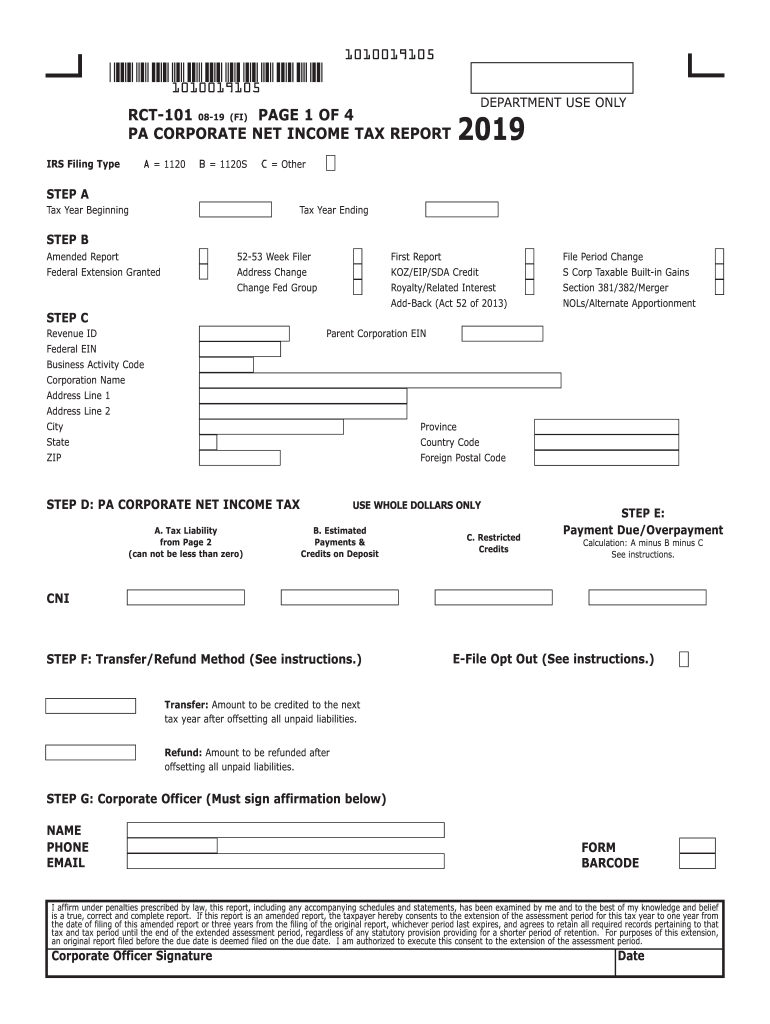
- Click ‘Get Form’ to open the rct 101 in the editor.
- Begin with Step A by entering the Tax Year Beginning and Ending dates in MMDDYYYY format. Ensure all entries are in uppercase without dashes or slashes.
- In Step B, indicate if this is an Amended Report and check any applicable boxes for credits or changes. Remember to use whole dollars only.
- Proceed to Step C, where you will fill in your Revenue ID, Federal EIN, Business Activity Code, and corporation details including name and address.
- For Step D, calculate your tax liability based on the provided fields. Enter estimated payments and restricted credits as required.
- In Step E, determine your payment due or overpayment calculation by following the instructions carefully.
- Complete Step F by selecting your preferred transfer/refund method and providing necessary amounts.
- Finally, in Step G, ensure that a corporate officer signs the affirmation before printing the form for submission.
Start filling out your rct 101 today using our platform for free!
Fill out rct 101 online
It's free
It's free
See more rct 101 versions
We've got more versions of the rct 101 form. Select the right rct 101 version from the list and start editing it straight away!
| Versions | Form popularity | Fillable & printable |
|---|---|---|
| 2026 | 4.7 Satisfied (48 Votes) | |
| 2024 | 4.9 Satisfied (43 Votes) | |
| 2023 | 4.4 Satisfied (53 Votes) | |
| 2022 | 4.6 Satisfied (59 Votes) | |
| 2021 | 4.8 Satisfied (61 Votes) | |
| 2020 | 4.1 Satisfied (45 Votes) | |
| 2019 | 4.3 Satisfied (188 Votes) | |
| 2018 | 3.9 Satisfied (34 Votes) | |
| 2017 | 4.4 Satisfied (270 Votes) | |
| 2015 | 4.4 Satisfied (259 Votes) | |
| 2014 | 4.2 Satisfied (109 Votes) | |
| 2013 | 4.4 Satisfied (31 Votes) | |
| 2008 | 4 Satisfied (58 Votes) | |
| 1997 | 4.4 Satisfied (119 Votes) |
Security and compliance
At DocHub, your data security is our priority. We follow HIPAA, SOC2, GDPR, and other standards, so you can work on your documents with confidence.
Learn more


