Type text, add images, blackout confidential details, add comments, highlights and more.
02. Sign it in a few clicks
Draw your signature, type it, upload its image, or use your mobile device as a signature pad.
03. Share your form with others
Send it via email, link, or fax. You can also download it, export it or print it out.
How to use or fill out How to Avoid Tax Scams and Protect Your Finances with our platform
Ease of Setup
DocHub User Ratings on G2
Ease of Use
DocHub User Ratings on G2
Click ‘Get Form’ to open it in the editor.
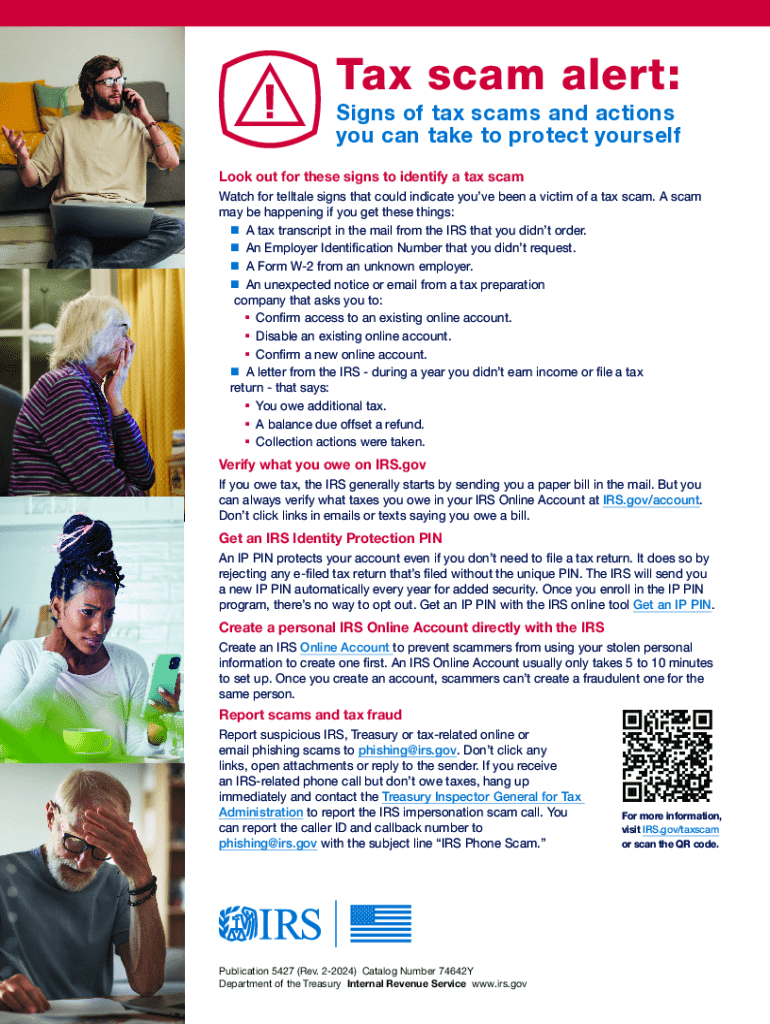
Begin by reviewing the section on signs of tax scams. Familiarize yourself with the indicators listed, such as unexpected IRS correspondence or unfamiliar W-2 forms.
In the next section, find fields that allow you to input your personal information for verification purposes. Ensure accuracy when entering your details to avoid any discrepancies.
Follow the guidance on obtaining an IRS Identity Protection PIN. Use our platform’s tools to highlight this step and ensure you understand how to enroll in the IP PIN program.
Complete the form by detailing steps for creating a personal IRS Online Account. Utilize our editor's features to make notes or reminders about this process.
Finally, review the reporting procedures for scams. Make sure you understand how to report suspicious activity effectively using the provided email addresses.
Start using our platform today for free and take control of your financial security!
Fill out How to Avoid Tax Scams and Protect Your Finances online It's free
See more How to Avoid Tax Scams and Protect Your Finances versions
We've got more versions of the How to Avoid Tax Scams and Protect Your Finances form. Select the right How to Avoid Tax Scams and Protect Your Finances version from the list and start editing it straight away!
How does the IRS contact you if you owe moneyHow to spot a fake tax returnIRS scams by mailWill the IRS call you about tax debtWhy am i getting tax debt relief callsMr Larochelle IRS letter PDFTax investigation 2B letter sampleHow can tax identity theft occur
Security and compliance
At DocHub, your data security is our priority. We follow HIPAA, SOC2, GDPR, and other standards, so you can work on your documents with confidence.
Lets explore some common tax scams, warning signs that you may be victim, and steps you can take to protect yourself, your identity, and your finances.Read more
Protect Your Inbox: How to Avoid Email and Text Scams
Sep 5, 2025 Begin by updating your passwords on critical accounts, such as email and banking, as well as any other services that share the same password.Read more
UFCU February 2026 Tips: Five Ways to Protect Yourself from
Protect Yourself from Tax Scammers Ignore emails, calls, and texts. The best way to avoid getting hooked by phishing scams is to know that the IRS contacts
Cookie consent notice
This site uses cookies to enhance site navigation and personalize your experience.
By using this site you agree to our use of cookies as described in our Privacy Notice.
You can modify your selections by visiting our Cookie and Advertising Notice.