




01. Edit your form online
Type text, add images, blackout confidential details, add comments, highlights and more.


Type text, add images, blackout confidential details, add comments, highlights and more.

Draw your signature, type it, upload its image, or use your mobile device as a signature pad.

Send it via email, link, or fax. You can also download it, export it or print it out.
The S-220 Form BCR, known as the Buyer's Claim for Refund of Wisconsin Sales Taxes, is a document that allows buyers to request refunds of sales taxes paid in error to the Wisconsin Department of Revenue. It covers a range of taxes, including state, county, city, and stadium sales taxes. This form is vital for buyers who need to rectify tax payment mistakes, ensuring they do not overpay or incur unnecessary expenses due to sales tax miscalculations.
Obtaining the S-220 Form BCR involves several straightforward steps:
Visit the Wisconsin Department of Revenue Website: The most reliable source for acquiring the form is the official website of the Wisconsin Department of Revenue. Here, you can find downloadable versions of the form in PDF format.
Contacting the Department: You can also contact the department directly via phone or email to request a copy of the form. This method may be beneficial if you require additional support or information about the form.
Tax Professionals or Accountants: Engaging with a tax professional can also streamline the process. They often have ready access to required forms and can assist in filling them out correctly.
Completing the S-220 Form BCR requires attention to detail to ensure accuracy:
Gather Required Documents: Have all receipts and documents related to the sales tax you are claiming a refund for. This includes proof of purchase and tax payment.
Fill Out Buyer Information: Provide your full name, address, and contact information. This section ensures that the refund is processed for the correct individual.
Detail the Refund Claim: Specify the amount of sales tax paid in error, including a breakdown of the state, county, city, and stadium taxes, if applicable.
Provide Additional Instructions: Follow the specific instructions outlined on the form to ensure every section is completed as required.
Submit the Form: Mail the completed form and all supporting documents to the address specified on the form. Ensure that you also keep copies for your records.
Not everyone is eligible to use Form BCR, and it's essential to determine your eligibility before submitting a claim:


Understanding the key elements of the S-220 Form BCR helps ensure appropriate and efficient completion:
This form serves a specific audience:

Familiarity with key terms is beneficial during the form's completion:
While the traditional method involves mailing the form, understanding all possible submission avenues enhances convenience:
When submitting the S-220 Form BCR, several documents are typically needed:
Occasionally, understanding variations or related forms helps in identifying the correct document to use:
By following these guidelines, you can efficiently navigate the process of completing the S-220 Form BCR, ensuring your refund claim is smooth and successful.
We've got more versions of the S-220 Form BCR - Buyer's Claim for Refund of Wisconsin Sales Taxes form. Select the right S-220 Form BCR - Buyer's Claim for Refund of Wisconsin Sales Taxes version from the list and start editing it straight away!
At DocHub, your data security is our priority. We follow HIPAA, SOC2, GDPR, and other standards, so you can work on your documents with confidence.

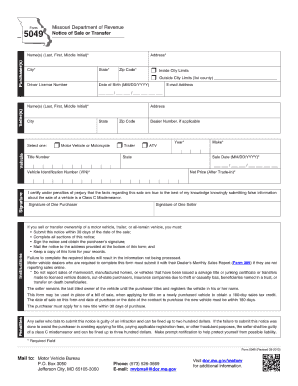
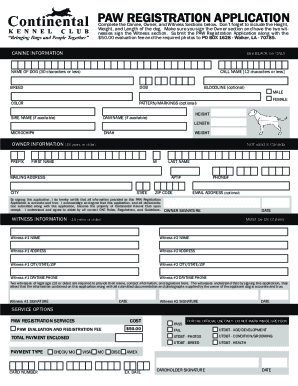
Form-Flat S-220 Form BCR - Buyers Claim for Refund of Wisconsin Sales Taxes - Attach to Form BCR, Buyers Claim for Refund of Wisconsin Sales Taxes
Download the forms from this webpage. Sales and Use Tax Bonds; Sales and Use Tax Bonds; Form-SalesUse; Form W-220 Nonresident Employees


