
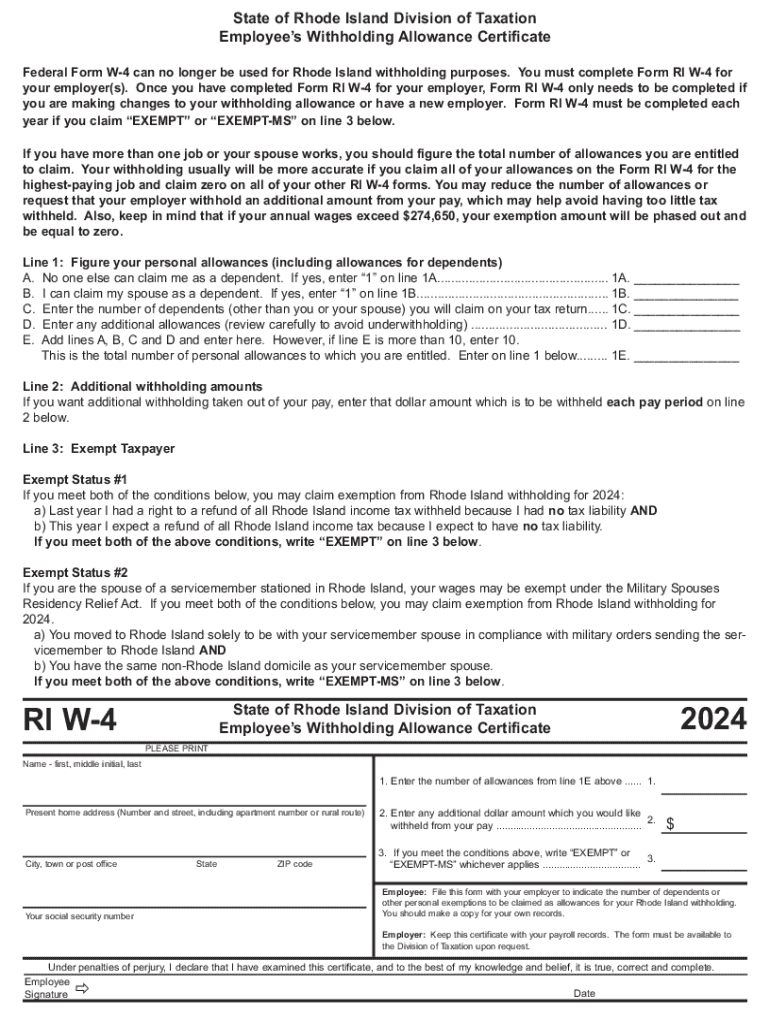







Definition & Meaning
"Form online" refers to digital forms that can be completed and submitted via the internet. These forms are designed to streamline various processes, allowing individuals and businesses to perform transactions, apply for services, or provide necessary information efficiently. The availability of forms online removes geographical constraints, enabling users to interact with organizations regardless of location.
Examples
- Tax forms required for annual filing by taxpayers.
- Employment-related forms, such as those for onboarding new hires or making changes to withholding allowances.
- Application forms for obtaining licenses or permits.
Benefits
- Convenient access from multiple devices, including smartphones, tablets, and computers.
- Reduction in the turnaround time for processing and responses.
- Saves on paper, thereby reducing environmental impact.
How to Use the Form Online
Using a form online involves several steps that ensure accurate and complete submission. These steps maintain the form's integrity while enabling its intended purpose.
Step-by-Step Instructions
- Locate the online form on the relevant organization's website.
- Ensure all software requirements are met, such as having the latest version of your web browser.
- Fill out the form using the on-screen prompts. Pay careful attention to required fields, which often have asterisks or bold text.
- Check for any input validation by the form, which can highlight incomplete or erroneous sections.
- Review your entries carefully, ensuring all information is accurate and complete.
- Submit the form once verified, noting any confirmation messages or emails received upon submission.
Common Tools
- Auto-fill features in browsers to speed up the data entry process.
- Digital signatures for legal documents, ensuring compliance with electronic signature laws such as the ESIGN Act.
How to Obtain the Form Online
Finding the correct form online requires knowing where to look and how to access reputable sources that ensure the form's validity and compliance with legal standards.
Sources
- Government websites, such as the IRS for federal tax documents.
- Official organizational portals for specific industries or sectors, like education or health care.
- Online platforms like DocHub that provide templates and tools for form management.
Verification
- Compare the form link against known sources to prevent phishing attempts.
- Check for security indicators in websites, like HTTPS and official domain extensions.
- Confirm that the document format is supported by your software or browser to avoid formatting issues.
Steps to Complete the Form Online
Filling out forms online can vary in complexity, depending on the form's nature and requirements. Let's break down the typical steps.
Detailed Process
- Read through any instructions or guidance provided on the form's web page before starting.
- Gather all necessary documents and information prior to beginning the form to avoid unnecessary interruptions.
- Complete each section of the form according to instructions, staying attentive to specific formats required for dates or numbers.
- If applicable, attach any supplemental documentation required, ensuring file types and sizes are compliant with stated limitations.
- Utilize any help features, such as tooltips or FAQs, for clarification on unfamiliar terms or requirements.
- Save your progress frequently, especially if the form allows for partial submissions without losing entered data.
Finalization
- Always preview the final version of the form if available.
- Note submission deadlines and any confirmation details that assure your form submission is acknowledged.
Legal Use of the Form Online
The legality of using forms online is governed by compliance with electronic documentation standards and laws.
Legal Compliance
- Ensure the form uses secure channels for data entry and submission to align with privacy laws such as HIPAA for health-related information.
- Electronic signatures are legally binding under specific conditions outlined by laws like the ESIGN Act or UETA, depending on the jurisdiction.
Privacy Concerns
- Understand how data will be stored and processed post-submission to know your rights regarding information handling and sharing.
- Verify the data protection practices of the vendor or organization issuing the form.
Key Elements of the Form Online
Several features are fundamental to online forms, facilitating their efficiency and accessibility.
Core Components
- Interactive fields that allow for dynamic user input tailored to the respondent's answers.
- Embedded validation mechanisms that check entries in real-time, such as matching any formatting criteria for numbers or emails.
- Accommodations for accessibility, providing alternate methods for users with disabilities such as screen readers or keyboard navigation.
User Guidance
- Tooltips and additional instructions to clarify complex sections or commonly misunderstood terms.
- A responsive design that adjusts to various device screens, maintaining usability across platforms.
State-Specific Rules for the Form Online
Each state may have distinct requirements or versions of online forms, especially those related to taxes and legal documents.
Adaptations
- Forms like state tax filings will differ from federal lists, necessitating attention to unique state laws or mandatory checks.
- Some states might require documents be notarized, even if submitted online, requiring additional steps.
Examples
- California's versions of employee tax forms include specific state deductions and allowances.
- New York may have different legal criteria for real estate applications than other states.
By understanding these factors, users can proceed with confidence in navigating online forms relevant to their needs.




