







Definition & Meaning
The concept of "form online" refers to electronic documents that can be accessed, completed, submitted, and managed over the internet. These forms can encompass a wide range of applications, from legal documents to tax forms, and offer a digital alternative to traditional paper methods. Online forms streamline processes by allowing users to input information on their computer or mobile device, eliminating the need for printing and mailing documents.
Primarily, forms available online are designed to facilitate data collection, process automation, and improve accuracy through input validation features. Such forms can be employed across various sectors, including governmental, educational, and corporate environments, where they help in recruiting, information gathering, or client onboarding.
Examples of Forms Available Online
- Tax filings including annual income statements
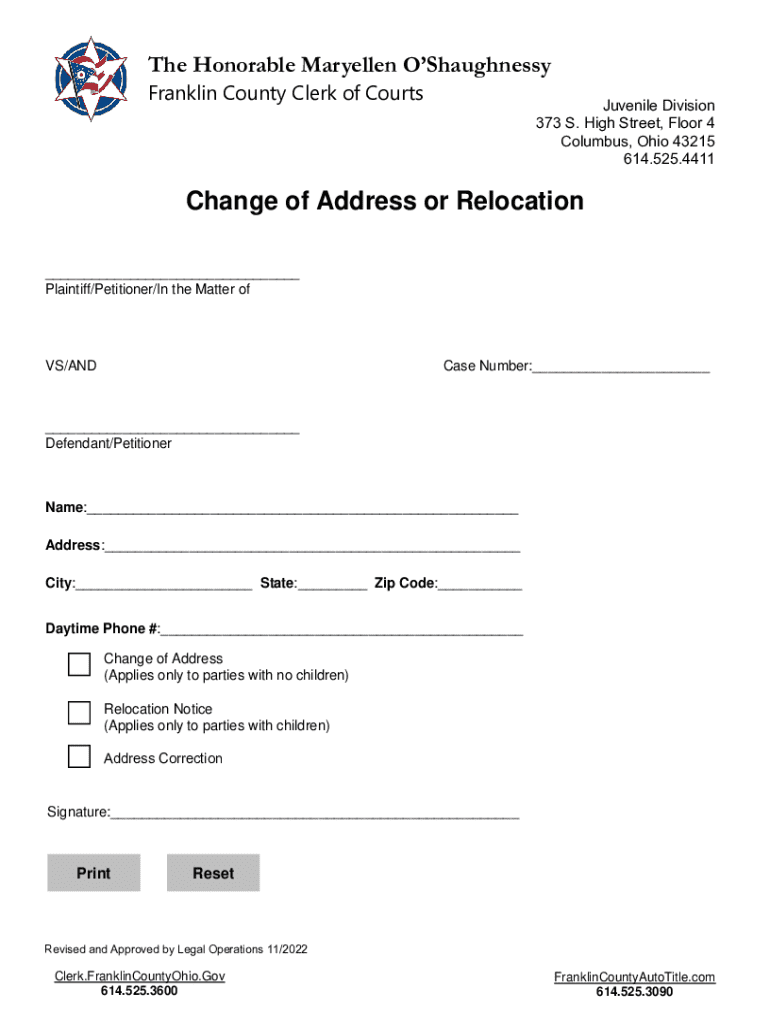
- Legal documentation like affidavits or change of address notifications
- Business registration forms
- Educational enrollment applications
- Healthcare patient information forms
How to Use the Form Online
Using an online form is generally a straightforward process designed for user convenience. Typically, users are required to go through a few standardized steps:
- Access the Form: Locate the form on a relevant website or platform. Ensure you have a stable internet connection for seamless loading.
- Fill Out Required Fields: Fields marked with an asterisk or label indicating necessity must be completed for form validation.
- Review & Validate: Cross-check entries for accuracy. Many forms include auto-validation features to highlight missing or incorrect data.
- Submit the Form: Once all fields are filled, click the submit button. Confirmation of submission may be provided instantly, often via email or on-screen notification.
Step-by-Step Online Form Completion
- Open your preferred web browser and navigate to the form’s website.
- Carefully read all instructions provided before beginning.
- Use the "tab" key to move quickly between fields.
- Utilize online help sections or customer support for guidance.
How to Obtain the Form Online
Securing an online form typically requires visiting a specific website or online portal where the form is hosted. Organizations and government bodies often have dedicated sections for forms accessible through their homepages:
- Search Engines: Utilize search engines to locate specific forms using accurate names or keywords.
- Official Websites: Visit the issuing institution's official website; forms are frequently located under sections such as 'Resources' or 'Downloads.'
- Email Requests: Some organizations may allow requesting forms via email if not publicly available.
Tips for Finding Forms Efficiently
- Use direct links or bookmarks for frequently used forms.
- Contact support services for assistance if navigational challenges arise.
- Check for downloadable PDF versions if a hard copy is preferred.
Steps to Complete the Form Online
Completing an online form involves a few standardized steps to ensure the data entered is correct and the form is successfully submitted:
- Start by Accessing the Form: Visit the form link through a web browser on any digital device.
- Read Instructions Carefully: Overview instructions or guidance notes provided at the form's start.
- Enter Personal Information: Input personal data such as name, address, and contact details as required.
- Select Appropriate Options: Use dropdown menus or checkbox selections for questions with predefined answers.
- Upload Supporting Documents: Attach any necessary documents, such as ID verification, through upload functionalities.
- Double-Check Entries: Always review information to avoid errors before proceeding to submit the form.
- Submit the Form: Confirm the form is completed and click the submit button, ensuring all mandatory fields are filled.
Why Should You Form Online
Forming online can provide notable advantages over traditional paper forms:
- Efficiency: Online forms save time by streamlining the completion and submission process.
- Ease of Use: User-friendly interfaces with validation prompts make forms accessible to a wide audience.
- Cost-Effectiveness: Reduces paper and postage costs associated with mailing documents.
- Instant Delivery: Immediate submission and processing enhance timelines, particularly for time-sensitive submissions.
Considerations of Online Forms
- Initially require internet access for completion.
- Potential technical issues, such as browser compatibility, could arise.
Key Elements of the Form Online
When engaging with online forms, several key components are essential for proper completion:
- Instruction Sections: Offer guidance on filling out the form correctly.
- Data Fields: Where users input information ranging from personal details to specific queries related to the form's purpose.
- Attachments Module: A section for uploading required documents or identification.
- Verification Checks: Tools ensuring data integrity before submission.
- Submission Confirmation: An acknowledgment of receipt for completed forms, often including reference numbers.
State-Specific Rules for the Form Online
Online forms often come with state-specific regulations that may influence their format or required data due to regional legal and regulatory frameworks:
- Jurisdictional Variations: State-specific fields or additional documents may be necessary for compliance.
- Local Laws: Consider local laws impacting how forms are managed and processed online.
- Regional Differences in Timing: Some states may have differing deadlines or cut-off dates for submission.
State Compliance Considerations
- Verify state requirements from official resources before filling out the form.
- Look for state-specific guidance or help documents often linked or included within the form.
Important Terms Related to Form Online
Understanding commonly used terms associated with online forms can enhance your ability to navigate and complete them accurately:
- Captcha: A security feature verifying the user is human, preventing automated submissions.
- Dropdown Menus: Interactive elements offering multiple-choice options within a field.
- Mandatory Field: Required data entry field that must be completed to submit the form.
- Checkboxes and Radio Buttons: Allow selection of one or multiple options as part of a question.
- Validation Errors: Alerts indicating incorrect or missed entries needing correction.




