Type text, add images, blackout confidential details, add comments, highlights and more.
02. Sign it in a few clicks
Draw your signature, type it, upload its image, or use your mobile device as a signature pad.
03. Share your form with others
Send it via email, link, or fax. You can also download it, export it or print it out.
How to use or fill out 2011-2012 FR application part 2x with our platform
Ease of Setup
DocHub User Ratings on G2
Ease of Use
DocHub User Ratings on G2
Click ‘Get Form’ to open the 2011-2012 FR application part 2x in the editor.
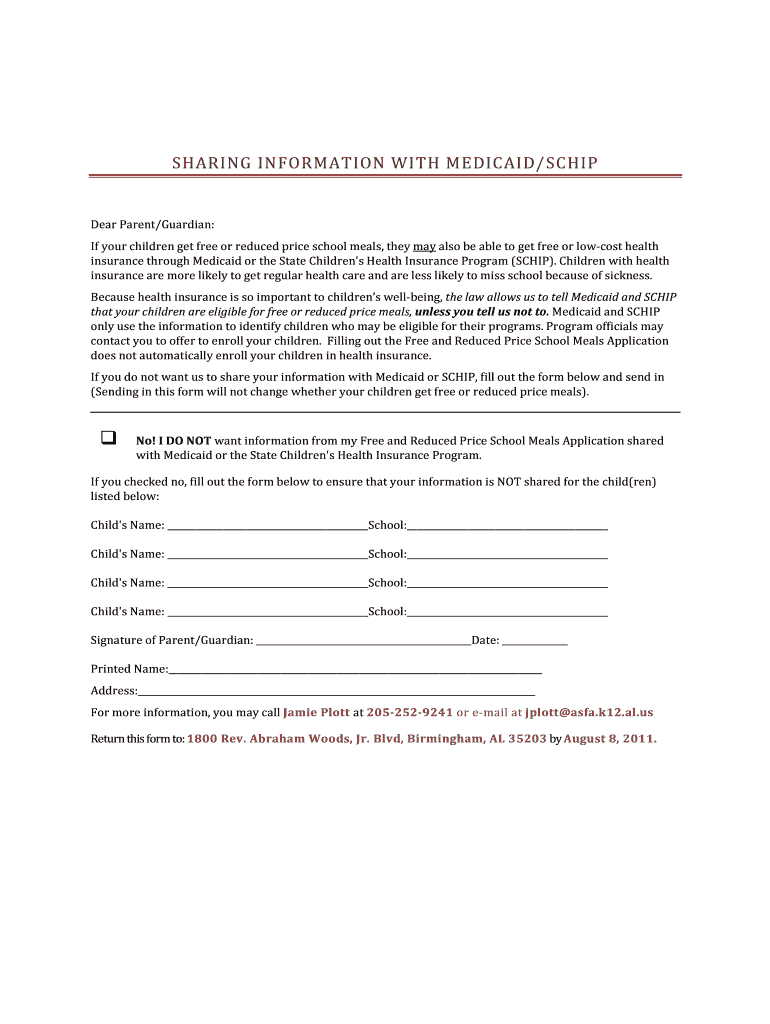
Begin by reviewing the first section regarding sharing information with Medicaid/SCHIP. If you do not wish to share your information, check the 'No' box and fill in your child's name and school details in the provided fields.
If you agree to share your information, check the appropriate 'Yes' boxes for each program listed. Ensure you fill out the child’s name and school for each entry.
Complete the signature section by signing as a parent/guardian, entering the date, and providing your printed name and address.
Once all fields are filled out accurately, save your changes. You can then download or send the completed form directly from our platform.
Start using our platform today to easily complete your forms online for free!
Fill out 2011-2012 FR application part 2x online It's free
Oct 24, 2012 The NJDOE visited the Paulsboro Public Schools to monitor the districts use of Ed Jobs funds and the related program plans, where applicable,
For each of the following 25 questions, carefully blacken the appropriate box on the answer sheet with a #2 pencil. Do not fold, bend, or write stray marks
Cookie consent notice
This site uses cookies to enhance site navigation and personalize your experience.
By using this site you agree to our use of cookies as described in our Privacy Notice.
You can modify your selections by visiting our Cookie and Advertising Notice.