




01. Edit your georgia withholding employer online
Type text, add images, blackout confidential details, add comments, highlights and more.

Type text, add images, blackout confidential details, add comments, highlights and more.

Draw your signature, type it, upload its image, or use your mobile device as a signature pad.

Send it via email, link, or fax. You can also download it, export it or print it out.
The All Tax Forms from the Georgia Department of Revenue are essential tools for individuals and businesses to report their state tax obligations. These forms cover various tax categories, including individual income tax, corporate tax, sales tax, and withholding tax, among others. By using these forms, taxpayers can ensure they are compliant with Georgia's tax laws by accurately reporting their income and any applicable deductions or credits. It is crucial to understand the types of forms available and identify the correct one needed for each tax situation.
Using the Georgia tax forms involves understanding the specific requirements for each type of form. Each form has distinct sections that must be filled out accurately to ensure correct filing. For example, individual income tax forms may require information on personal income, deductions, and tax credits, while business-related forms may need detailed financial statements and business deductions. Taxpayers should carefully review the instructions provided with each form and, if needed, consult with a tax professional to avoid errors that could lead to penalties or delayed processing.
Georgia tax forms are accessible through various channels to ensure taxpayers can easily obtain what they need. The Georgia Department of Revenue website offers downloadable PDF versions of all essential tax forms, which can be printed and filled out manually. Additionally, many public libraries and post offices in Georgia provide physical copies of commonly used tax forms. Tax preparers and software like TurboTax or QuickBooks can also supply digital versions directly through their platforms, offering convenience for those who prefer electronic filing.
Gather Required Information: Before starting, collect all necessary documents, such as W-2s for employee income, 1099s for contractor payments, and records of interest, dividends, or other income.
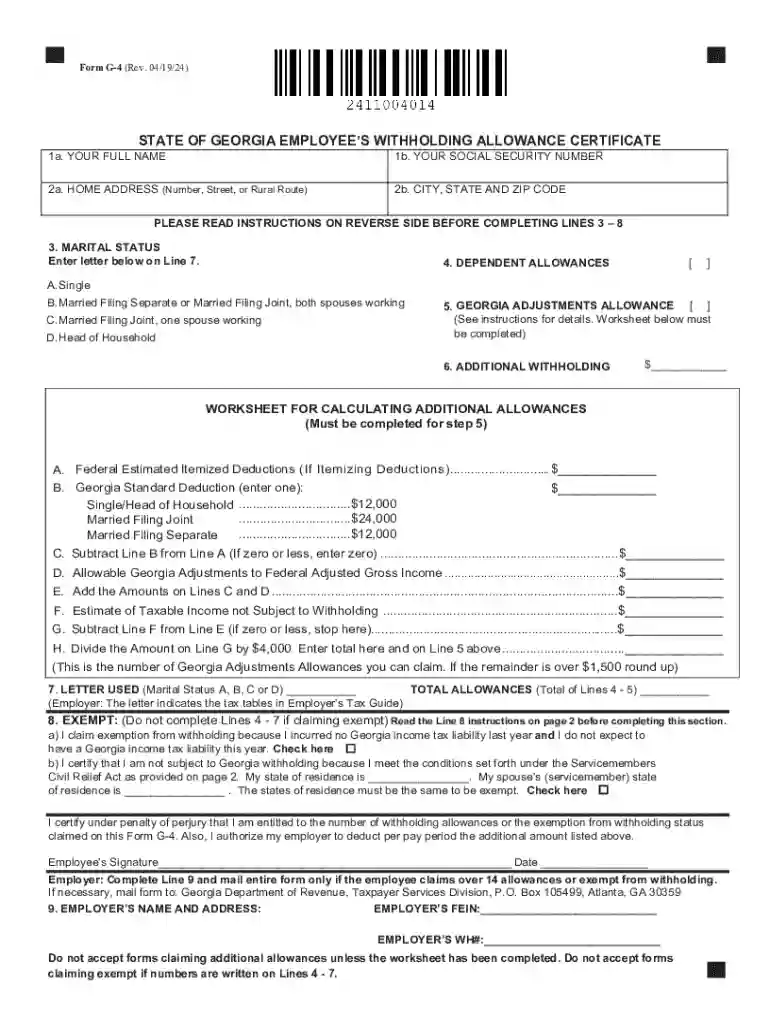
Select the Appropriate Form: Choose the form that matches your tax situation, such as the Georgia Income Tax Form 500 for individuals, or Form G-4 for employee withholding allowances.
Fill Out Personal Information: Enter your name, address, Social Security number, and, if applicable, marital status and dependents.
Complete Income and Deduction Sections: Provide details on all income earned and any eligible deductions or credits.
Calculate Tax Liability or Refund: Follow the instructions to compute the tax owed or the anticipated refund and verify calculations for accuracy.
Review and Sign the Form: Double-check all entries for mistakes, sign the completed form, and include your phone number.
Submit Before the Deadline: Mail or electronically submit the form to the Georgia Department of Revenue by the specified deadline.
Filing tax returns using Georgia's official forms is a legal requirement for all eligible residents and businesses. Accurate filing ensures compliance with state laws and helps avoid legal issues such as audits or penalties. Forms like the Georgia Income Tax Return must be filled out truthfully, reflecting all pertinent financial information for the tax year. Misrepresentation of income or deductions can lead to significant penalties, including fines or legal action.
Georgia has specific regulations that differentiate its tax system from federal or other states'. For instance, Georgia follows a separate set of rules for calculating state deductions and credits, which may not align with federal tax rules. There are also unique considerations for non-residents earning income within Georgia borders and special provisions for retirees on military pensions. Understanding these state-specific nuances is essential for accurate tax filing and compliance.
Tax forms consist of various key elements, including sections for identifying information, income declarations, tax deductions and credits, and calculations for taxes owed or refund amounts. Each section is integral to ensuring accurate reporting and minimizing errors in the filing process. Familiarizing oneself with these elements enhances the ability to complete the forms correctly and efficiently, reducing the likelihood of processing delays or errors.
Failing to file the required Georgia tax forms or submitting incorrect information can lead to penalties. Possible repercussions include late fees, interest on unpaid taxes, and additional fines for underreporting income or incorrectly claiming deductions. In severe cases, intentional defrauding can result in criminal charges. Being aware of potential penalties underscores the importance of timely and accurate form submission.
Georgia offers several methods for submitting tax forms. Taxpayers can mail their completed paper forms to the designated address provided in the form instructions. Additionally, electronic filing is available through the Georgia Department of Revenue's online portal or via approved tax preparation software. Electronic submission is often faster and can reduce processing time, providing quicker confirmation of receipt and processing by the department.
We've got more versions of the georgia withholding employer form. Select the right georgia withholding employer version from the list and start editing it straight away!
| Versions | Form popularity | Fillable & printable |
|---|---|---|
| 2024 | 4.5 Satisfied (29 Votes) | |
| 2024 | 4.5 Satisfied (34 Votes) | |
| 2023 | 4.8 Satisfied (38 Votes) | |
| 2021 | 4.8 Satisfied (186 Votes) | |
| 2019 | 4.3 Satisfied (59 Votes) | |
| 2018 | 4.4 Satisfied (134 Votes) | |
| 2014 | 4.3 Satisfied (49 Votes) | |
| 2013 | 4.4 Satisfied (69 Votes) | |
| 2009 | 4.3 Satisfied (49 Votes) | |
| 2004 | 4 Satisfied (30 Votes) | |
| 2000 | 4 Satisfied (46 Votes) |
At DocHub, your data security is our priority. We follow HIPAA, SOC2, GDPR, and other standards, so you can work on your documents with confidence.



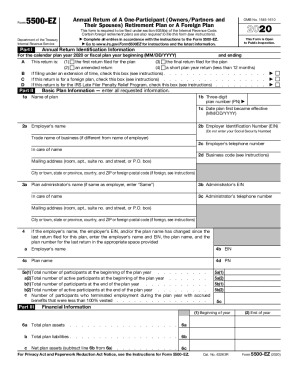
Form (G4) is to be completed and submitted to your employer in order to have tax withheld from your wages. Call 1-800-GEORGIA. All Tax Forms Check My Refund
Search Tax forms by type: Individual Income Tax forms Sales and Use Tax forms Corporate Income Tax forms Withholding Tax forms. Search all DOR forms:.Read more


