Routing sheet example 2026

Get Form
tax return routing sheet Preview on Page 1

Here's how it works

01. Edit your tax return routing sheet online
Type text, add images, blackout confidential details, add comments, highlights and more.

02. Sign it in a few clicks
Draw your signature, type it, upload its image, or use your mobile device as a signature pad.

03. Share your form with others
Send routing sheet template via email, link, or fax. You can also download it, export it or print it out.

Definition & Meaning

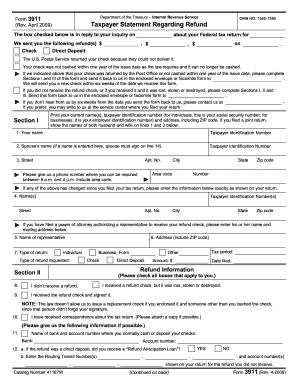
A routing sheet example serves as a structured form used in various industries to track the movement and processing of documents or tasks. In tax preparation, it outlines delivery options, processing sources, and types of tax return handling. By providing a clear template, it aids in ensuring efficient document handling and workflow management.

Key Elements of the Routing Sheet Example

Understanding the key elements within a routing sheet is essential for its effective use:

  • Delivery Preferences: Information on whether the returns are to be delivered electronically or in paper form.
  • Processing Sources: Details on where the document originates from and where it is being sent, assuring clear tracking.
  • Client Contact Information: Crucial for communication and verification purposes, especially if additional details are needed.
  • Return Types: Specifies whether the tax returns are simple, joint, amended, etc., ensuring correct processing.

These core components assist in managing document logistics and maintaining accurate records.

How to Use the Routing Sheet Example

Here's a step-by-step guide on leveraging a routing sheet effectively:

  1. Identify the Latest Version: Ensure that you're using the most current example of the routing sheet for accuracy with up-to-date information.
  2. Fill Out Client Information: Enter all relevant client details, which aids in tracking and communication.
  3. Select Delivery and Processing Options: Choose how the documents will be handled and through which channels, such as e-filing or direct mail.
  4. Review and Confirm: Double-check all entries to guarantee that all necessary sections are complete and accurate.

These steps enable users to maintain consistency and accuracy in document management.

Steps to Complete the Routing Sheet Example

Completing a routing sheet requires attention to detail:

  1. Gather Necessary Documents: Ensure that all relevant tax documents and identification materials are available.
  2. Enter Basic Data: Start with basic information such as client names, ID numbers, and contact details.
  3. Select Return Type: Highlight the intended type of return, reflecting the document's purpose.
  4. Detail Processing Preferences: Indicate if the document is to be processed electronically or by mail.
  5. Check Compliance with Instructions: Verify compliance with any specific instructions provided for the routing sheet.

By following these steps, you ensure a precise and comprehensive completion process.

Important Terms Related to the Routing Sheet Example

Knowledge of significant terms enhances your ability to properly use a routing sheet:

  • E-Filing: The process of submitting tax documents through electronic means.
  • Direct Deposit: A method of transferring funds directly to a bank account.
  • Audit Trail: Records that chronicle the various stages of document handling, ensuring transparency.

These terms are fundamental to understanding and utilizing routing sheets effectively.

Examples of Using the Routing Sheet Example

Practical applications for a routing sheet abound:

  • Tax Preparation Firms: These organizations often use routing sheets to streamline the tax filing process.
  • Legal Protocols: Ensure that important legal documents are tracked and handled appropriately.
  • Business Administration: Track internal document flow within companies to enhance transparency and efficiency.

Each use case underscores the importance of efficient document management systems.

Software Compatibility

Modern routing sheets are often digitized for compatibility with software like QuickBooks and TurboTax. This compatibility allows for seamless integration into existing accounting and tax-preparation workflows, reducing manual errors and increasing processing speed.

  • QuickBooks: Facilitates financial documentation and tax preparation.
  • TurboTax: Primarily used for individual tax filing needs.

These integrations simplify the document handling process, providing ease of use and enhanced accuracy.

State-Specific Rules for the Routing Sheet Example

State-specific rules can affect how a routing sheet is utilized:

  • Different Filing Requirements: Some states might require additional documents or forms for processing.
  • Deadlines Vary: Filing dates can change based on state guidelines, impacting when the routing sheet is due.
  • Legal Compliance: Each state may have unique legal compliance requirements that need to be reflected on the routing sheet.

Adhering to state requirements ensures that documents are submitted correctly and on time. This awareness minimizes the risk of non-compliance penalties and enhances overall handling accuracy.

be ready to get more

Complete this form in 5 minutes or less

Get form

Got questions?

We have answers to the most popular questions from our customers. If you can't find an answer to your question, please contact us.
Contact us
Document routing is the automated workflow that a document follows during the e-signing process. It dictates how and when a document is forwarded to different parties for review, signature, or approval. This ensures that each step is completed sequentially and that each signer is aware of their required action.
The Routing Sheet report shows the operations to do to build an item. View the work center or machine center, personnel, and tools involved, and a description of each operation.
A classic example involves traffic in a road system, in which each driver picks a path that minimizes their travel time. With such routing, the equilibrium routes can be longer than optimal for all drivers.

Security and compliance

At DocHub, your data security is our priority. We follow HIPAA, SOC2, GDPR, and other standards, so you can work on your documents with confidence.

Learn more
ccpa2
pci-dss
gdpr-compliance
hipaa
soc-compliance