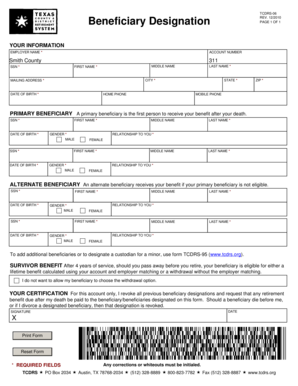
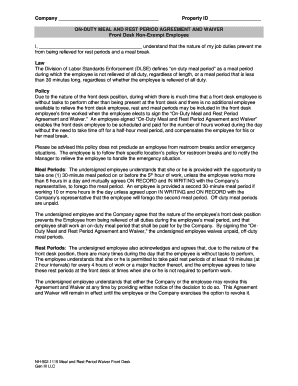
Educational Enhancement Opportunity Request Form - eSchoolView 2026

Get Form
Educational Enhancement Opportunity Request Form - eSchoolView Preview on Page 1

Here's how it works

01. Edit your form online
Type text, add images, blackout confidential details, add comments, highlights and more.

02. Sign it in a few clicks
Draw your signature, type it, upload its image, or use your mobile device as a signature pad.

03. Share your form with others
Send it via email, link, or fax. You can also download it, export it or print it out.

Definition & Meaning

The Educational Enhancement Opportunity Request Form - eSchoolView is a specialized document essential for students seeking permission for excused absences due to educational activities. These activities could include academic competitions, workshops, seminars, or conferences that enhance their learning experience beyond the classroom. The form serves as a formal request submitted to the school principal, outlining the purpose and specifics of the proposed absence, and is a part of maintaining compliance with school attendance policies.

How to Use the Educational Enhancement Opportunity Request Form - eSchoolView

To effectively utilize the Educational Enhancement Opportunity Request Form - eSchoolView, students and guardians must follow several key steps:

  1. Preparation: Identify the educational activity justifying the absence. Gather relevant information such as event details, dates, and objectives.
  2. Documentation: Ensure all necessary documentation, including program itineraries or invitations, is available. This supports the validity of the request.
  3. Completion: Fill out the form accurately, providing all requested details. Sections typically include the student’s personal information, details of the educational event, and necessary signatures.
  4. Submission: Submit the form to the school principal at least five days prior to the intended absence to allow sufficient time for review and approval.

Steps to Complete the Educational Enhancement Opportunity Request Form - eSchoolView

Completing the form involves several precise steps:

  1. Personal Information: Enter the student's name, grade, and contact details.
  2. Event Description: Describe the nature of the educational activity, including location, dates, and how it contributes to academic growth.
  3. Signatures: Obtain necessary signatures from both the parent/guardian and the student, affirming the accuracy of the information and acknowledging school policies.
  4. School Review: Submit the form to designated school officials for evaluation. This may include the principal or attendance office.

Detailed Tips for Form Completion

  • Be Detailed: Provide comprehensive descriptions for each section to exhibit the event's educational value.
  • Compliance with Deadlines: Adhere to submission deadlines to avoid delays in approval.
  • Consultation: Engage with school advisors or teachers when unsure about any part of the process.

Eligibility Criteria

The form’s approval largely depends on meeting specific eligibility requirements:

  • Relevance: The activity must align with educational goals and offer substantial learning benefits.
  • Documentation: Adequate supporting documentation must be provided to substantiate the request.
  • Attendance Record: Students should generally maintain good attendance to qualify.
decoration image ratings of Dochub

Key Elements of the Educational Enhancement Opportunity Request Form - eSchoolView

Several crucial components of the form ensure its functionality:

  • Student Information: Clearly identifies the applicant.
  • Event Details: Justifies the need for absence with relevant activity information.
  • Approval Section: Includes school officials’ evaluation and consent.

Legal Use of the Educational Enhancement Opportunity Request Form - eSchoolView

The form is essential in maintaining compliance with educational regulations:

  • Regulatory Compliance: Ensures adherence to state and school attendance laws.
  • Record Keeping: Becomes part of the student's official attendance record, documenting approved absences.

Examples of Using the Educational Enhancement Opportunity Request Form - eSchoolView

Consider scenarios where the form is typically used:

  • Academic Competitions: Participation in national or international contests.
  • Educational Tours: Field trips or educational tourism organized by the school.
  • Special Workshops: Attendance at specialized training sessions beneficial to academic pursuits.

Digital vs. Paper Version

While both digital and paper versions of the form exist, digital forms offer distinct advantages:

  • Efficiency: Instant submission and processing reduce approval time.
  • Accessibility: Forms are easily accessible from any device with an internet connection.

Advantages of the Digital Format

  • Automatic Record Keeping: Digital submissions are stored electronically, simplifying future reference.
  • Environmentally Friendly: Reduces paper use and physical storage needs.
be ready to get more

Complete this form in 5 minutes or less

Get form

Got questions?

We have answers to the most popular questions from our customers. If you can't find an answer to your question, please contact us.
Contact us
To get an FSEOG, you must fill out the Free Application for Federal Student Aid (FAFSA) form so your college can determine how much financial need you have. The financial aid office will award FSEOGs to students that have the most financial need.
An Educational Enhancement Opportunity (EHO) allows a student to have an excused absence to participate in an educational activity outside of the school, but be counted present in attendance.
Please explain the nature of the event the student will be attending and how the activity meets the criteria of (1) having an educational purpose, (2) having docHub educational value, and (3) how the activity is directly related to one of the core curriculum subjects of English, science, mathematics, social
In relation to higher education quality, enhancement refers to: 1. the enhancement of individual learners; the augmentation or improvement of learners attributes, knowledge, ability, skills and potential. 2. the improvement in the quality of an institution or programme of study.

Security and compliance

At DocHub, your data security is our priority. We follow HIPAA, SOC2, GDPR, and other standards, so you can work on your documents with confidence.
Learn more
ccpa2
pci-dss
gdpr-compliance
hipaa
soc-compliance