




01. Edit your general procedure claim 23 online
Type text, add images, blackout confidential details, add comments, highlights and more.

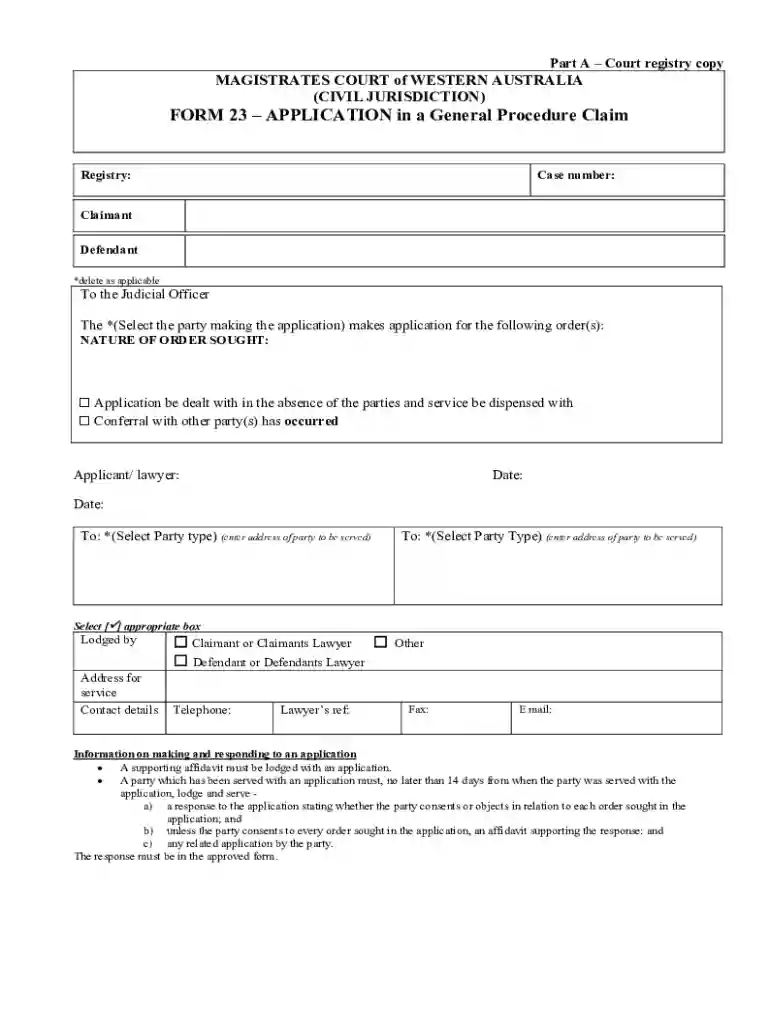
Type text, add images, blackout confidential details, add comments, highlights and more.

Draw your signature, type it, upload its image, or use your mobile device as a signature pad.

Send it via email, link, or fax. You can also download it, export it or print it out.
Filling out a form online refers to the process of completing a document or application using digital means rather than traditional paper methods. This approach offers convenience, speed, and paperless transactions, making it an increasingly popular choice for both individuals and businesses.
Online forms are used for a variety of purposes, including tax filing, application submissions, and any situation that requires information collection. These forms are typically designed to be user-friendly, guiding users through each step to ensure accuracy and completeness. This digital process often includes elements like fillable fields, drop-down menus, and electronic signature capabilities.
In the United States, online forms are utilized across various sectors, from legal to educational, providing a standardized method for data submission. They are often integrated with other digital tools to streamline document management and enhance workflow efficiency.
Using an online form typically involves several straightforward steps designed to maximize user accessibility and minimize errors. Here's a general guide to navigating this process:
Access the Form: Start by locating the specific form required, often available on official websites or through platforms like DocHub. Ensure you are accessing a legitimate source to avoid misinformation and fraudulent sites.
Review Instructions: Carefully read any instructions provided before beginning. This helps in understanding specific requirements and eligibility criteria associated with the form.
Fill Out the Form: Enter the necessary information in each field. Online forms usually highlight required fields, guiding users to complete essential sections before submission. Take advantage of dropdown menus, checkboxes, and automated fields to simplify data input.
Attach Necessary Documents: If required, upload any supporting documents. Online forms often include an upload button for attaching files directly from your computer or cloud storage services.
Review and Edit: Before submitting, review the form for any errors or missing information. Most platforms allow users to go back and edit entries before finalizing the submission.
Submit the Form: Once satisfied with the completion, select the submit button. Many online forms provide a confirmation or receipt number upon submission as proof of transaction.
Online forms are typically cross-platform compatible, ensuring they can be accessed from various devices such as computers, tablets, and smartphones, thus offering flexibility in completing and submitting forms.
Completing an online form involves navigating through user-friendly interfaces designed to gather information accurately. Below is a step-by-step approach to filling out such forms:
Access the Website: Open the official site where the form is hosted, ensuring you're on a secure page before proceeding.
Locate the Form: Use search features or site navigation to find the form needed. Some sites categorize forms for easier access.
Enter Personal Data: Start by filling in personal details such as name, address, and contact information. Ensure accuracy to avoid potential delays.
Provide Specific Information: Depending on the form type, input the necessary details related to the form's purpose. For tax forms, this could involve financial data; for applications, it may be educational or employment history.
Add Signature: Utilize electronic signature features when needed. Platforms like DocHub allow for multiple signature formats, including typed, drawn, or uploaded.
Attach Files: Where applicable, upload any required documents. This step is crucial for forms that demand proof of identity or additional verification.
Finalize and Review: Carefully check the entire form for errors or incompleteness before hitting the submit button. Platforms often provide options to amend data even after saving drafts.
Submit: Complete the process by submitting the form. Look for a confirmation message or number, indicating successful transmission.
These steps help streamline the completion process, reducing the possibility of omissions or errors that could lead to complications later.
Online forms are composed of several key elements that facilitate easy and efficient completion. Understanding these elements can significantly improve the user experience:
Each element is strategically designed to streamline the data entry process, ensuring users provide all necessary information efficiently.
Electronic signatures play a crucial role in the validation of online forms. These signatures are not merely formalities but serve as legal attestations equivalent to traditional pen-and-paper signatures:
Types of Electronic Signatures: Users can select from several formats, such as drawing their signature, typing and choosing a font, or uploading a pre-saved signature image.
Legal Compliance: In the United States, electronic signatures are governed by the ESIGN Act, ensuring that they hold the same legal authority as handwritten signatures. This provides assurance and legitimacy to both parties involved in the transaction.
Security Measures: Platforms offering electronic signature capabilities generally include security features such as audit trails and encrypted storage to protect the integrity of the document and signatures.
The flexibility and legal backing of electronic signatures make them indispensable for online forms requiring consent or approval.
When dealing with online forms, it's essential to acknowledge variations in rules and requirements across different states. Here are some common considerations:
State Regulations: Each state may have unique legal or procedural mandates influencing the content and submission process of a form. For example, tax forms like state income tax filings differ from federal forms and must adhere to state-specific guidelines.
Jurisdictional Requirements: Legal forms, such as court registry forms, often have jurisdiction-specific fields that must be accurately filled to be deemed valid.
Filing Deadlines: States may have unique deadlines for submitting certain forms, such as tax returns or business registrations. It is crucial to verify dates to avoid penalties.
Additional Documentation: Certain states require supplementary documents or information not needed in others, affecting the completeness of the submission.
Understanding and adhering to these state-specific rules ensures compliance and prevents legal or administrative hiccups.
A well-rounded understanding of online forms includes familiarity with several important terms:
Mastering this terminology enhances the user's ability to complete online forms accurately and efficiently.
Online forms serve a wide array of users across various sectors, emphasizing their versatility and utility:
This broad user base underscores the importance and widespread applicability of online forms.


We've got more versions of the general procedure claim 23 form. Select the right general procedure claim 23 version from the list and start editing it straight away!
At DocHub, your data security is our priority. We follow HIPAA, SOC2, GDPR, and other standards, so you can work on your documents with confidence.
Jul 14, 2021 The company has proposed a new 400 meagwatt coal-fired power station in Western Australia and is seeking to explore and develop the MmamantsweRead more
The Government of Western Australia (WA), acting through its Department of Primary Industries and Regional Development (DPIRD), invited the Growth Lab of theRead more
by M Blake 2017 Cited by 16 This article examines the fit between the Western Australian legislation on advance care planning (ACP) and health professionals experiences implementing


