




01. Edit your form online
Type text, add images, blackout confidential details, add comments, highlights and more.

Type text, add images, blackout confidential details, add comments, highlights and more.

Draw your signature, type it, upload its image, or use your mobile device as a signature pad.

Send it via email, link, or fax. You can also download it, export it or print it out.
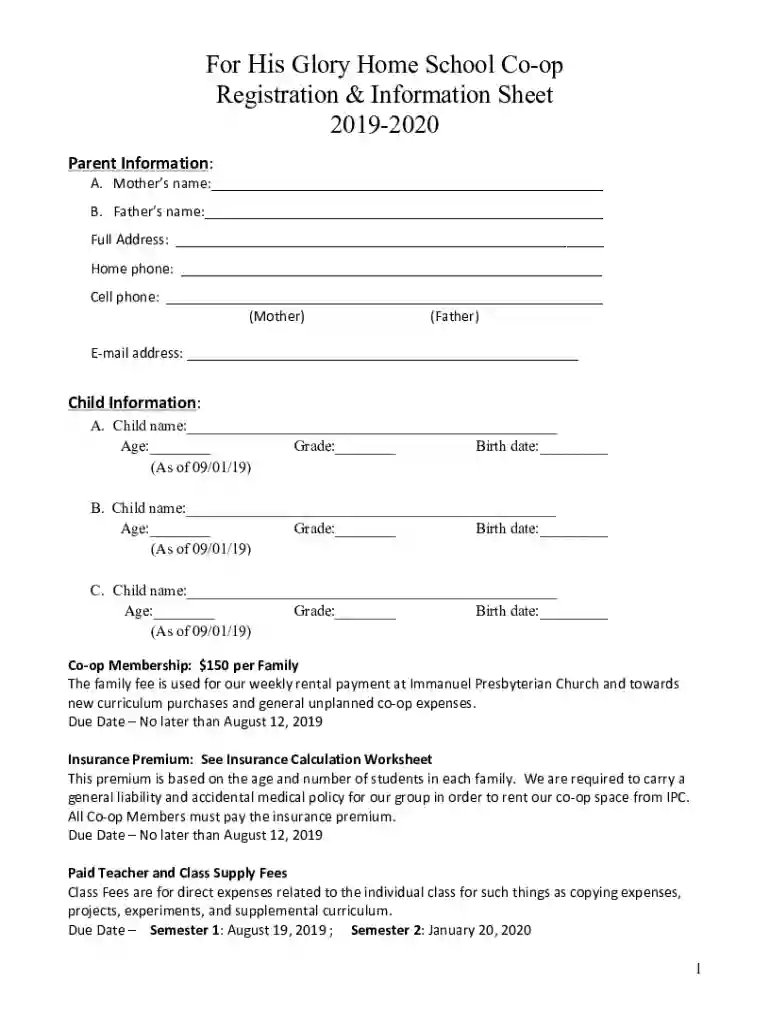
Registration forms for "FOR HIS GLORY HOMESCHOOL CO-OP" serve as essential documentation to facilitate the enrollment process for both parents and children interested in joining the homeschooling collective for the specified academic year. They collect necessary personal information and clarify membership requirements, along with associated fees and deadlines. These forms play a crucial role in maintaining organized records and ensuring that all participants adhere to the co-op’s guidelines and expectations.
Efficient use of these registration forms involves several steps. Identify all necessary sections according to the provided instructions. Typical sections include personal information for both parent and student, membership and class fee details, and compliance agreements. Ensure all relevant fields are filled accurately to avoid any delays in processing or acceptance. Review each section carefully before submission to confirm all information is correct and complete.
These registration forms can often be accessed through multiple channels, catering to a range of preferences. Traditionally, paper forms are distributed during informational meetings or introductory sessions. Alternatively, digital versions may be available through the homeschooling co-op’s official website or via direct request through email. Always use the most current version to ensure compliance with any updated policies or fee structures.
Effective registration relies on the key components outlined within the form, such as:
These forms cater primarily to families engaged in homeschooling, especially those seeking structured educational experiences in a community setting. They are utilized by parents or guardians responsible for managing their child’s education and associated activities. The forms ensure that the co-op remains equitable and accessible to all participating members, creating a cohesive educational environment.


Adhering to legal requirements, these forms collect necessary data in compliance with local government guidelines on educational documentation. Legal use encompasses ensuring that all information is completed truthfully and maintained with confidentiality. It also involves affirmation that all parties understand and agree to the legal frameworks and duties required by the co-op.
The move towards digital registration forms offers distinct benefits, such as ease of distribution and environmentally friendly practices. Digital submissions promote efficiency in data processing and storage, while paper forms remain an option for those who prefer traditional means. It is important to choose the format that best aligns with your technological capabilities and personal preferences.
Alongside the completion of registration forms, additional documents may be requested, such as proof of residency, birth certificates for students, or proof of previous homeschooling records. These documents help verify details provided in the registration forms and are crucial for processing enrollment swiftly and accurately. Ensure all required documentation is readily available to avoid any processing delays.
We've got more versions of the Registration Forms - FOR HIS GLORY HOMESCHOOL CO-OP form. Select the right Registration Forms - FOR HIS GLORY HOMESCHOOL CO-OP version from the list and start editing it straight away!
At DocHub, your data security is our priority. We follow HIPAA, SOC2, GDPR, and other standards, so you can work on your documents with confidence.


