




01. Edit your form online
Type text, add images, blackout confidential details, add comments, highlights and more.

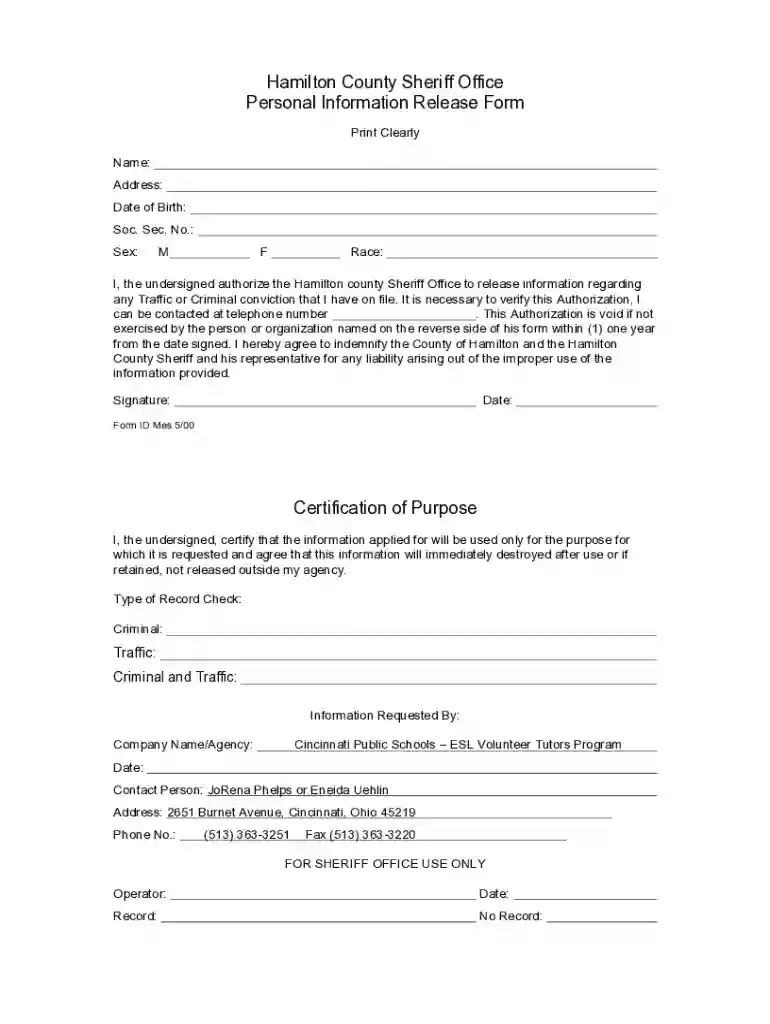
Type text, add images, blackout confidential details, add comments, highlights and more.

Draw your signature, type it, upload its image, or use your mobile device as a signature pad.

Send it via email, link, or fax. You can also download it, export it or print it out.
Forms online are digital versions of paper forms, designed to be completed and submitted via the Internet. These forms streamline data collection, reducing the need for physical paperwork and increasing accessibility. Typically, they include various fields such as text boxes, check boxes, and dropdown menus that users fill out according to their specific needs. The benefits of using an online form include ease of access from any device, environmental benefits from reduced paper use, and the ability to integrate directly with other digital systems for data processing and storage.
Using an online form can be applicable in various scenarios, each providing significant utility. For instance, applying for a passport using the DS-11 form helps simplify the process for applicants who may begin filling out their forms from home and then finalize them at a processing center. In educational contexts, schools might use online forms for everything from registering students to collecting parental consent for activities. Businesses also use online forms to conduct customer feedback surveys, manage vendor registrations, and process job applications efficiently.
Using forms online requires a series of steps to ensure successful completion and submission. Initially, you need to locate the appropriate form, often available on the relevant organization's website. Once accessed, you fill out the required fields with accurate information, following any instructions provided on the form. Leverage any built-in validation to ensure that fields are correctly completed before submission. After completing all fields, you typically have the option to download a copy for your records and finalize submission through a designated “Submit” button.
Understanding the terminology associated with online forms can facilitate easier navigation and completion:
The process consists of a sequence of critical steps:
In legal contexts, online forms can be used to collect personal data or consent. For instance, forms for obtaining background checks might require detailed personal information, while agreements or contracts completed online may involve legally binding e-signatures. Adhering to privacy laws, such as the ESIGN Act, is crucial when collecting and processing data through online forms. Provisions for user consent ensure compliance with regulations like the General Data Protection Regulation (GDPR) in relevant contexts.
Online forms generally consist of several key elements necessary for their function:
When using forms online in different states, certain variations may apply, particularly for forms involving legal or governmental data collection. Each state may have unique requirements for documentation or information, influencing how an online form is structured and the data it collects. For instance, a business registrant in California may need to provide additional data compares to what's required in Texas due to differences in state business laws.
Successful use of online forms often depends on software compatibility. As forms are increasingly designed to integrate with various applications, ensuring compatibility is essential. Systems like TurboTax or QuickBooks often support the import of relevant forms for financial documentation purposes, enhancing data processing and efficiency. Cross-compatibility with productivity tools like DocHub enhances the usability of forms further by allowing users to edit and sign documents directly within a connected ecosystem.
We've got more versions of the Hamilton County Personal Information Release Form form. Select the right Hamilton County Personal Information Release Form version from the list and start editing it straight away!
At DocHub, your data security is our priority. We follow HIPAA, SOC2, GDPR, and other standards, so you can work on your documents with confidence.
Sep 1, 2018 HAMILTON COUNTY SHERIFFS OFFICE. Personal Information Release Form. Please Print Clearly. Name: Local Address: Date of Birth: Social SecurityRead more
Hamilton County Texas The Court Department of the County Clerks Office does not provide any forms. For additional information please contact the Law Library.Read more


