
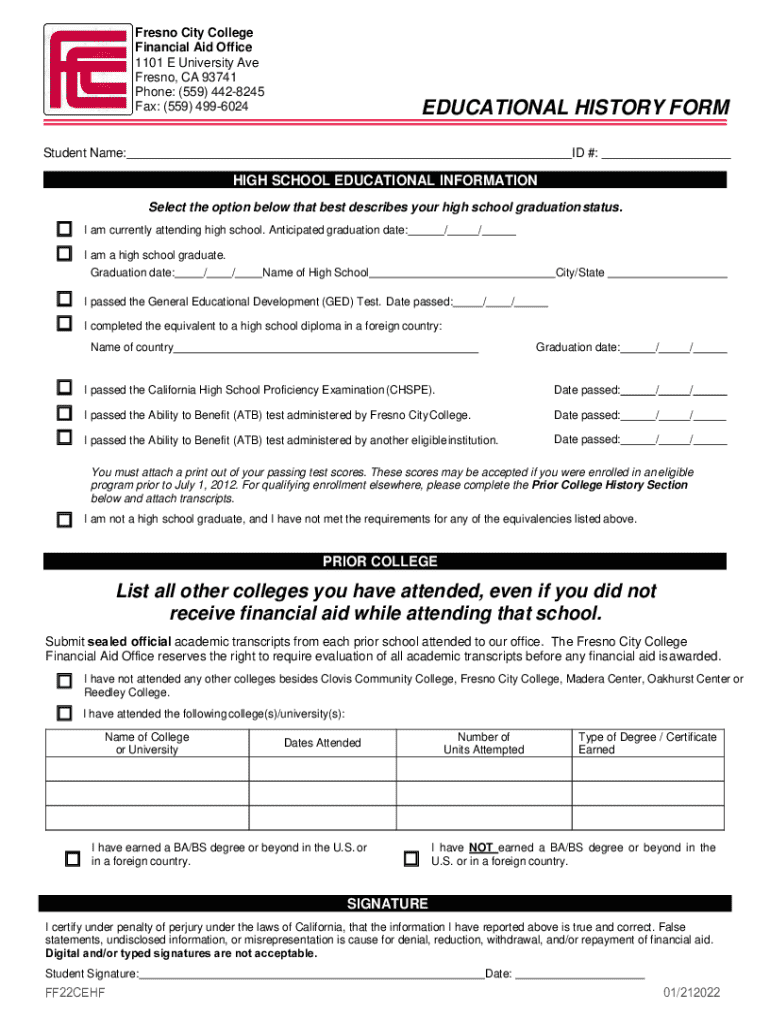







Definition and Meaning of Online Forms
Online forms are digital versions of paper forms that can be completed, submitted, and managed through the internet. They are an essential tool in today's digital landscape, allowing individuals and businesses to gather and process information efficiently. Online forms can encompass a wide range of applications, from simple contact forms on websites to complex documents like tax forms, applications, and registration forms that require extensive data entry. These digital forms are usually accessible via any internet-enabled device, enhancing convenience and speed in data collection.
- They often include interactive elements such as drop-down menus, checkboxes, and text fields.
- Online forms can be designed to automatically validate data input, minimizing errors and ensuring completeness.
- Many platforms offer customizable templates to suit the specific needs of different users or businesses.
How to Use the Form Online
Using an online form involves several straightforward steps that vary slightly depending on the form's purpose and platform. Here’s a generic process for effectively using an online form:
-
Access the Form: Navigate to the website or platform hosting the form. This could typically be the service provider’s portal, such as a college financial aid office, where forms like educational history forms can be found.
-
Fill in the Required Information: Enter all necessary information in the designated fields. Pay attention to fields marked as required, as these must be filled to proceed.
-
Review for Accuracy: Double-check all entries for accuracy, especially personal identification details and other critical data.
-
Submit the Form: Once all fields are completed, locate and click the submit button. Many platforms will confirm successful submission or highlight errors for correction.
-
Save or Print a Copy: It’s advisable to save or print a copy of the completed form for personal records. Many platforms provide an option to download after submission.
Steps to Complete the Form Online
Completing an online form typically adheres to the following sequence whereby users input necessary details before finalizing with a submission:
-
Identify Form Requirements: Before starting, ensure you have all needed information and documents that the form requires (e.g., personal IDs, financial records, past educational transcripts).
-
System Compatibility: Make sure your device meets any system requirements for accessing the form. Forms are usually accessible through standard web browsers.
-
Field Completion: Begin entering data in each field. Use provided guidelines to understand what information belongs in each section.
-
Use Dropdown and Checkbox Features: Where applicable, utilize dropdown menus and checkboxes for faster and streamlined data input.
-
Electronic Signatures: For forms requiring signatures, utilize electronic signature options to legally sign without printing.
-
Confirm Submission: Check for a confirmation message or email to verify successful form submission, which helps to avoid duplicate efforts.
Why You Should Form Online
Choosing to use online forms provides numerous benefits:
-
Efficiency: Online forms significantly reduce the time required for data entry and submission compared to traditional paper forms.
-
Accessibility: Forms can be accessed and filled out from any device with internet connectivity, enabling greater flexibility.
-
Cost-effective: Reduces costs associated with paper, printing, and postage.
-
Enhanced Security: Data submitted through online forms is encrypted and stored securely, protecting against unauthorized access.
-
Ease of Use: Online forms often feature user-friendly interfaces that guide users through form completion.
Legal Use and Compliance
When dealing with legally binding online forms, especially those that stand in for traditional documents, compliance with legal standards is crucial. Forms like the W-9 and other tax-related documents have legislated guidelines to ensure legitimacy:
-
Compliance with the ESIGN Act: This act guarantees that electronic signatures are legally recognized.
-
Data Protection Regulations: Online forms must adhere to GDPR or CCPA standards if they involve collecting personal data.
-
IRS Compliance: For forms related to taxes, ensure alignment with IRS requirements to avoid legal penalties.
Important Terms Related to Online Forms
Understanding the terminology associated with online forms enhances user experience and accuracy in form completion:
- Field: An individual area within a form where information is entered.
- Validation: A process through which the form checks entered data for errors or omissions.
- Captcha: A tool used to verify that a human is completing the form, not an automated system.
- Form Builder: Software that allows users to create custom forms with different fields and styles.
Key Elements of Online Forms
Essential components that make online forms functional and effective include:
-
Responsive Design: Forms should adapt to different devices and screen sizes without compromising usability.
-
Editable Fields: Users should be able to correct errors and update data before final submission.
-
Progress Indicators: Notifies users of completion status when dealing with multiple-page forms.
-
Confirmation and Error Messages: Provide feedback on successful submissions or inform users of any issues needing correction.
Examples of Using Forms Online
Online forms serve numerous practical applications across various sectors:
-
Education: Students submit applications, registration, and enrollment forms online to streamline the process.
-
Healthcare: Patients fill out medical history or health assessment forms before appointments.
-
Government: Citizens can complete tax declarations, voter registrations, or permit applications digitally.
-
Business: Companies utilize client feedback forms, contact forms, and order forms online to enhance customer interaction and data collection efficiency.




