







Definition and Meaning of Form Online
The term "form online" refers to the digital version of a form that can be accessed, completed, and submitted via the internet. This format allows users to interact with forms on digital devices, eliminating the need for physical paperwork. Forms online often involve various types of data entry fields, such as text boxes, checkboxes, and dropdown menus, making them adaptable for diverse needs ranging from tax filings to registration and application processes. Utilizing forms online enhances accessibility and efficiency by enabling users to complete their requirements anywhere with an internet connection.
Types of Forms Available
- Tax Forms: Common examples include the IRS forms, such as the W-9 or 1040, which can be completed online to streamline the filing process.
- Application Forms: These may include job applications or credit card applications that are typically accessible online.
- Registration Forms: Used for event registrations or memberships, allowing users to quickly enroll without mailing physical copies.
Advantages of Using Forms Online
- Time-Saving: Complete and submit forms quickly without the need for postal services.
- Error Reduction: Online validation checks or mandatory fields ensure that all required information is provided before submission.
- Accessibility: Forms are available 24/7, allowing users to fill and submit at their convenience.
- Cost-Effective: Reduces costs associated with printing and mailing paper forms.
Steps to Complete a Form Online
When approaching an online form, it's essential to follow a structured process to ensure accuracy and completeness.
-
Access the Form:
- Locate the form on the relevant website.
- Ensure you have a stable internet connection to prevent any disruption during the process.
-
Read Instructions:
- Carefully review any accompanying guidelines or instructions to understand the requirements and fields that must be completed.
-
Enter Personal Details:
- Start by entering your personal information, such as name, address, and contact details. Use auto-fill for efficiency, but double-check all entries for accuracy.
-
Complete Required Sections:
- Fill out all mandatory fields marked with an asterisk (*) or indicated as required.
- Pay attention to the type of data to be entered, whether it's numerical, text-based, or a selection from a dropdown menu.
-
Review Your Entries:
- Check all inputs for spelling and factual accuracy. Look for any missed fields or incorrect information.
-
Submit the Form:
- Once reviewed, click the submit button. Some platforms provide a confirmation of submission or a unique reference number for tracking purposes.
-
Save a Copy:
- Download or print a copy of the completed form for your records.
Common Pitfalls
- Incomplete Submission: Ensure all required fields are filled to avoid resubmission.
- Unclear Instructions: Reach out for clarification if any section of the form is confusing or unclear.
Important Terms Related to Form Online
Understanding key terminology associated with online forms can improve the efficiency of completing them accurately.
- Validation: A check to ensure data entered into the form fields is in the correct format, such as verifying an email address format.
- Mandatory Field: Sections of a form that must be completed before submission.
- Submission Confirmation: A message or email received after successfully submitting a form online.
- Template: A predefined structure that guides users in entering data, ensuring uniformity across submissions.
Clarifications
- Encryption: Online forms often use encryption protocols to protect sensitive information, such as SSL (Secure Socket Layer).
- Two-factor Authentication: Provides an additional layer of security for accessing or submitting sensitive forms online.
Legal Use of Forms Online
Using forms online strictly follows legal and regulatory standards within the United States, ensuring your data is protected and your submissions are recognized legally.
Compliance with E-SIGN Act
- Legal Recognition: Electronic signatures on forms online are legally binding under the Electronic Signatures in Global and National Commerce (E-SIGN) Act.
- Documentation: Ensure that any form or electronic signature complies with state and federal regulations by retaining digital or printed copies for future reference.
Privacy Concerns
- Data Protection: Forms often require sensitive personal information. Make sure to use trusted websites that offer advanced encryption methods.
- Confidentiality Clauses: Some forms may contain clauses regarding how your data will be used or shared.
Legal Implications
- Consent: Submitting an online form can serve as a legal acknowledgment or consent to terms specified in the form's conditions.
Form Submission Methods (Online / Mail / In-Person)
There are multiple methods available for form submission, each with its own benefits and limitations.
Online Submission
- Process: Fill out the form using a computer or mobile device and submit it directly via the website.
- Advantages: Instant submission with immediate confirmation; no physical obstacles or delays.
Mail-In Submission
- Process: Print the completed form and send it through postal services.
- Advantages: Useful for non-digital records; ensures physical copies are filed.
In-Person Submission
- Process: Some organizations may require submission at their premises for verification or authentication purposes.
- Advantages: Immediate clarification and resolution of any discrepancies by staff.
Examples of Using Forms Online
Online forms offer a versatile solution for various scenarios, providing practical examples of their application.
Case Studies
- Small Business Applications: Companies often use forms to register for permits or financial aid by submitting necessary information securely online.
- Healthcare Documentation: Patients can complete initial intake forms online before visits, reducing waiting times and improving service flow.
Real-World Scenarios
- Education: Universities use forms online for student enrollment, housing applications, or financial aid requests.
- Government Services: Accessing services such as renewing licenses or applying for public assistance is streamlined via online forms, accessing all necessary services remotely.
State-Specific Rules for Forms Online
Different states may impose specific rules for online form usage, particularly concerning tax forms or official filings.
Texas
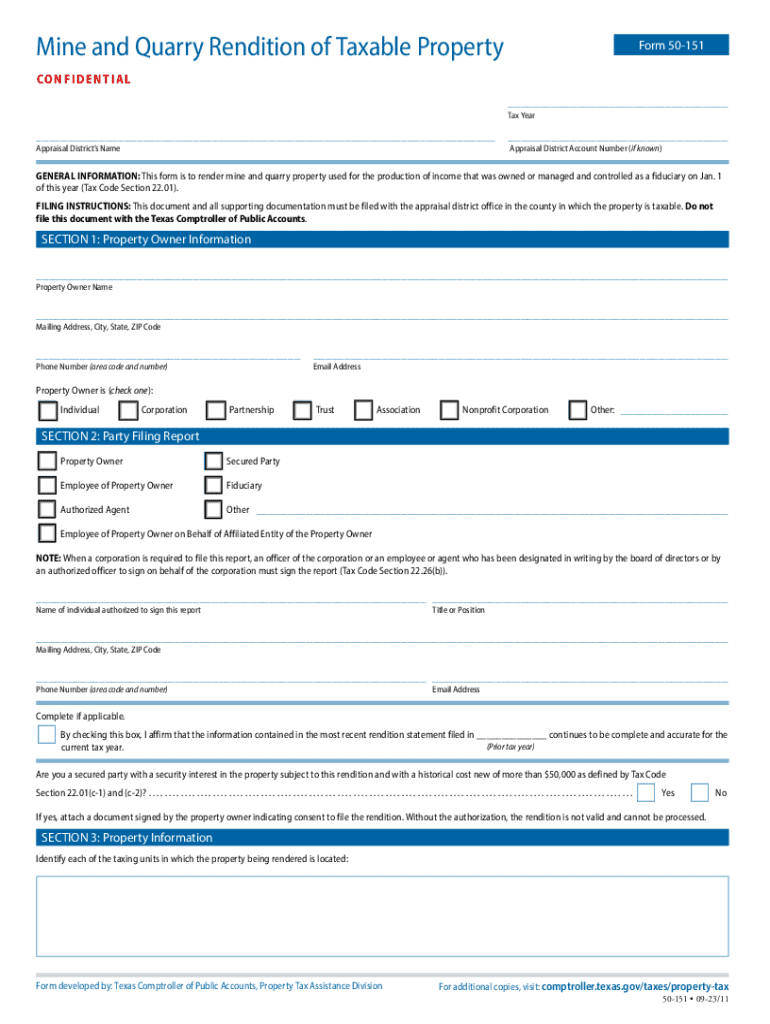
- Mine and Quarry Tax Form: Confidential form 50-151 is used for property tax purposes. It must comply with state requirements, such as timely submission to avoid penalties.
California
- Business Registration Forms: Online submissions must align with state guidelines and are subjected to specific data privacy regulations exclusive to California.
Research and Source Verification
- Verify local regulations before submitting state-specific forms to ensure compliance with legal standards.
Variations and Exceptions
- Some states might still require a paper trail or dual submission (one online, one by mail).
- Differences in deadlines or data retention policies can exist.
Penalties for Non-Compliance
Failing to meet requirements for online form submissions can result in penalties, making it critical to understand compliance terms.
Non-Submission
- Consequences: Missing deadlines can lead to fines or revoked privileges, such as loss of tax benefits or failure in registration procedures.
Incorrect Information
- Implications: Providing incorrect data can result in submission rejection or additional audits, especially concerning tax forms.
Legal Repercussions
- Severe Cases: Fraudulent or intentionally deceptive submissions are subject to legal action under relevant local or federal laws.
Preventive Measures
- Ensure thoroughness and accuracy before submission to avoid penalties and legal complications.




