




01. Edit your form online
Type text, add images, blackout confidential details, add comments, highlights and more.

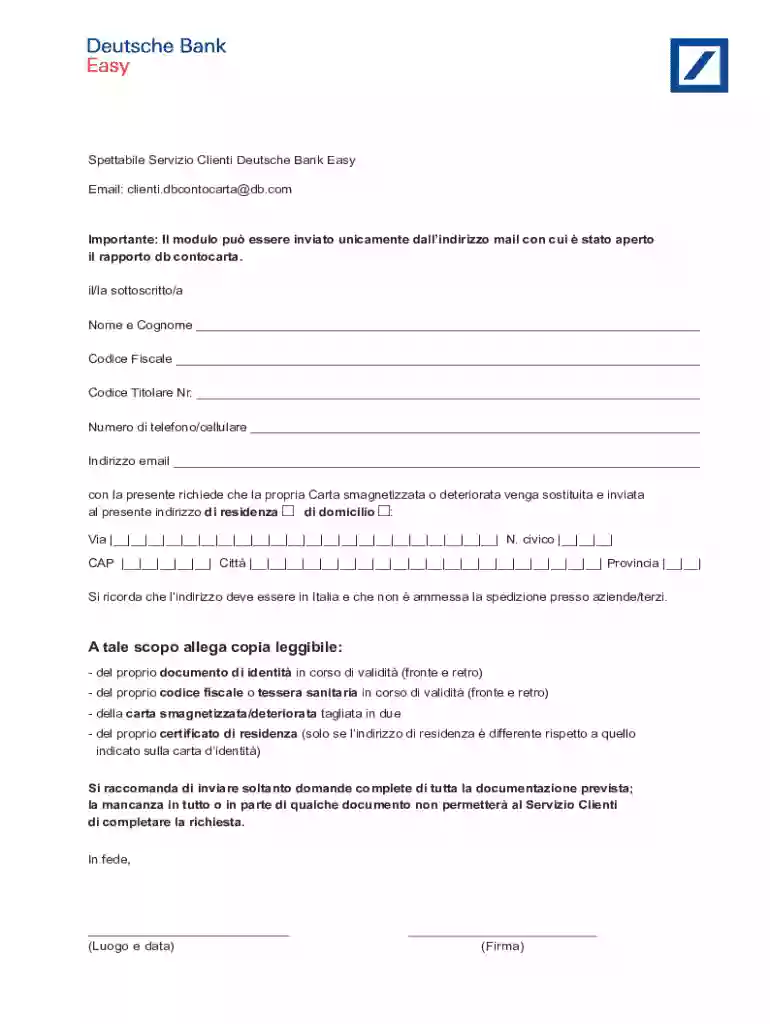
Type text, add images, blackout confidential details, add comments, highlights and more.

Draw your signature, type it, upload its image, or use your mobile device as a signature pad.

Send it via email, link, or fax. You can also download it, export it or print it out.
When discussing "form online," we refer to a digital counterpart of traditional paper-based forms intended for electronic submission or completion. This transformation from paper to electronic form has made processes more efficient, reducing the time required for handling and categorizing information. Forms online are prevalent across various fields, including applications, registrations, tax filings, and requests. They consist of interactive fields that users can fill out digitally, offering the convenience of modifying inputs before finalizing the submission.
Online forms are beneficial for organizations and individuals, providing a seamless process for information collection and submission. These forms leverage technology to facilitate data validation and error checking, minimizing the risk of submission inaccuracies. For customers of entities like Deutsche Bank, it means swiftly replacing cards through an accessible, user-friendly platform without the need for physical visits or mailing documentation.
To use a form online effectively, one must first access the form through a designated website or platform. The steps typically include logging into a secure account, navigating to the specific form section, and selecting the form needed for the process. Users must ensure they have all necessary information and documents available to input the details accurately.
Accessing the Form:
Completing the Form:
Review and Submission:
Using forms online reduces processing times and allows instant feedback, unlike traditional methods that often entail delays.
Completing a form online requires attention to detail and following a systematic approach to ensure all necessary information is provided accurately. This process typically consists of several stages, all designed to facilitate an easy and error-free experience.
Preparation:
Input Information:
Document Upload:
Verification:
Finalization:
The systematic approach ensures efficiency and minimizes errors, optimizing workflow and reducing the likelihood of needing further corrections or interactions.
Understanding the terminology associated with online forms is crucial for a smooth completion process. Below are some key terms often encountered:
Interactive Form Fields: These are the elements within a form, such as text boxes, checkboxes, or dropdown menus, where users input information.
Digital Signature: A method for signing documents electronically, offering identical legal standing as handwritten signatures, often used in form submissions requiring authentication.
Form Validation: A built-in feature of forms that checks inputs against certain criteria to ensure data integrity and completeness before submission.
Cloud Storage Integration: The ability of the form platform to connect with services like Google Drive or Dropbox, allowing users to pull documents directly into the form interface.
Comprehending these terms enhances a user's ability to navigate forms accurately, facilitating a polished and professional submission process.
Electronic signatures in online forms offer a convenient alternative for authenticating documents without needing physical presence. These signatures comply with legal requirements such as the ESIGN Act, making them valid across the United States.
Several methods make electronic signing both accessible and secure:
Drawing a Signature: Use your device's mouse or trackpad to create a personalized signature in real time.
Typed Signature: Key in your name and choose from a variety of script fonts to resemble a handwritten signature.
Upload Handwritten Signature: Capture or scan your physical signature and upload it for digital use.
Security: Electronic signatures incorporate encryption and are tied to an audit trail, verifying authenticity and intent.
Efficiency: Reduces turnaround time for document processing by eliminating mailing delays and needing in-person appointment scheduling.
Convenience: Signatures can be applied anywhere, anytime, using computers, tablets, or smartphones.
Implementing electronic signatures streamlines workflows, enhancing speed and productivity across various business and personal contexts.
In the U.S., different states may have specific rules and regulations governing the use of online forms, particularly for legal documents, tax forms, or applications.
Compliance Variations: States like California and Texas may have additional compliance requirements for data privacy and electronic transactions.
Form Content: Ensuring that the form respects state-specific disclosures or consent rules, especially pertinent in sectors such as finance or healthcare.
Legal Requirements: Some states mandate additional identity verification steps within online platforms, necessitating more detailed personal information or supporting documentation.
Navigating these state-specific nuances can be complex, and individuals or businesses need to stay informed about local regulations to ensure compliance and avoid potential penalties.
Online forms are utilized across numerous sectors, with specific examples illustrating their versatility and efficiency.
Banking Sector: Deutsche Bank clients can utilize online forms to request new cards or update contact information seamlessly through their account portals.
Application Forms: Universities and colleges offer application forms online for prospective students, easing information submission processes.
Government Services: Agencies such as the IRS allow online tax filings, enabling citizens to submit tax information, request refunds, or make payments electronically.
These examples show how online forms streamline processes, ensuring accurate and timely data processing while enhancing user convenience.
Paper forms might appear secure, but they carry risks, especially in shared environments. They are susceptible to:
Physical Alteration: Tampering with copies or altering data, posing risks for traditionally secure documents.
Loss or Misplacement: Important documents may be lost or accidentally destroyed, leading to data breaches or operational interruptions.
Lack of Audit Trails: Difficulty in maintaining accurate records of document access and changes compared to digital records, which automatically log these actions.
Opting for digital forms helps mitigate these issues, maintaining comprehensive security and monitoring potential threats more efficiently.
We've got more versions of the Deutsche Bank Card Replacement Request form. Select the right Deutsche Bank Card Replacement Request version from the list and start editing it straight away!
At DocHub, your data security is our priority. We follow HIPAA, SOC2, GDPR, and other standards, so you can work on your documents with confidence.


