Type text, add images, blackout confidential details, add comments, highlights and more.
02. Sign it in a few clicks
Draw your signature, type it, upload its image, or use your mobile device as a signature pad.
03. Share your form with others
Send 1d1 via email, link, or fax. You can also download it, export it or print it out.
How to use or fill out wildlife 1d1 with our platform
Ease of Setup
DocHub User Ratings on G2
Ease of Use
DocHub User Ratings on G2
Click ‘Get Form’ to open the wildlife 1d1 document in the editor.
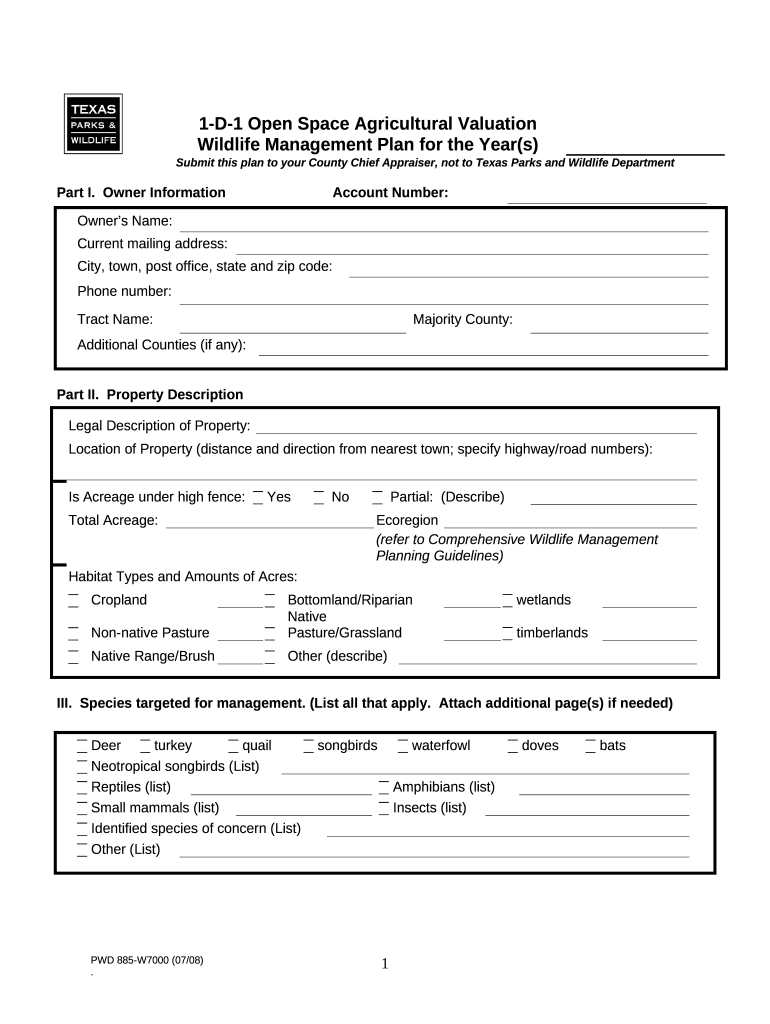
Begin with Part I: Owner Information. Fill in your name, account number, mailing address, phone number, and tract name. Ensure all details are accurate for proper identification.
Move to Part II: Property Description. Provide a legal description of your property and its location. Indicate if the acreage is under high fence and specify total acreage.
In Part III, list the species targeted for management. You can attach additional pages if necessary to include all relevant species.
For Part IV, outline your management plan goals and objectives. Use the expandable text box to detail what you aim to achieve with your property.
Complete Parts V through VIII by checking applicable wildlife management activities and providing any additional information required for each section.
Start using our platform today for free to streamline your wildlife management planning!
1 Wildlife Management as Agricultural Use For Property Tax
Open-space appraisal (1-d-1) is based solely on the primary use of the land with no consideration for the landowners income or occupation. Lands approved forRead more
Check the wildlife management practices implemented on the property during the year being reported. A minimum of three practices is required. Habitat control.Read more
Cookie consent notice
This site uses cookies to enhance site navigation and personalize your experience.
By using this site you agree to our use of cookies as described in our Privacy Notice.
You can modify your selections by visiting our Cookie and Advertising Notice.