





Definition and Meaning of "Form Online"
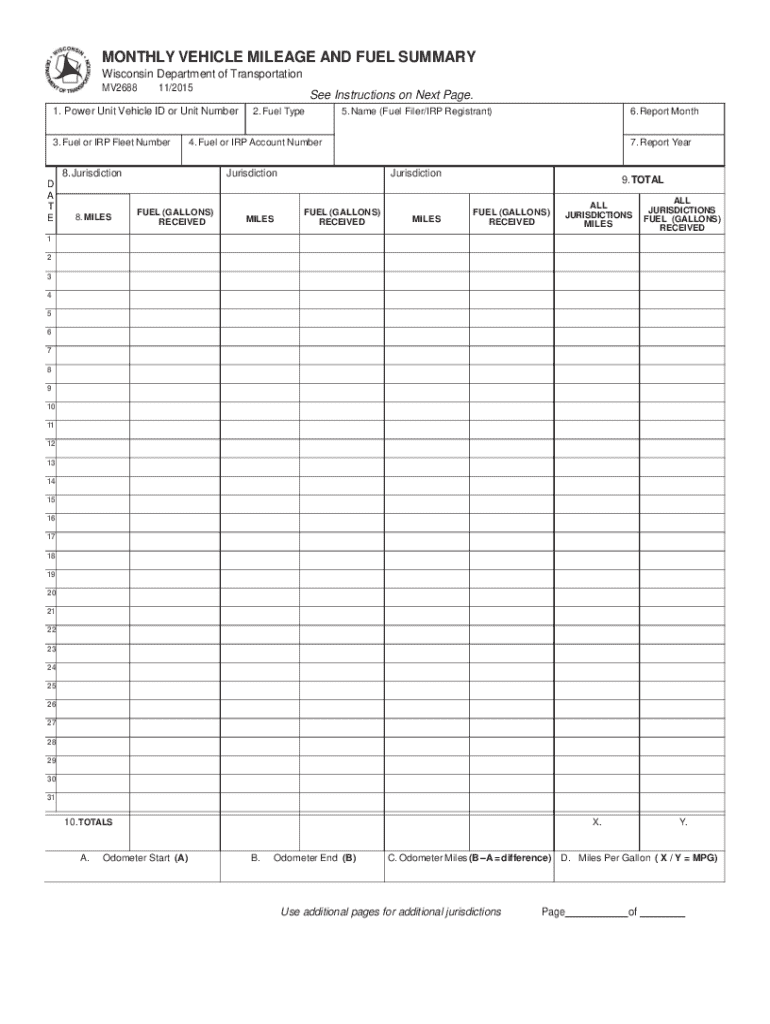
Forms online are digital versions of documents traditionally used for data collection, application processes, or regulatory compliance. These forms are accessible through the internet, allowing users to fill out and submit required fields digitally. Typically, an online form will include data input fields such as text boxes, dropdown menus, and signature fields. The primary advantage of using forms online is the ability to streamline information gathering without requiring physical paperwork, increasing efficiency and reducing opportunities for data entry errors.
How to Use the Form Online
Utilizing forms online is a straightforward process designed for user convenience and efficiency. Here are the general steps to follow:
- Access the Form: Start by navigating to the platform hosting the form, such as a government website or private sector service like DocHub.
- Review Instructions: Before filling in the form, carefully read any accompanying instructions to ensure compliance with submission requirements.
- Fill Out the Form: Input the necessary information into the specified fields. This typically involves entering personal or business details, checking applicable boxes, and providing required documentation.
- Save Progress: Many platforms allow users to save their progress as they fill out the form, ensuring no data is lost in case of interruptions.
- Submit the Form: Once completed, review your entries for accuracy before submitting. Submission options may include clicking a digital "submit" button or sending an email with the digital form attached.
- Receive Confirmation: After submission, a confirmation email or message is usually sent to verify receipt and provide any next steps.
Real-World Example
A common use case for filling forms online is applying for a business license. The process involves downloading the applicable form from a government website, completing the digital fields with company details, and submitting documentation. This method eliminates the need for manual submission at a physical location, providing a faster and transparent process for entrepreneurs.
Steps to Complete the Form Online
Successfully completing an online form involves understanding each section's requirements and inputting accurate and verifiable data. This sequential guide provides detailed steps:
- Gather Required Information: Prior to starting, collect all necessary documents and information such as identification numbers, financial data, or business credentials.
- Open the Online Form: Access the form through a designated website or email link, ensuring you’re on a secure platform to protect sensitive data.
- Input Data: Enter required information in designated fields. Some forms may include automatic validation, highlighting areas needing correction.
- Attach Supporting Documents: If additional documentation is required, upload them in the preferred format, usually PDF or JPEG.
- Review Entries: Double-check all entries to prevent errors that could delay processing or lead to inaccurate records.
- Submit and Save Copy: Once confident in the accuracy of your entries, submit the form. Save a copy of the completed form and any confirmation received for your records.
Why Should You Form Online
Filling forms online offers a multitude of benefits that contribute to greater efficiency and accessibility. Here are some reasons to consider online forms:
- Time Efficiency: Reduce time spent on manual data entry and travel to physical offices by completing forms from your computer or mobile device.
- Immediate Submission: Instant submission capabilities lead to quicker processing times and faster responses from agencies or businesses.
- Eco-Friendly: Eliminating paper reduces waste and supports environmental sustainability efforts.
- Improved Accuracy: Real-time error-checking and validation features decrease the likelihood of submitting incorrect information.
- Secure Data Handling: Robust security measures, such as encryption, protect sensitive data throughout the submission process.
Practical Advantage
For businesses, transitioning to online forms can streamline client onboarding, providing a professional appearance while enhancing data management.
Key Elements of the Form Online
An online form typically consists of several critical elements designed to efficiently gather information:
- Header and Titles: Clearly states the purpose and entity requiring the form, setting the context for users.
- User Input Fields: Includes text boxes, radio buttons, checkboxes, and dropdowns for participants to provide their information.
- Instructional Text: Offers guidance on how to complete each section, ensuring accurate input and preventing common mistakes.
- Validation Features: Automatic checks that ensure the data entered meets the required format, such as email addresses or phone numbers.
- Submit Button: Enables form completion and submission with one click, often followed by a confirmation or reference number.
How to Obtain the Form Online
Retrieving a form online is typically an easy and direct process:
- Search the Official Source: Use search engines or directly access the official website of the organization offering the form.
- Navigate to the Forms Section: Most websites have a dedicated area where forms are listed by category or purpose.
- Select and Download: Choose the relevant form based on your requirements and download or open it in a compatible program like DocHub.
- Verify Version and Validity: Ensure that it is the latest version to comply with any recent regulatory changes or updates.
Common Platforms
Forms can often be sourced from government agency websites, academic institutions, or industry-specific platforms providing forms relevant to business operations.
Who Typically Uses the Form Online
A wide range of individuals and organizations benefit from using forms online, including:
- Businesses: For obtaining necessary licenses, permits, and compliance documentation.
- Individuals: For tax filings, job applications, and personal legal matters.
- Educational Institutions: For student admissions, faculty management, and regulatory compliance.
- Healthcare Providers: For patient intake, insurance claims, and record management.


Legal Use of the Form Online
Filling forms online involves adhering to specific legal requirements to ensure submissions are recognized formally:
- Compliance with Regulations: Ensure alignment with industry-specific regulations, such as HIPAA for healthcare forms or the ESIGN Act for signatures.
- Authentic and Accurate Information: Submissions need to be truthful and complete to avoid legal repercussions or processing delays.
- Data Protection Laws: Adhere to privacy laws like GDPR or state laws in the U.S. to safeguard personal data.
- Signature Legality: Use validated electronic signatures when required to maintain the form’s legal standing.
Examples of Using the Form Online
Business Registration: Entrepreneurs can file for business incorporation or registration using state-provided online forms, enabling a smooth and quick start to their operations.
Tax Form Submissions: Individuals and businesses often use platforms like TurboTax to submit tax forms online, benefiting from digital checks for errors and reducing audit risks.
Educational Applications: Prospective students apply for college through online forms, benefiting from ease of attachments for recommendations and transcripts.
Job Applications: Online job application forms allow companies to standardize how they receive candidate information, ensuring uniformity and ease in the hiring process.




