





Definition & Meaning
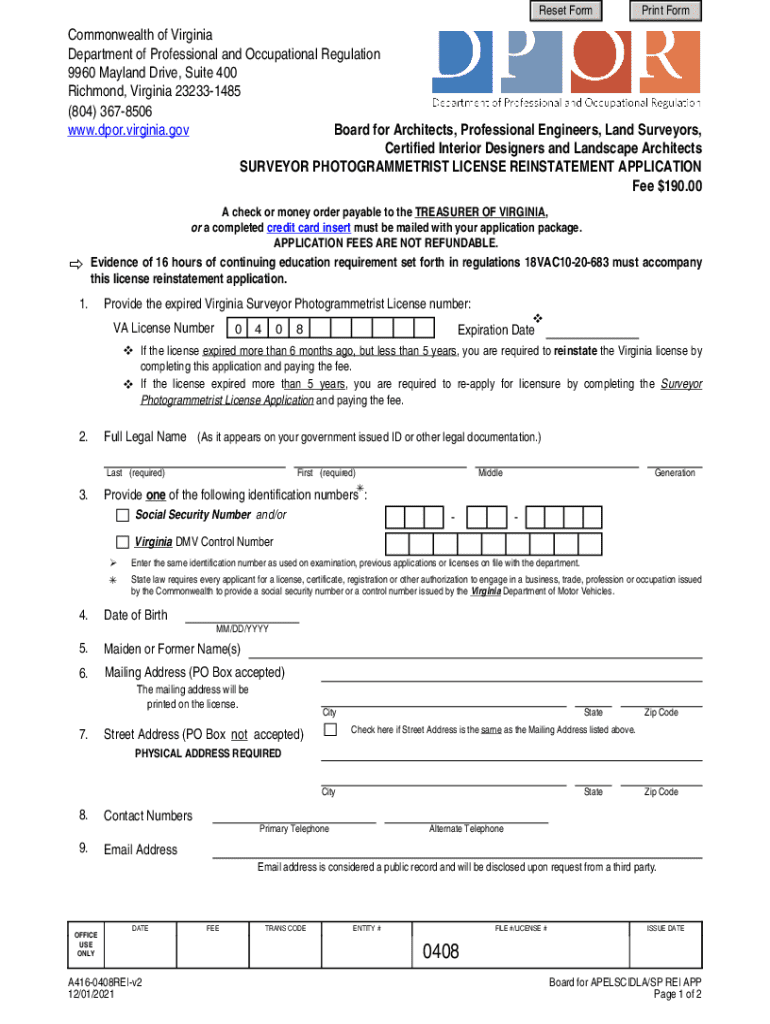
Online forms are digital versions of traditional paper forms. They are used for a variety of purposes, such as applications, information collection, and approvals. These forms eliminate the need to manually fill out and submit paper documents, allowing users to input data directly into an online system. "Form online" refers to the process of completing these forms through a web-based interface, which can often be accessed from any device with internet connectivity. This digital format streamlines the process, enabling efficient data collection and management.
How to Use the Form Online
To effectively use an online form, begin by accessing the form through a web browser on your computer or mobile device. Follow these steps to ensure a smooth completion process:
- Locate the Form: Use a search engine or the website's search feature to find the specific form you need.
- Read Instructions: Carefully review any instructions provided to understand what information is required.
- Complete Each Field: Enter the necessary data into each field. Some forms include options like dropdown menus, checkboxes, or text areas to accommodate various types of data.
- Review and Validate: Double-check your entries for accuracy and completeness. Many online forms offer real-time validation to alert you of missing or incorrect information.
- Submit the Form: Once verified, submit the form by clicking the appropriate button, which may be labeled as "Submit," "Send," or "Save."
Steps to Complete the Form Online
Completing an online form involves numerous detailed tasks. Here is a step-by-step guide to streamline the process:
- Preparation: Gather all necessary documents and information beforehand. This includes identification, financial records, or supporting documents relevant to the form.
- Accessing the Form: Visit the website hosting the form. Some forms may require login credentials or a registration process to access.
- Entering Information: Fill out each section of the form carefully. Ensure all mandatory fields, usually marked with an asterisk (*), are completed.
- Attachments: If required, upload supporting documents. Use prescribed formats and ensure that the file sizes comply with any specified limits.
- Verification: Review the form thoroughly before submission. Many platforms allow you to preview the completed form to ensure all entries are correct.
- Submission Confirmation: After submitting, look for a confirmation page or email that verifies receipt of your form. This often contains a reference number for tracking purposes.
Required Documents
Providing the correct documents is essential when completing an online form. Typical documents you may need include:
- Identification: A government-issued ID such as a driver’s license or passport.
- Proof of Address: Utility bills or bank statements that confirm your current residential address.
- Financial Records: This may include pay stubs, tax returns, or bank account statements, depending on the form's requirements.
- Professional Credentials: Certifications or licenses if the form pertains to professional qualifications.
- Supporting Documentation: Any additional documents requested by the form's instructions to validate the information you provide.
Who Typically Uses the Form Online
Online forms serve a diverse audience that varies depending on the form's purpose. Common users include:
- Individuals: For tasks like applying for jobs, government services, or school admissions.
- Businesses: For compliance reporting, client onboarding, or internal data collection processes.
- Educational Institutions: To register students for courses or collect parental consents.
- Government Agencies: To facilitate public services like tax filings, voter registration, or permit applications.


Legal Use of the Form Online
Legal compliance is crucial when handling online forms. Key considerations include:
- Data Protection: Ensure the platform adheres to legal standards such as GDPR or CCPA to protect user data.
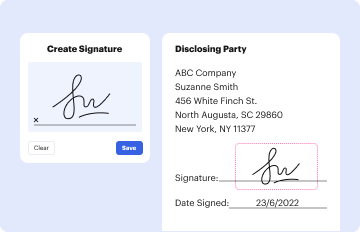
- Electronic Signatures: When applicable, verify that electronic signatures are legally accepted under laws like the ESIGN Act in the U.S.
- Privacy Policy: Review the form's privacy policy to understand how your information will be used and stored.
- Compliance Obligations: Depending on form type, compliance with sector-specific regulations might be necessary, such as HIPAA for healthcare-related information.
Form Submission Methods (Online / Mail / In-Person)
Forms can typically be submitted via multiple channels to accommodate various preferences or needs:
- Online: Direct submission through a web form, offering immediacy and convenience with automatic acknowledgment.
- Mail: Some forms may allow for physical submission if digital access is not possible, requiring postal delivery.
- In-Person: Certain situations or organizations may require forms to be delivered in person, especially if identity verification is needed at the time of submission.
Penalties for Non-Compliance
Failure to comply with online form requirements can lead to various consequences:
- Rejections: Incomplete or inaccurate submissions may be denied, necessitating resubmission.
- Fines and Penalties: Some forms, especially regulatory or tax-related, may incur fines if not submitted by a specified deadline.
- Legal Implications: Non-compliance with legal standards, such as failing to submit required information, can lead to further legal action.
- Operational Setbacks: For businesses, failing to timely submit can disrupt operations or affect relationships with clients or regulatory bodies.
Each of these sections aids in providing a comprehensive guide for engaging with online forms, targeted at those who may need to navigate the often-complex requirements of digital submissions.




