
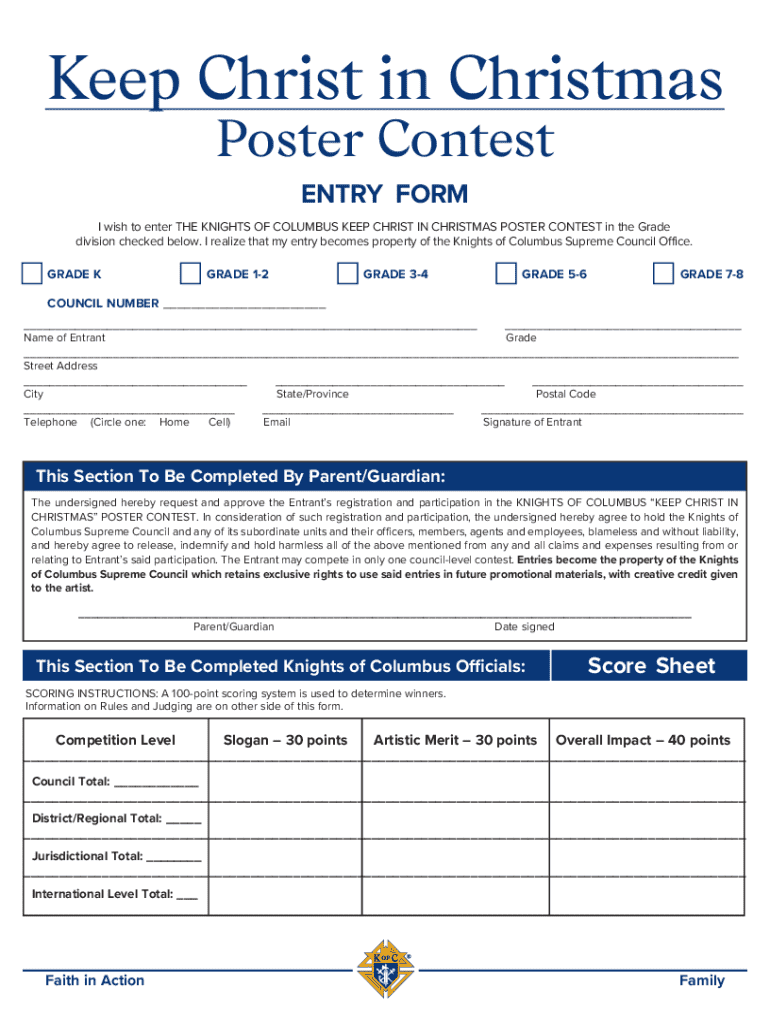







Definition and Purpose of Form Online
The term "form online" typically refers to any document or template available on the internet that allows users to fill out, submit, and manage data without needing a paper version. This digital method often caters to various needs, such as applications, registrations, tax filings, or surveys. Online forms are designed for convenience, enabling users to complete necessary documentation from anywhere with internet access. They are commonly used to streamline workflows, eliminate paper waste, and improve data accuracy by removing the potential errors associated with manual entry.
Steps to Complete the Form Online
Completing a form online typically involves several steps to ensure accuracy and submission compliance:
-
Accessing the Form: Locate the required form on the website, such as DocHub, through search functionalities or provided links.
-
Reading Instructions: Carefully read any instructions or guidelines associated with the form to ensure understanding of what information is needed.
-
Filling Out Fields: Enter the required data in the designated fields, ensuring that all necessary sections are completed to avoid rejection or delays.
-
Reviewing Information: Double-check entered information for accuracy and completeness. Look for potential typos or missing data.
-
Submitting the Form: Click the submit button to send the form to its designated recipient or database. Some platforms may provide confirmation messages or emails upon successful submission.
Key Elements of the Form Online
Online forms generally consist of several key components that facilitate data collection and processing:
- Text Boxes: Allow entry of textual data like names, addresses, and descriptions.
- Checkboxes: Enable users to select one or multiple options from a list.
- Dropdown Menus: Provide a selection list to choose from, simplifying decision processes.
- Radio Buttons: Similar to checkboxes, but allow only one selection from a group of options.
- Signature Fields: Facilitate the inclusion of digital or electronic signatures to verify authenticity.
Advantages of Using Forms Online
The shift to digital forms offers several benefits over traditional paper-based methods:
- Efficiency: Streamlines the workflow by reducing the time and resources spent on printing, mailing, and storing physical documents.
- Access: Allows users to complete and submit forms from anywhere, at any time, without geographical constraints.
- Accuracy: Minimizes human error with predefined fields and validation checks.
- Security: Features like encryption and authentication protocols safeguard sensitive data during transmission and storage.
- Environmentally Friendly: Reduces the use of paper, ink, and other physical resources.
Who Typically Uses Forms Online
Various individuals and organizations utilize online forms for different purposes:
- Businesses: For customer feedback, order forms, and internal processes like HR documentation.
- Educational Institutions: Manage student applications, registrations, and assessments.
- Government Agencies: Host tax filings, voter registrations, and public service applications.
- Healthcare Providers: Collect patient information, medical histories, and consent forms digitally.
Legal Use of Forms Online
Legally, online forms must adhere to several regulations to ensure compliance and validity:
- E-SIGN Act: Governs the legality of electronic signatures and records, providing them the same status as handwritten signatures in most cases.
- GDPR and CCPA: Require transparent data handling practices, ensuring user consent and protection of personal data.
- Accessibility Compliance (e.g., ADA): Ensures forms are accessible to individuals with disabilities, often requiring alternative text descriptions and screen reader compatibility.
Software Compatibility and Integration
To optimize their utility, online forms should be compatible with common software applications:
- PDF Readers: Facilitate the viewing and signing of form documents.
- Office Suites (Microsoft Office, Google Workspace): Allow integration with word processors and spreadsheets.
- Accounting Software (e.g., QuickBooks, TurboTax): Streamline business documentation and financial processing by directly importing form data.
- CRM Systems: Enhance customer relationship management by incorporating form data into client profiles and databases.
Variants and Alternatives to Form Online
The concept of online forms encompasses various versions and alternatives depending on the user’s needs:
- Fillable PDFs: Static documents with fields that can be digitally completed using PDF software.
- Web Forms: Dynamic forms embedded into websites for real-time data collection and processing.
- Mobile App Forms: Optimized for smartphone and tablet use, often designed for specific applications or industries.
By exploiting these facets, online forms serve as a versatile tool adaptable to myriad contexts, ensuring users find efficient, reliable solutions to their documentation needs.




