







Definition & Meaning
The term "form online" generally refers to any digital document or set of fields that users fill out and submit over the internet. This could include applications, surveys, registrations, or requests. In the context of document management systems like DocHub, "form online" may refer to digital forms specifically designed for efficient data collection and processing. These forms streamline tasks by eliminating the need for paper-based methods, allowing users to input and share information electronically.
Features
- Digital Data Collection: Enables collection of information without paper forms.
- Interactive Fields: Incorporates user-friendly elements like checkboxes, text fields, and dropdowns.
- Immediate Submission: Allows instant form submission, reducing processing time.
Practical Examples
Digital forms are commonly used for tax filings, job applications, and feedback surveys. Individuals and businesses benefit from the convenience and speed of processing associated with online formats.
How to Use the Form Online
To effectively use a form online, especially within DocHub, users must engage with the platform’s interface designed to maximize efficiency. The simple, intuitive design allows users to quickly fill in required fields and submit their forms without hassle.
Step-by-Step Guide
- Access the Form: Navigate to the target form, which can be a pre-made template or one created from scratch.
- Input Information: Fill in all required fields. Many platforms auto-save progress to prevent data loss.
- Review for Completeness: Ensure all necessary information is entered and correct.
- Submit: Confirm submission via the platform, which often provides a confirmation message or email.
Common Usage Scenarios
Businesses submit these forms online for vendor contracts, while individuals may use them for applying to educational institutions. The online method is preferred for its speed and convenience, offering an efficient alternative to traditional paperwork.
Steps to Complete the Form Online
Completing a form online involves a few standardized steps, ensuring accuracy and efficiency in data entry. The process is designed to be straightforward, even for users with minimal technical proficiency.
Detailed Procedure
- Select the Form: Choose the appropriate form from the available templates or database.
- Fill Required Fields: Input information in the marked mandatory fields.
- Add Attachments: Upload necessary documents or images if the form requires additional files.
- Verify Information: Double-check for errors or missing fields.
- Submit Form: Complete the process by submitting the form electronically.
Considerations
Ensure internet connectivity is stable during this process to prevent disruptions. Using a browser or device compatible with DocHub can enhance the user experience.
Key Elements of the Form Online
Understanding the fundamental components of an online form is crucial for effective completion. These elements vary according to the form’s purpose, but common structures exist for most digital forms.
Core Components
- Header: Displays the form title or purpose.
- Instruction Guide: Offers a brief on how to complete the form.
- Input Fields: Provide spaces for users to enter data such as names, dates, etc.
- Submit Button: Finalizes the process, sending the data to the appropriate system or organization.
Utility and Relevance
These elements are designed to create a seamless user experience, reducing the chances of errors and ensuring that the form fulfills its intended purpose efficiently.
Legal Use of the Form Online
The legal implications of using forms online can vary based on context, as these documents often serve as binding agreements between parties.
Legal Considerations
- Compliance: Ensure the form complies with relevant legislation, like the ESIGN Act for digital signatures.
- Privacy: Handle personal data according to privacy laws, ensuring protection against unauthorized access.
- Validity: Forms intended for legal proceedings or contracts must meet specific statutory requirements to be considered valid.
Applications
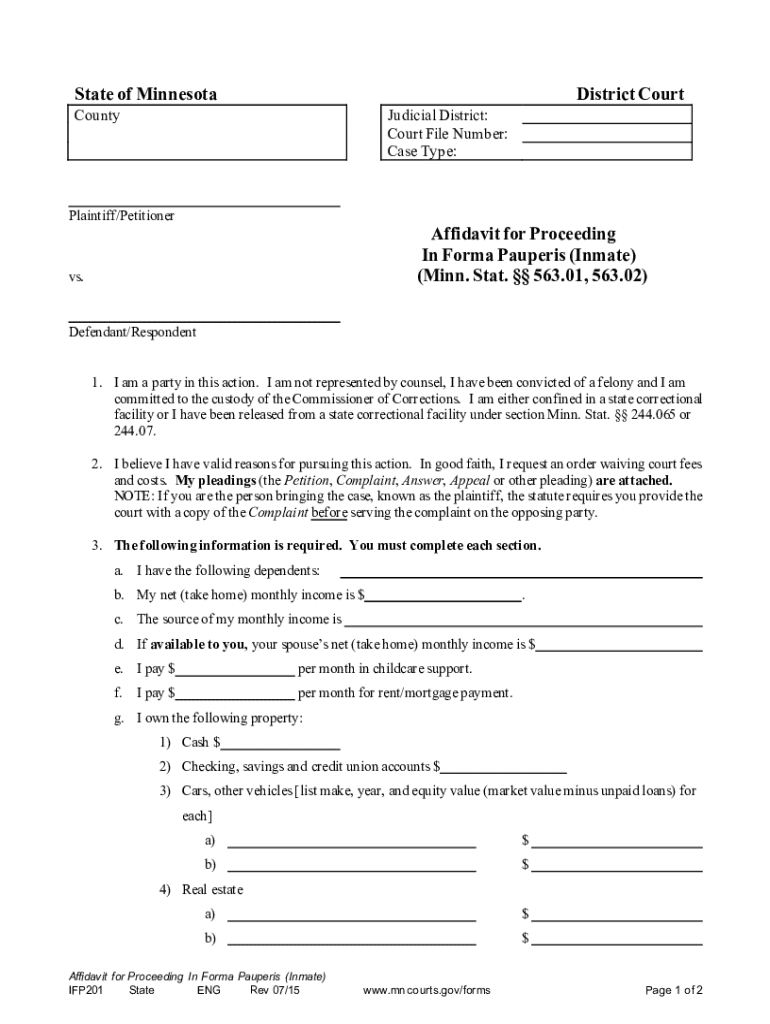
Businesses use online forms for employment contracts, while courts may utilize them for filings like Affidavits for Proceeding In Forma Pauperis, streamlining legal processes.
State-Specific Rules for the Form Online
When using forms online, it is essential to be aware of any state-specific requirements that might influence form submission and processing.
Regional Variations
- Certain states might require additional information or documentation.
- Electronically signed documents may need notarization or additional verification in some jurisdictions.
Examples
Legal forms, like affidavits, often have different submission protocols depending on state requirements, so users should consult local regulations before proceeding.
Required Documents
Completing forms online often necessitates the provision of supplemental documents to validate the provided information.
Types of Documents
- Identification: A driver’s license or passport may be required for verification.
- Financial Statements: Some forms, especially those related to loans or subsidies, require proof of income.
- Supporting Evidence: Other documents might include references or previous records related to the form’s purpose.
Preparation
Before starting, gather all necessary documents to ensure a smooth completion process and avoid disruptions or delays.
Form Submission Methods
Different forms can be submitted via various methods, each offering distinct advantages depending on the user’s needs and the form’s purpose.
Available Methods
- Online: Direct submission through the form’s platform, preferred for its speed and efficiency.
- Mail: Some forms might also be submitted physically, especially when original signatures are required.
- In-Person: Necessary for forms that require direct witness signing or additional verification steps.
Strategic Use
Choosing the appropriate submission method can impact the efficiency and compliance of the form process. Online submissions are encouraged for their resourcefulness and immediate feedback capabilities.
Versions or Alternatives to the Form Online
There might be alternative or older versions of a form that users can consider depending on their specific requirements or circumstances.
Form Variants
- Updated Versions: Reflect new regulations or streamlined processes.
- Alternative Templates: May cater to different industries or specific legal jurisdictions.
- Legacy Forms: Previous editions still in use under certain conditions or for specific entities.
User Guidance
Consult the intended receiving agency or organization for the preferred form version, ensuring compliance and acceptance.
Penalties for Non-Compliance
Failure to comply with submission requirements or completing forms incorrectly can result in penalties or legal consequences.
Potential Risks
- Fines: Incorrect filing of financial forms can incur penalties.
- Rejection: Non-compliant forms may be returned or deemed invalid, delaying processes.
Preventative Measures
Users should carefully follow instructions, ensure accuracy in information, and consult legal advice if unsure about specific requirements or implications.
Important Terms Related to Form Online
Understanding key terminology associated with online forms can facilitate accurate completion and prevent misunderstandings.
Common Terms
- Digital Signature: An electronic equivalent of a handwritten signature, legally binding.
- Mandatory Fields: Sections of a form that require input to proceed.
- Secure Data Transmission: Refers to encryption measures protecting data integrity during online submissions.
Clarifications
Users should familiarize themselves with these terms to ensure they can navigate forms efficiently and understand the implications of their inputs and submissions.




