
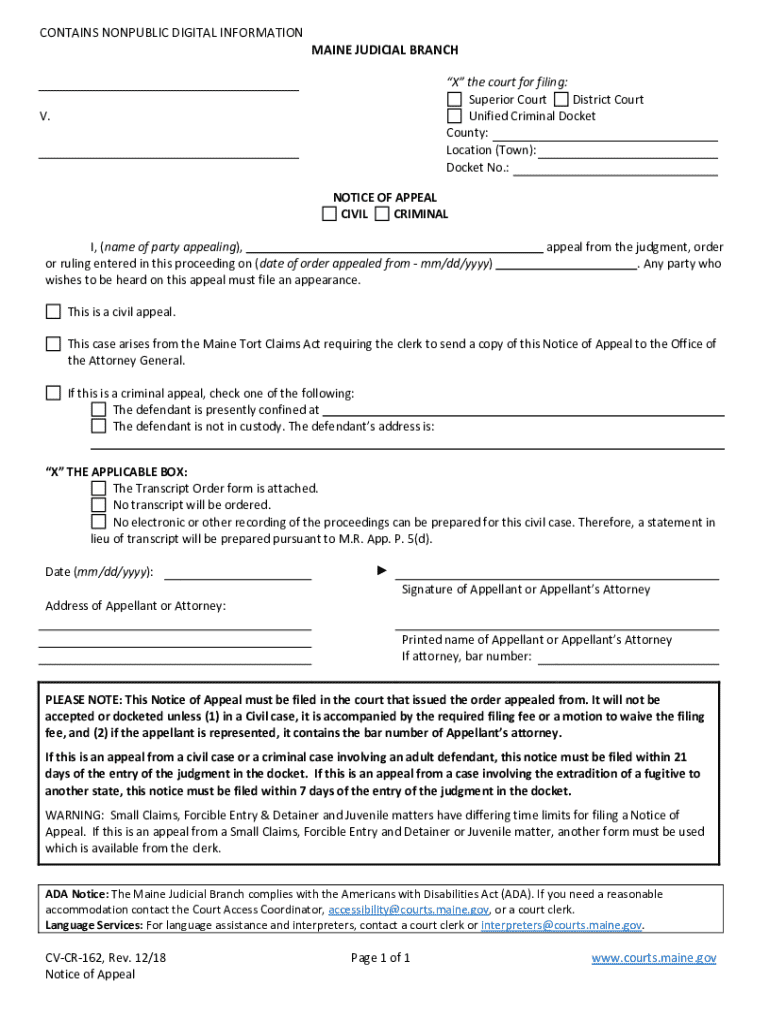







Definition & Meaning
The term "form online" refers to digital versions of traditional paper forms, allowing users to complete, submit, and manage various types of documents electronically. These forms can cover a wide range of purposes, from legal and tax-related documents to application forms and surveys. Online forms streamline data collection as users can fill them out on any internet-enabled device, reducing the need for physical paperwork and speeding up workflows.
Modern technologies enable these forms to offer interactive elements such as fillable fields, checkboxes, and dropdown menus. Online forms can be found in numerous contexts, most commonly used for applications, claims, or reporting purposes. They cater to various needs, providing users with a flexible, efficient, and environmentally friendly alternative to traditional paper forms.
How to Use a Form Online
Using a form online involves a straightforward process that begins with accessing the desired form through a website or platform hosting it. Users typically follow these steps:
-
Access the Form Platform: Navigate to the website or application offering the form, such as the DocHub platform.
-
Select the Form: Find and select the form needed for your specific purpose, which might include searching via category or keyword.
-
Fill Out the Form: Use interactive fields to enter your information. Online forms will guide you in completing required fields and may also provide real-time validation.
-
Review and Edit: Check all entries for accuracy, and make any necessary adjustments using editing tools available on the platform.
-
Submit or Export: Once satisfied with your inputs, use the platform's features to submit the form electronically, download a copy for your records, or print it if a physical copy is needed.
The efficiency of using forms online is bolstered by features like auto-saving, real-time collaboration, and integration with other services like cloud storage solutions, enhancing both individual and team productivity.
Steps to Complete the Form Online
Completing an online form typically follows a sequence of steps that ensure all necessary information is accurately captured and submitted. Consider the following detailed breakdown:
-
Identifying the Right Form: Determine the exact type of form required, whether for taxes, legal procedures, or business filings, ensuring its relevance to your needs.
-
Gather Required Information: Collect all necessary documentation and data that must be entered, such as personal details, financial information, or supporting documents.
-
Data Entry: Use the platform’s input fields to enter all required information. This may involve typing into text boxes, selecting options from dropdown menus, or marking checkboxes.
-
Validation Check: Use any available automated validation features to verify that all fields meet the specified requirements and correct any errors highlighted by the system.
-
Final Review: Conduct a thorough review of all entries for accuracy and completeness before proceeding to submit the form.
-
Submission or Export Decision: Decide whether to submit the form immediately or export a version for alternative submission methods, depending on the process requirements.
Considering these steps helps to minimize errors and maximize efficiency throughout the form completion process.
Creating and Managing Fillable Forms
Creating and managing fillable forms is an empowering feature available on platforms such as DocHub. It involves turning standard documents into interactive forms, thus making them suitable for online completion and submission.
-
Building from Scratch: Users can create new forms using the platform's tools, starting with blank templates to design a structured document with fillable fields.
-
Converting Existing Documents: Existing PDFs or other document formats can be transformed into fillable forms, enabling interactive elements for digital completion.
-
Customizing Field Types: Include various field types such as text boxes, checkboxes, and signature fields to fit different needs. Each field can be assigned to a specific recipient if the form requires input from multiple parties.
-
Form Distribution and Collection: Once completed, forms can be easily distributed via email or shared links, simplifying the process of collecting data from recipients, who can fill and return them effortlessly.
These capabilities enhance document workflows by ensuring that form management is both streamlined and secure, accommodating multiple collaborators where necessary.
Legal Use of the Form Online
Online forms can fulfill legal requirements when properly executed, holding validity similar to their paper counterparts under the right conditions. The legal use of these forms involves several considerations:
-
Compliance with Electronic Signatures: According to the ESIGN Act, electronic signatures on specific forms are legally binding when certain criteria are met, ensuring the integrity of the signing process.
-
Encryption and Security: Platforms hosting legal forms, such as DocHub, employ robust security measures like 256-bit SSL encryption to protect sensitive data during submission and storage.
-
Audit Trails: Many systems provide an audit trail, documenting access and edits made to a form, which can be critical for legal validation and record-keeping.
-
Data Integrity and Authentication: Using authentication protocols such as OAuth 2.0 ensures that the right individuals have access to the forms and are completing them, upholding legal standards.
Through these means, online forms effectively meet the expectations imposed by legal systems, providing flexibility and security.
Key Elements of the Form Online
Understanding the key elements of an online form aids in proper completion and submission. Typical features include:
-
Interactive Fields: These are essential for user input, including text areas, checkboxes, and signature fields that allow users to convey the necessary data.
-
Validation Protocols: Error-checking mechanisms prevent incorrect or incomplete submissions by guiding users to resolve any mistakes before finalizing the form.
-
Automated Features: Auto-saving functionality and an intuitive interface enhance user experience by preventing data loss and ensuring smooth navigation.
-
Security Functions: Encryption and user authentication keep form data confidential and ensure that only authorized users can access or modify the document.
-
Submission and Sharing Options: Forms can be submitted directly through the platform or shared for further review and signatures via email or other digital methods.
Recognizing these elements helps users navigate and utilize forms effectively across various platforms.
State-by-State Differences
Online forms, especially those used for legal or official filings, may be subject to variations based on state-specific regulations within the United States.
-
Legal Requirements: Different states may require specific formats, additional information, or distinct authentication methods for forms to be valid.
-
Document Type Variations: Tax forms, legal documents, and business registrations may have unique requirements based on state laws, necessitating tailored versions to comply with local regulations.
-
Filing Deadlines: Specific deadlines for submissions can vary, impacting how users plan and execute their form completion process to avoid penalties.
Understanding these state-specific nuances ensures that users remain compliant with regional regulations, which is crucial for legal accuracy and validity.
Penalties for Non-Compliance
Failure to comply with the requirements or deadlines associated with forms online may result in legal or financial penalties. These can include:
-
Fines and Fees: Delays or inaccuracies may incur fines, especially for tax-related or financial registration forms.
-
Invalidation of Submissions: Incorrectly completed forms or those submitted without proper authorization might be rejected, necessitating re-submission, often with added complications.
-
Legal Consequences: Especially for legal documents, non-compliance can lead to loss of rights or legal standing in disputes, underscoring the importance of precise adherence to form requirements.
These potential consequences highlight the importance of correctly following the guidelines and meeting the deadlines tied to any form online.




