
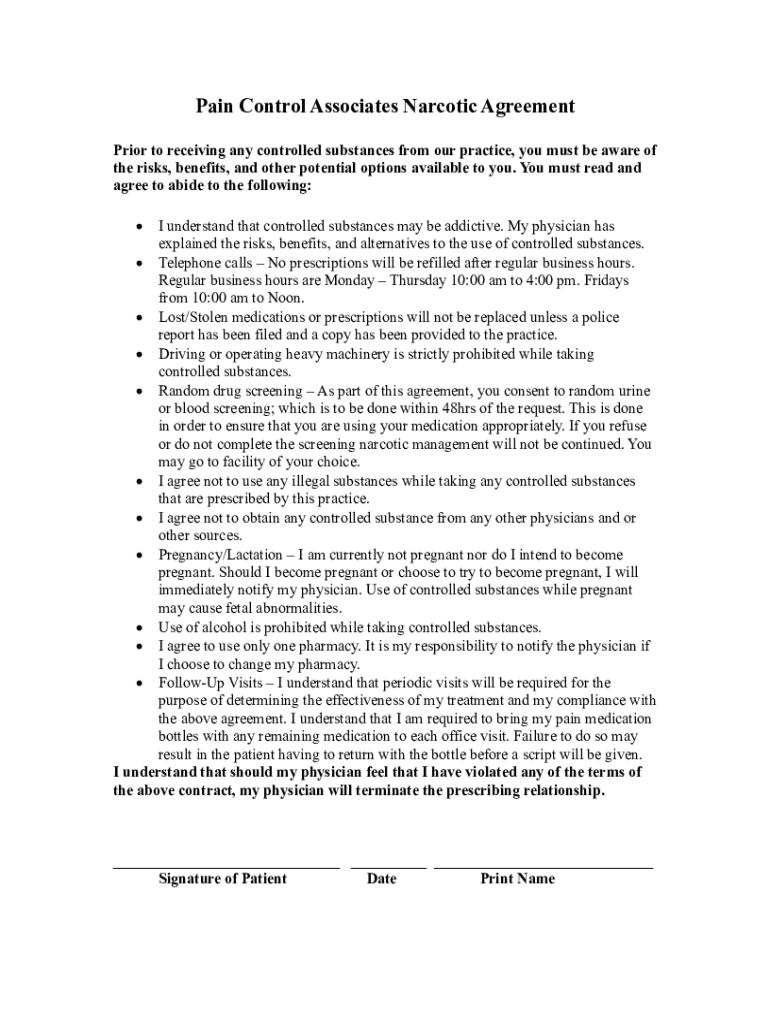







Definition and Meaning of Form Online
Form online refers to the digital version of documents that can be filled out, submitted, and processed electronically through internet-based platforms. These types of forms have increasingly replaced traditional paper forms due to their convenience, efficiency, and accessibility. An online form can be any type of document, ranging from tax forms and medical agreements to business applications that users complete over the internet using a web browser or dedicated application interface.
Online forms simplify data collection processes by allowing users to enter required information into structured fields. These forms usually include interactive elements such as text boxes, dropdown menus, and checkboxes that guide users in providing the necessary information accurately. The primary advantage is that users can access these forms from anywhere with an internet connection, ensuring greater flexibility and speed in completing form-related tasks.
How to Use the Form Online
Using forms online involves accessing and filling out an electronic document through a platform like DocHub. Here is a step-by-step guide:
-
Accessing the Form: Navigate to the platform hosting the form, such as DocHub, and locate the specific form you need to complete. This could involve opening a direct link provided by an organization or searching through the platform’s database.
-
Filling Out the Form: Use interactive tools to enter information directly into the form fields. Most online forms feature intuitive layouts where text boxes and checkboxes are clearly marked to indicate the type of information required.
-
Reviewing Entries: Before submission, review all the entered data to ensure accuracy. Many platforms allow you to go back and edit your entries if necessary.
-
Finalizing and Submitting: Once the form is complete, follow the platform’s submission instructions. This typically involves clicking a submit button. Some platforms may offer a preview or save option before final submission.
Steps to Complete the Form Online
Completing an online form involves several steps designed to ensure that all required information is entered accurately:
-
Read Instructions Carefully: Begin by familiarizing yourself with the instructions that accompany the form. These guidelines outline which fields are mandatory and how to enter sensitive information correctly.
-
Enter Personal Information: Fill out the fields that involve personal data such as name, contact details, and identification numbers. Ensure the accuracy of this information to avoid processing delays.
-
Input Specific Details: Depending on the form's purpose, you may need to enter specific information like financial details, employment history, or medical data. Follow the outlined format to provide this information correctly.
-
Attach Required Documents: If the form requires supporting documents, use the upload function to attach digital copies. Ensure the attachments are of appropriate file types and sizes as specified in the instructions.
-
Review and Correct: Before submission, review all entries for mistakes or omissions. Some platforms allow for corrections even after submission but before final processing.
-
Submit the Form: After confirming that all information is correct, submit the form electronically. A confirmation message or receipt may be provided upon successful submission.
Legal Use of the Form Online
The legal use of online forms is guided by compliance with relevant legislation such as the Electronic Signatures in Global and National Commerce (ESIGN) Act. This ensures that forms and associated electronic signatures are recognized as legally binding, similar to their paper counterparts.
Legal use involves the following considerations:
-
Consent and Authentication: Users must provide informed consent for electronic interactions. Platform authentication mechanisms like OAuth 2.0 help verify user identity, ensuring only authorized individuals access and complete forms.
-
Data Privacy and Protection: Platforms handling forms online must implement adequate security measures, like 256-bit SSL encryption, to protect sensitive data during transfer and storage. This provides an additional layer of trust for users.
-
Record Keeping: Maintaining electronic records is essential for legal compliance. The audit trails provided by platforms can serve as evidence of submission and activity, which is crucial for resolving any disputes that may arise.
State-Specific Rules for the Form Online
The applicability of online forms can vary from one U.S. state to another, with specific regulations influencing their design and use. Differences may stem from state legislation that dictates which documents can be submitted digitally, acceptable formats, and required authentication methods.
-
Permitted Forms: Some states may restrict certain form types from being completed online due to the need for physical signatures or notarization. It's essential to verify whether a given form is permitted for online submission in your state.
-
Data Security Regulations: State-specific data protection laws, like the California Consumer Privacy Act, may impact how information is collected and stored when using forms online. These laws ensure that all digital data interactions meet strict privacy standards.
-
Filing Requirements: Filing procedures and deadlines for online forms may be state-specific, and understanding these variations ensures compliance with local requirements.
Important Terms Related to Form Online
Understanding the terminology associated with online forms is crucial for effective use. Here are key terms to know:
-
Fillable Fields: These are the interactive elements within a form where users input data, such as text boxes and dropdown lists.
-
Electronic Signature: A legally recognized digital format for signing documents online, ensuring the signer's intent to authenticate the document.
-
Authentication: The process through which a platform verifies a user's identity to maintain secure access to online forms.
-
Encryption: The technology used to secure data as it moves through the internet, protecting it from unauthorized access.
-
Submission Receipt: A digital acknowledgment confirming that your form has been successfully submitted.
Key Elements of the Form Online
While forms online vary, they share some key elements which include:
-
User-Friendly Interface: This involves a layout that guides users through the form, minimizing errors while completing sections logically.
-
Mandatory and Optional Fields: Differentiating between fields that require input for submission and those that are optional helps streamline data entry.
-
Validation Features: Automated prompts that inform users of errors or omissions in their entries before submission, ensuring data accuracy.
-
Data Security Features: Measures that protect user data, such as secure logins and encryption, providing reassurance of confidential handling.
Examples of Using the Form Online
Online forms find their application across various domains, such as:
-
Tax Filing: Utilized by individuals and businesses to submit tax-related documents, syncing seamlessly with platforms like TurboTax for e-filing.
-
Medical Applications: Forms for patient information, appointments, or prescription renewals that enhance healthcare efficiency.
-
Employment Applications: Digital forms for job applications that streamline the hiring process, providing easy access and submission for candidates globally.
Understanding the diverse contexts where online forms are used showcases their adaptability and efficiency in today's digital age.




