




01. Edit your schedule availability form online
Type text, add images, blackout confidential details, add comments, highlights and more.

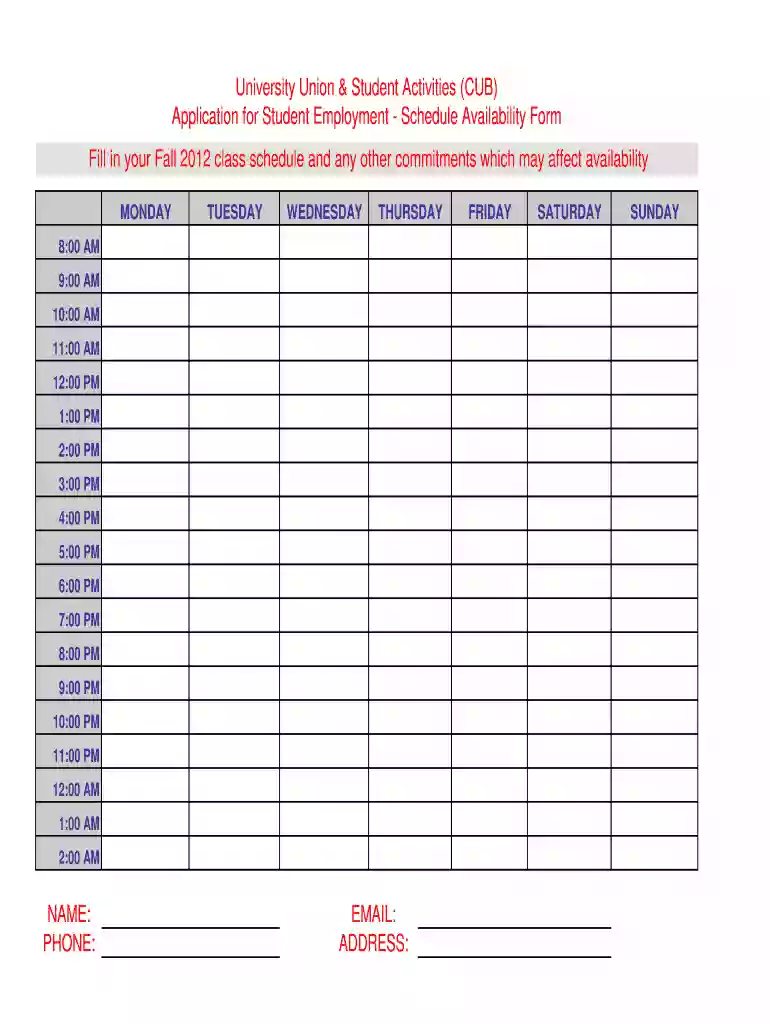
Type text, add images, blackout confidential details, add comments, highlights and more.

Draw your signature, type it, upload its image, or use your mobile device as a signature pad.

Send availability form pdf via email, link, or fax. You can also download it, export it or print it out.
The "availability chart" refers to a structured tool used primarily for scheduling purposes. It allows individuals or organizations to plan and document available times, such as work shifts, project timelines, or student activities. These charts are invaluable for coordinating various commitments and ensuring that all parties involved are aware of each other's availability preferences. Organizations, especially those that rely on collaborative environments, often utilize availability charts to streamline scheduling processes.
The primary function of an availability chart is to provide a centralized overview of available and unavailable time slots within a specific timeframe. This visibility helps minimize scheduling conflicts and optimizes time management. Charts can vary greatly in complexity, ranging from simple tabular formats to more elaborate graphical representations, depending on the specific needs and context of the user.
Using an availability chart involves several straightforward steps to maximize its utility:
Identify the Scope: Determine the specific purpose for the availability chart, whether it's for individual schedules, team coordination, or project management.
Select the Appropriate Format: Decide whether a digital or paper-based chart best suits your needs. Digital charts offer more flexibility with updates and are easier to share.
Input Available and Unavailable Times: Clearly mark times when you or your team are available for meetings, tasks, or other activities. Highlight any blackout periods when individuals or resources are not accessible.
Share and Collaborate: Distribute the chart to all relevant parties. Encourage feedback to ensure the chart accurately reflects everyone's schedules.
Update Regularly: Keep the availability chart current by promptly updating it with any schedule changes, ensuring it remains a reliable resource.
Completing an availability chart requires careful planning and precise input:
Collect Necessary Information: Gather schedules, commitments, and preferences from all individuals involved to ensure accuracy.
Create Time Blocks: Break down the chart into manageable time blocks, often by hours or half-hours, depending on the level of detail required.
Fill in Details: Populate the chart with specific commitments and available periods. Use visual cues such as color-coding for easy interpretation.
Review and Confirm: Once filled, review the chart with all members to confirm its accuracy and resolve any discrepancies.
Finalize: Approve the final version and distribute it to all relevant parties, ensuring they understand how to use it effectively within their workflows.
Key elements that comprise a well-structured availability chart include:
Time Intervals: Clear divisions of time, which could be hours, days, or weeks, based on the chart's purpose.
Assignment of Tasks or Appointments: Designations for specific tasks, meetings, or commitments within the available slots.
Names or Identifiers: Labels indicating who or what is available during each period, ensuring clarity.
Color-Coding and Symbols: Visual aids to distinguish between different types of availability or priority levels.
Legend: Inclusion of a legend to explain symbols, colors, and shorthand used within the chart.
Availability charts serve a wide range of users across different settings:
Educational Institutions: Teachers and students use these charts to organize class schedules, office hours, and extracurricular activities.
Corporate Teams: Project managers and team leaders utilize availability charts to coordinate meeting times and collaborative work efforts.
Healthcare Providers: Doctors, nurses, and administrative staff rely on these charts to manage shift rotations and patient appointments.
Freelancers and Consultants: Individuals working independently use availability charts to manage client meetings and project timelines effectively.


Here are some scenarios demonstrating the practical use of availability charts:
University Setting: A university department might use an availability chart to schedule faculty meetings, student advising sessions, and departmental events while accounting for individual class schedules and commitments.
Business Environment: An availability chart is utilized in a corporate setting to track employee working hours, break times, and availability for team projects, ensuring resources are allocated efficiently.
Healthcare Sector: A hospital staff might use an availability chart to manage nursing rotations, ensuring adequate staffing levels are maintained across all shifts.
While availability charts themselves may not have direct legal implications, their usage can be influenced by specific state work regulations and practices:
Labor Laws: Different states have varying requirements for hours of work, break times, and overtime, which can impact how availability charts are constructed and used.
Educational Regulations: State-specific guidelines may dictate how schools and universities plan and implement schedules for students and faculty.
Health and Safety Codes: Regulations in different states may affect shift planning practices in healthcare environments, necessitating accurate and compliant availability charting.
While primarily an organizational tool, there are certain legal considerations when using availability charts in formal settings:
Employment Contracts: Availability charts must comply with contractual obligations between employers and employees, especially regarding hours and obligations.
Data Privacy: Information included must respect data privacy laws, ensuring that personal schedules and availability are shared only with authorized personnel.
Fair Scheduling Practices: Organizations must ensure that the use of availability charts aligns with fair scheduling practices to avoid potential legal issues over work hours and conditions.
These considerations underscore the importance of using availability charts responsibly and in accordance with applicable laws and guidelines.
We've got more versions of the schedule availability form form. Select the right schedule availability form version from the list and start editing it straight away!
At DocHub, your data security is our priority. We follow HIPAA, SOC2, GDPR, and other standards, so you can work on your documents with confidence.


