Definition & Meaning
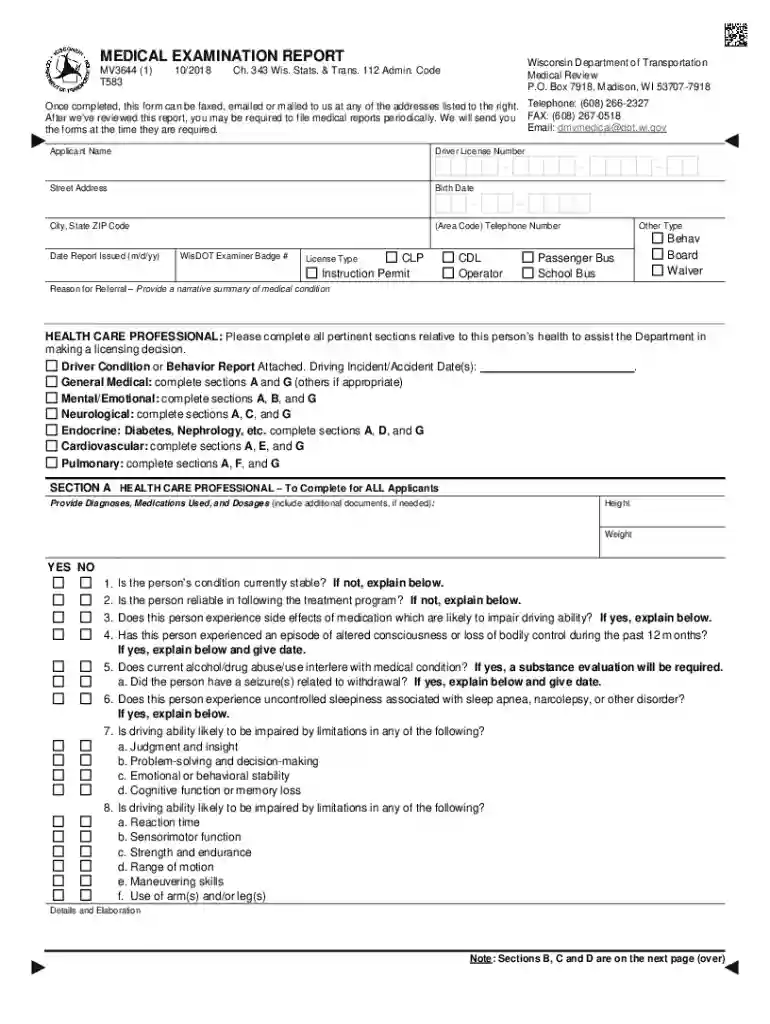
In the realm of document management, "form online" refers to a digital document designed for capturing information, which can be created, filled out, and submitted entirely via the internet. This online transformation of traditional paper forms allows users to efficiently gather data without the need for physical paperwork, thereby streamlining administrative tasks across a variety of industries.
Online forms are embedded with fields that can be customized to suit specific data collection needs. Whether utilized in healthcare for patient information, in legal settings for contracts, or in corporate environments for onboarding new employees, these forms enable seamless data entry, storage, and retrieval. The convenience of filling out forms online eliminates geographical constraints, allowing users to provide the necessary details from any location with internet access.
How to Use the Form Online
Using an online form involves a series of straightforward steps designed for user convenience and efficiency. Here's a breakdown of the process:
- Access the Form: Visit the platform where the form is hosted. This could be a website, an email attachment, or a shared link.
- Fill Out Required Fields: Enter relevant data into designated fields, which may include text boxes for names, checkboxes for selections, and dropdown menus for multiple-choice questions.
- Review and Edit: Before submission, carefully review the entered information to ensure accuracy. Users can edit any mistakes by simply clicking on the field they wish to change.
- Submit the Form: Once reviewed, click the submission button. This action sends the completed form to the designated recipient or storage location, often triggering confirmation emails or notifications.
- Receive Confirmation: Upon successful submission, users typically receive confirmation, either on-screen or via email, verifying that their form has been received and is being processed.
Steps to Complete the Form Online
Completing an online form involves a systematic approach to ensure all required information is accurately provided. Follow this process to efficiently complete your form online:
- Log In or Create an Account: Some platforms require users to log in or register before accessing the form. Follow the prompts to set up an account if necessary.
- Read Instructions Carefully: Each form may come with specific instructions or guidelines. Take the time to read these to avoid any potential errors during completion.
- Input Information: Utilize the keyboard or touchscreen to type responses into the text fields, select options from dropdowns, and check appropriate boxes where applicable.
- Attach Required Documents: Certain forms may require additional documentation. Use the upload feature to attach scanned documents, images, or PDFs as specified.
- Verify Data Accuracy: Double-check all entered information to ensure it is correct. This includes verifying spellings, dates, and numbers to avoid potential delays or rejections.
- Sign Electronically: If signature fields are present, use the platform's e-signature feature to digitally sign the document.
- Finalize and Submit: Once all fields are complete and verified, submit the form. Ensure a copy is saved for personal records if the platform provides such an option.
Creating and Using Fillable Forms Online
The creation and utilization of fillable forms online involves converting regular documents into interactive ones:
- Design and Layout: Determine the structure of the form, defining which fields are necessary for data collection.
- Integration of Interactive Fields: Use platforms that offer drag-and-drop functionalities to incorporate various input fields such as text, checkboxes, and radio buttons.
- Testing the Functionality: Before wide distribution, test the form to ensure all fields capture data correctly and any attachments such as signatures or photos are processed.
- Sharing: Distribute the form via email, embedded links, or hosted platforms where users can access and fill them out efficiently.
Legally Binding Electronic Signatures
Electronic signatures allow online forms to carry the same legal weight as traditional paper documents:
- Creation Options: Users can create signatures manually via touchpad, upload an image of their signature, or type and stylize their name to mimic a signature.
- Authentication and Security: Platforms often integrate multi-factor authentication to ensure that the person signing a document is indeed the intended signatory.
- Audit Trails: Detailed logs track who signed the document, from where, and at what time, providing a secure and verifiable history of the document’s signing process.
Important Terms Related to Form Online
- Field Validation: A process ensuring that the information entered into form fields meets predetermined criteria, such as length, format, or data type.
- Responsive Design: The form's ability to automatically adjust its layout and fields to align with the device being used—desktop, tablet, or smartphone.
- Data Encryption: The encryption of data collected through forms to protect sensitive information during submission and storage.
Software Compatibility with Online Forms
Online forms often need to integrate or be compatible with various software solutions:
- Document Editing Software: Compatibility with software like PDF editors, Google Docs, or Microsoft Office ensures easy data manipulation across platforms.
- Data Management Systems: Integrations with databases or customer relationship management (CRM) systems allow for seamless data transfer and storage.
- E-signature Software: Systems like DocuSign or Adobe Sign offer enhanced electronic signing capabilities, improving form accountability and tracking.
Key Elements of the Form Online
Designing an effective form online involves several essential components:
- Clear Instructions and Labels: To prevent confusion, each section of the form should include explicit directions for completion.
- Minimalist Design: Simplifying the appearance with only necessary elements maintains user focus and reduces completion time.
- Accessibility Features: Offering voice-to-text options or support for screen readers can enhance usability for individuals with disabilities.
These structured and interactive features equip online forms to serve as powerful tools for efficient and secure data gathering, ensuring they meet varied user needs seamlessly.