Definition & Meaning
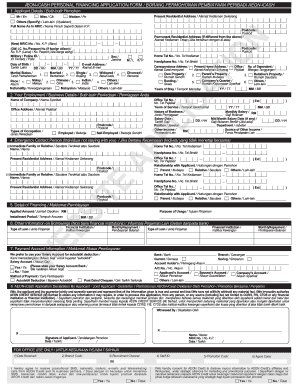
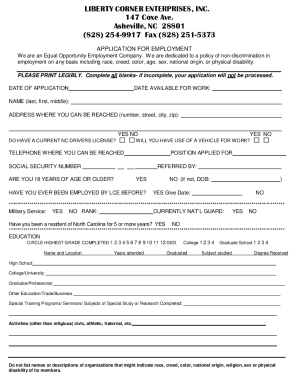
The "Download Credit Plan Application - Smithy" form is a comprehensive document used by individuals or entities to apply for a credit plan. This form typically requires extensive personal and financial information from the applicant, such as employment status, income details, and housing situation. It serves as a formal request to open a new credit account and includes all pertinent procedures and requirements, from identity verification to agreement to the terms and conditions.
- Provides a structured framework for potential borrowers to showcase their eligibility.
- Outlines terms of agreement, including interest rates and fee structure.
How to Use the Download Credit Plan Application - Smithy
The application process involves several key steps to ensure accurate completion and submission:
-
Gather Required Information: Before filling out the form, collect all necessary personal and financial documentation, such as your Social Security Number, proof of income, and employment details.
-
Complete Personal Details Section: Enter your personal information accurately. This includes your full name, address, and contact information.
-
Provide Financial Details: Fill out income, employment, and housing expense details. Ensure the accuracy of numbers to avoid application denial.
-
Joint Application (If Applicable): If applying with a co-applicant, ensure to fill out their information in the designated section.
-
Review and Double-Check: Ensure all details are correct. Check for any mandatory fields that might be left blank inadvertently.
Steps to Complete the Download Credit Plan Application - Smithy
Follow these steps for a smooth application process:
-
Download the Form: Visit the official website and download the "Download Credit Plan Application - Smithy".
-
Fill Out Identification Section: Enter your name, date of birth, and other basic identifiers.
-
Employment and Income Details: List your current job, employer, and salary. If self-employed, provide additional documentation of your business income.
-
Housing Information: Whether you rent or own, provide your monthly housing expenses and property details.
-
Submit the Form: After a thorough review, submit the completed form through your chosen method, ensuring that it’s securely sent to avoid breaches in personal information.
Important Terms Related to Download Credit Plan Application - Smithy
Understanding the terminology used in the form is crucial for proper completion:
- Interest Rate: The cost of borrowing Cmoney expressed as a percentage of the loan amount.
- Fee Structure: Breakdown of charges applicable to the credit plan.
- Identity Verification: Process required by federal law to confirm the applicant’s identity.
Key Elements of the Download Credit Plan Application - Smithy
The form consists of several important components:
- Personal Information Section: Includes fields for basic identification and contact details.
- Financial Disclosure: Detailed area for income, debts, and expenses.
- Terms and Conditions Agreement: Provides legalese outlining obligations and rights under the credit plan.
Required Documents
Before starting the application, prepare the following:
- Proof of Identity: Government-issued ID or Social Security Number.
- Income Verification: Recent pay stubs or tax returns.
- Employment Proof: Employer contact or business registration documents for self-employed applicants.
Application Process & Approval Time
The approval process involves:
-
Initial Review: After submission, the issuer conducts an initial review to ensure completeness.
-
Verification: Background checks and verification of financial details.
-
Final Decision: Typically communicated within ten to fifteen business days.
Legal Use of the Download Credit Plan Application - Smithy
The form serves several legal functions:
- Contractual Agreement: Upon acceptance, it acts as a binding agreement between the lender and the borrower.
- Regulatory Compliance: Meets federal and state regulations regarding credit issuance.
Software Compatibility
Ensure compatibility with these tools for streamlined processing:
- Adobe Acrobat Reader: For viewing and filling out PDF versions.
- Microsoft Excel: If the financial section requires detailed calculations.
- Google Workspace: Supports editing and collaboration, especially for joint applications.