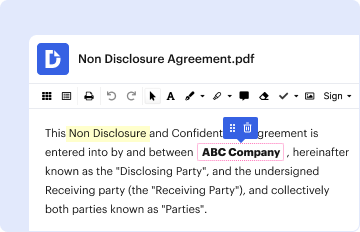
Type text, add images, blackout confidential details, add comments, highlights and more.
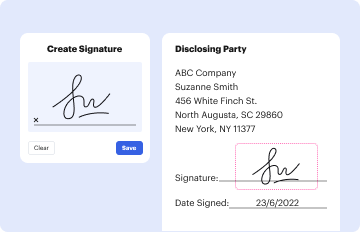
02. Sign it in a few clicks
Draw your signature, type it, upload its image, or use your mobile device as a signature pad.
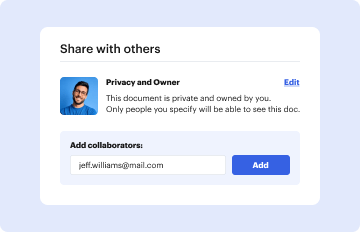
03. Share your form with others
Send it via email, link, or fax. You can also download it, export it or print it out.
How to use or fill out Submit by Email TRNSYS Training 2011 Enrollment Form TRNSYS Course: February 22-24, 2011 in Madison, with DocHub
Ease of Setup
DocHub User Ratings on G2
Ease of Use
DocHub User Ratings on G2
Click ‘Get Form’ to open the Submit by Email TRNSYS Training 2011 Enrollment Form in our editor.
Begin with the Course Information section. Select your desired enrollment option by checking the appropriate box for all three days, two days, or one day of training.
Next, fill out the Personal Information section. Enter your name(s), title(s), company name, address, city/state/zip code, country, phone number, fax number, and email address accurately.
Proceed to the Billing Information section. Choose how you will pay by selecting one of the options provided: sending a purchase order, requesting an invoice, enclosing a check, or opting for a PayPal™ invoice.
If your billing address differs from your personal information, complete the Billing Address section with the required details.
Once all fields are filled out correctly, review your entries for accuracy before submitting.
Start using our platform today to easily complete and submit your enrollment form for free!
Fill out Submit by Email TRNSYS Training 2011 Enrollment Form TRNSYS Course: February 22-24, 2011 in Madison, online It's free
by L Shi 2023 Cited by 3 However, this requires a large set of training data and possibly a machine-learning- based solver. This topic is out of the discussion of this dissertation
Final Report to the National Energy Technology Laboratory
by V Vittal 2015 The work described in this report was funded by the Office of Electricity Delivery and Energy Reliability. (OE) of the U.S. Department of Energy through the
Cookie consent notice
This site uses cookies to enhance site navigation and personalize your experience.
By using this site you agree to our use of cookies as described in our Privacy Notice.
You can modify your selections by visiting our Cookie and Advertising Notice.