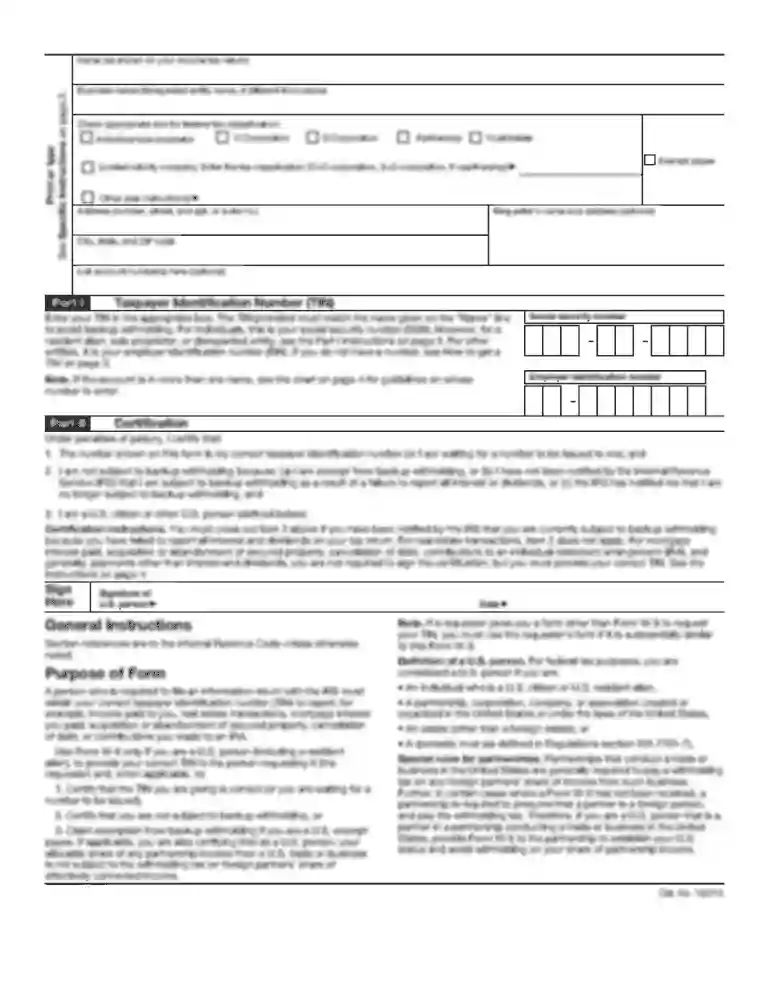
Revenue oregon 2026

Get Form
oregon business change in status form Preview on Page 1

Here's how it works

01. Edit your oregon business change in status form online
Type text, add images, blackout confidential details, add comments, highlights and more.

02. Sign it in a few clicks
Draw your signature, type it, upload its image, or use your mobile device as a signature pad.

03. Share your form with others
Send oregon business change in status form via email, link, or fax. You can also download it, export it or print it out.

Definition and Purpose of the Revenue Oregon Form

The "Revenue Oregon" form serves as an essential notification tool for businesses in Oregon to communicate changes in their business or employment status to relevant state departments. These departments typically include the Employment Department, Department of Revenue, and the Department of Consumer and Business Services. The form is primarily used to update information regarding business details, ownership, and employment status, ensuring that these departments have current records.

Core Components

  • Business Information: Requires details such as the current business name and address, which might change due to relocation or rebranding.
  • Identification Numbers: Demands submission of any relevant state or federal identification numbers associated with the business.
  • Effective Date of Changes: It is crucial to specify when changes take effect, as this can impact tax responsibilities and regulatory compliance.

How to Use the Revenue Oregon Form

Filling out the Revenue Oregon form involves a systematic approach to ensure accuracy and completeness. Understanding how to navigate the contents of the form is vital for complying with state regulations.

Step-by-Step Instructions

  1. Gather Necessary Information: Collect all required business details such as tax identification numbers and new owner information before starting.
  2. Carefully Complete Each Section: Fill in the information in the designated spaces, ensuring that all updates are accurately represented.
  3. Review for Errors: After completion, review the form thoroughly to check for any discrepancies or missing data.
  4. Submit to Relevant Departments: Once the form is complete, ensure it is submitted to all necessary departments either through online submission or mailed to the specified addresses.

Steps to Complete the Revenue Oregon Form

Completing the Revenue Oregon form correctly the first time helps avoid penalties or delays in processing changes. Here’s how to do it efficiently.

Detailed Process

  • Section for Business Changes: Begin by entering any modifications to the business name and address. Ensure the changes align with records held by the state.
  • Owner/Officer Details Update: Update the form with new or revised information about business owners or officers.
  • Employment Status Changes: Enter data regarding employment status, which might include hiring new employees or changes in existing employment arrangements.
  • Entity Changes: Record any conversions in business structure, such as from an LLC to a corporation or vice versa.

Key Elements of the Revenue Oregon Form

Understanding each component of the Revenue Oregon form is vital for ensuring all legal and state requirements are met.

Crucial Sections

  • Personal and Business Information: Each entry must be current to facilitate accurate record-keeping and notifications.
  • Ownership Details: Accurately listing staffing changes or reassignments of business leadership is essential.
  • Submission Guidelines: Adhering to submission deadlines and correct department routing prevents compliance issues.

Important Terms Related to Revenue Oregon

Clear understanding of terminology ensures accurate interpretation and completion of the form, preventing potential errors.

Common Terms

  • Business Entity Type: Identifies whether the organization is a sole proprietorship, partnership, LLC, or corporation.
  • Effective Date: The date when the changes officially take effect, impacting tax and legal obligations.
  • Identification Numbers: Unique identifiers used by state and federal agencies to categorize business data.

Who Typically Uses the Revenue Oregon Form

Various business entities in Oregon need to regularly update their status through this form to maintain compliance with state regulations.


decoration image ratings of Dochub

Examples of Users

  • Business Owners: Individuals who run sole proprietorships or partnerships and need to notify state agencies of changes.
  • Corporations and LLCs: Businesses required to update state records following organizational restructuring or leadership changes.
  • Financial Managers: Professionals responsible for overseeing tax compliance and submission of correct business information.

State-Specific Rules for the Revenue Oregon Form

Oregon has particular rules concerning the submission and completion of the Revenue Oregon form that differ from other states, necessitating careful attention.

Notable Regulations

  • Submission Deadlines: Different sections of the form may have varying deadlines that align with tax periods or legal requirements.
  • Form Verification: The state may require additional documents or verification steps to confirm the accuracy of submitted data.
  • Amendments and Corrections: Procedures for amending information after submission must be followed precisely to ensure records are updated correctly.

Submission Methods for the Revenue Oregon Form

Depending on the preferences and capabilities of the organization, there are multiple ways to submit the completed Revenue Oregon form.

Available Options

  • Online Submission: Fast and efficient submission through state portals designed for business communication.
  • Mail: Traditional mailing methods can be used, particularly if original signatures or notarizations are required.
  • In-Person Submission: Some departments may offer the option to submit forms directly at their offices for immediate processing.

See more revenue oregon versions

We've got more versions of the revenue oregon form. Select the right revenue oregon version from the list and start editing it straight away!
Versions Form popularity Fillable & printable
2016 4.8 Satisfied (56 Votes)
2012 4.3 Satisfied (51 Votes)
be ready to get more

Complete this form in 5 minutes or less

Get form

Got questions?

We have answers to the most popular questions from our customers. If you can't find an answer to your question, please contact us.
Contact us
We accept most tax returns as filed, but to ensure the accuracy of voluntary compliance, we audit a variety of returns each year. Once a return is assigned to one of our auditors, an audit appointment or correspondence letter is sent. This letter will ask you to submit information required for the audit.
In 2024, eligible Oregon taxpayers will receive a kicker tax credit. Your kicker is either included in your refund or it will reduce the amount of tax you owe. The Oregon kicker tax credit is how the state returns money to taxpayers when there is a revenue surplus.
Which states are issuing Inflation Relief Checks? As of now, several states have announced plans to issue inflation relief checks to their residents in 2023. These states include California, Colorado, Maryland, Massachusetts, New Mexico, New York, Oregon, and Vermont.
You must have filed a 2022 Oregon state tax return. You must file a 2023 Oregon state tax return, even if you are not required to. There must have been tax due on your 2022 state return before any tax credits were applied.
About the payments The Oregon Department of Revenue has completed distribution of One-Time Assistance Payments to eligible households who qualified under House Bill 4157 (2022). These were one-time $600 payments, per tax return, required to be delivered by July 31, 2022.

Security and compliance

At DocHub, your data security is our priority. We follow HIPAA, SOC2, GDPR, and other standards, so you can work on your documents with confidence.

Learn more
ccpa2
pci-dss
gdpr-compliance
hipaa
soc-compliance
be ready to get more

Complete this form in 5 minutes or less

Get form

People also ask

You can check the status of your refund on our website (Wheres My Refund?) or through our automated phone system at 503-378-4988 or toll-free at 800-356-4222. To check your refund status, youll need: ​​The Social Security number of the first person listed on your return.
The COVID-related Tax Relief Act of 2020, enacted in late December 2020, authorized additional payments of up to $600 per adult for eligible individuals and up to $600 for each qualifying child under age 17. The AGI thresholds at which the payments began to be reduced were identical to those under the CARES Act.

150 211 156