







Definition & Meaning
"Form online" refers to a digital version of a document that can be completed and submitted via the internet. This approach eliminates the need for physical paperwork by allowing users to input information directly into a digital format, which is often part of a web-based application or platform. The concept encompasses various document types such as application forms, tax forms, and registration documents. Online forms are designed to capture data efficiently and securely, providing ease of use and accessibility from any device connected to the internet.
Advantages of Online Forms
- Efficiency: Online forms streamline data entry, reducing errors associated with manual data input.
- Accessibility: Available 24/7, users can fill out forms at their convenience from any location.
- Cost-Effective: Reduces the need for physical paper, printing, and postal costs.
- Environmentally Friendly: Digital forms contribute to reduced paper usage and waste.
- Ease of Data Collection: Automatically collects and stores responses for easier organization and analysis.
How to Use the Form Online
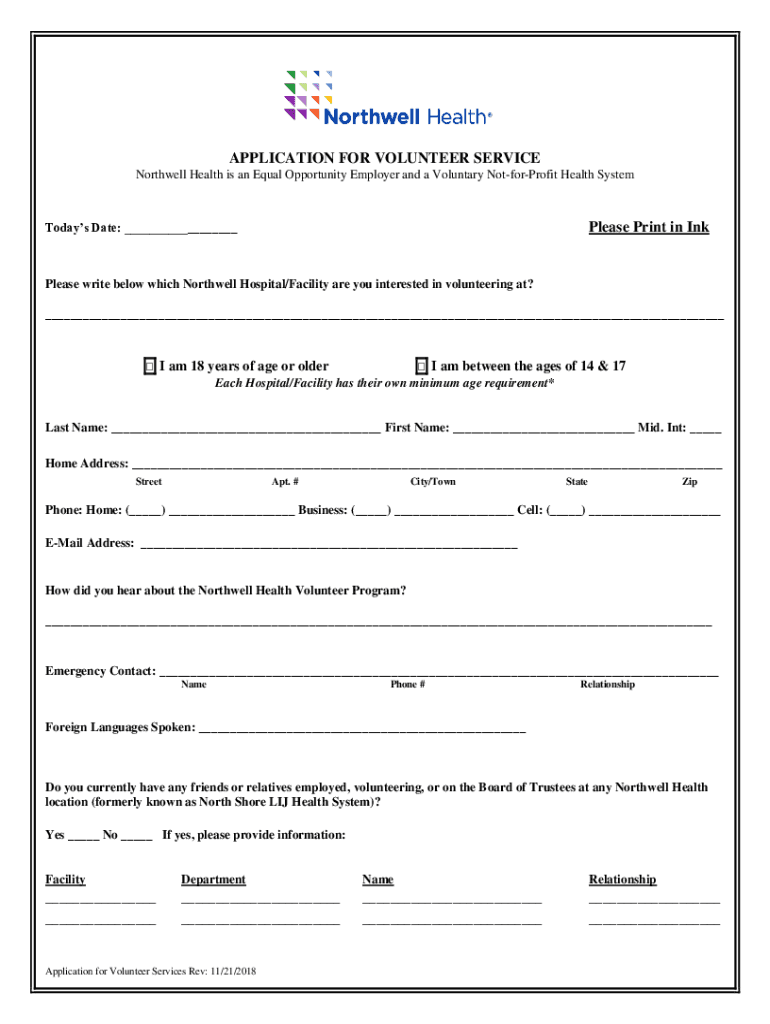
Using an online form typically involves accessing the form via a web browser, entering the required information, and submitting it through the platform. For example, filling out a volunteer application form at Northwell Health would require users to provide personal details such as age, contact information, and emergency contacts.
Step-by-Step Instructions
- Access the Form: Navigate to the online platform where the form is available.
- Enter Personal Information: Provide all required details such as name, address, and contact numbers.
- Specify Preferences: Fill in sections related to your interests, availability, or other relevant criteria.
- Review and Submit: Double-check the information for accuracy before submitting.
- Confirmation: After submission, users typically receive a confirmation email or message.
Practical Example
An individual applying for a volunteer position at a hospital might access the application form online, fill in their contact details, select areas of interest, and submit their availability for volunteering. The system would then process their application digitally, streamlining the entire process.
Steps to Complete the Form Online
Completing a form online generally follows a sequence of logical steps designed to capture necessary information efficiently. The process varies slightly depending on the form type and its specific requirements.
Detailed Steps
- Pre-Fill Personal Data: Some platforms allow users to pre-fill sections by connecting to existing user profiles.
- Fill Out Mandatory Fields: Required fields must be completed to proceed. These are often marked with an asterisk (*).
- Attach Relevant Documents: If applicable, attach digital copies of necessary documents by uploading them to the platform.
- Select Options or Preferences: Choose from dropdown menus or checkboxes as required.
- Sign the Document Electronically: Use the platform's digital signature tools to sign the form, ensuring authenticity and compliance.
- Finalize and Submit: Once completed, review the form for errors before submitting.
Common Pitfalls to Avoid
- Incomplete Information: Not filling mandatory fields can lead to submission failures.
- Inaccurate Data: Double-check input data to prevent errors which may delay processing.
- Forgotten Documents: Ensure all necessary attachments are included.
Why Should You Form Online
Opting for online forms offers numerous benefits over traditional paper forms. These advantages make online forms an increasingly popular choice for businesses, organizations, and individuals alike.
Benefits of Digital Forms
- Convenience: Forms can be accessed and completed from anywhere with internet connectivity.
- Speed: Form processing is often faster, with immediate feedback and responses.
- Security: Enhanced data protection measures like encryption ensure user privacy.
- Integration: Online forms can easily connect with other systems, such as databases and CRM software, for seamless data management.
Real-World Impact
For instance, schools using online forms for student registrations save significant time during enrollment processes and can manage databases more effectively than through paper records.
Who Typically Uses the Form Online
Online forms are used by a wide array of audiences, ranging from individuals completing personal applications to businesses managing client information.


Specific User Groups
- Individuals: Seeking to apply, register, or submit personal documents.
- Businesses: For client registrations, feedback collection, and internal surveys.
- Educational Institutions: Managing student registrations and admissions.
- Healthcare Facilities: Enrolling patients or processing volunteer applications.
Case Study: Healthcare
In the healthcare sector, online volunteer applications allow organizations like Northwell Health to efficiently gather and manage volunteer information, significantly reducing administrative workload.
Important Terms Related to Form Online
Understanding key terminology associated with online forms is vital for effective use and implementation. These terms clarify the processes and technical aspects involved.
Key Terms
- SSL Encryption: A protocol that ensures secure data transfer by encrypting information entered into the form.
- OAuth 2.0: An authentication mechanism for secure account access while using online forms.
- Digital Signature: An electronic way to sign a document, providing legal authenticity.
- Form Fields: Areas in a form designed to collect specific types of data, such as text, dates, or options.
Practical Application
When filling out an online form, users can expect their data to be securely encrypted before transmission, ensuring safe handling of personal information across digital platforms.
Legal Use of the Form Online
Online forms must adhere to legal standards and compliance regulations to maintain their validity and protect users’ rights.
Legal Considerations
- Compliance with ESIGN Act: Digital forms and signatures must comply with legal standards for electronic records and signatures.
- Data Protection Regulations: Online forms should conform to privacy laws like the GDPR, ensuring user data is gathered and stored legally.
Example Scenario
A business collecting client information via an online form must ensure that they have consent from users to store their data, and they must protect this data in compliance with relevant legal standards.
Key Elements of the Form Online
An effective online form incorporates several elements designed to simplify the data collection and submission process.
Essential Components
- User-Friendly Interface: Clear and simple to navigate, allowing users to understand what is required easily.
- Form Validation: Ensures all necessary fields are completed and adhere to input requirements before submission.
- Responsiveness: Forms should adjust to different devices or screen sizes for optimal user experience.
Strategic Design
For applications, the form should guide users through sections logically, minimizing frustration and errors, thus improving submission rates and data quality.




