
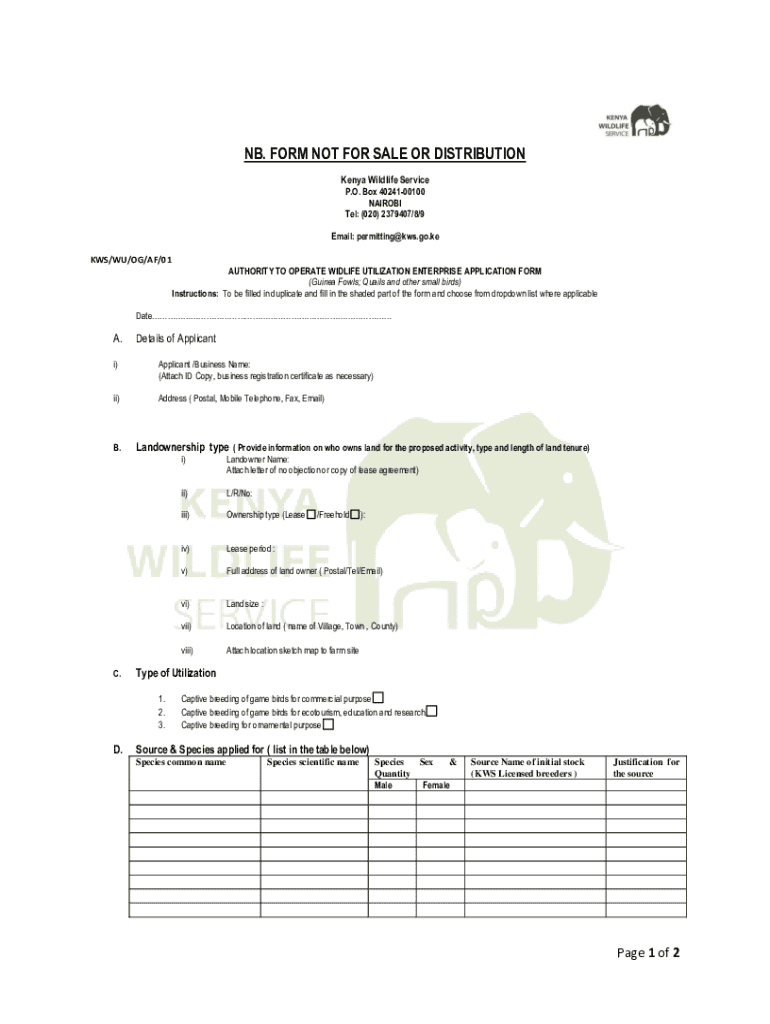







Definition & Meaning
The phrase "form online" typically refers to digital or electronic versions of forms that are filled out and submitted over the internet. These forms can range from application forms and tax documents to requests for service or feedback and surveys. The transition from paper to online forms has been largely driven by the need for efficiency, ease of use, and environmental considerations. Electronic forms often include interactive elements that guide users through the completion process. They are designed to be accessible from various devices, removing geographic and physical barriers to form submission.
How to Use the Form Online
Using an online form involves several straightforward steps that vary slightly depending on the form type and platform. Generally, users begin by accessing the form via a web browser. Once open, they input required information into designated fields, such as text boxes and dropdown menus. Forms often include validation features, providing real-time feedback on errors or missing information before submission. Users may also be required to attach supporting documents by uploading them. Upon completion, the form is submitted electronically, typically resulting in a confirmation message or email.
How to Obtain the Form Online
Securing an online form begins by visiting the appropriate website of the organization that issues the form. For instance, government forms are often available on official government portals, while company-specific forms can be found on the organization's website. Once on the site, users can search for the necessary form using keywords. Many websites provide options to either complete the form directly on the site or download it for offline completion. If a fee is associated with obtaining the form, secure payment options are usually available.
Steps to Complete the Form Online
- Access the Form: Navigate to the official site or portal where the form is hosted.
- Read Instructions: Before filling out any fields, review the provided guidelines and instructions to avoid mistakes.
- Input Information: Enter the requested data into each form field, ensuring accuracy and completeness.
- Attach Documents: If applicable, upload any required supporting documents.
- Review for Errors: Use the form’s validation tools to check for any omissions or mistakes.
- Submit the Form: After ensuring all information is correct, submit the form. Look for a confirmation message indicating successful submission.
Why Should You Form Online
Filling out forms online offers numerous advantages, including convenience and speed. Online forms can be accessed and completed anytime from a computer or mobile device, eliminating the need to visit physical locations. This method significantly reduces paperwork and environmental impact. In addition, online forms often incorporate automatic checks for errors, speeding up processes by reducing the chance of rejected submissions due to incomplete or incorrect information. For businesses and organizations, online forms can enable faster processing and data management, improving overall efficiency.
Who Typically Uses the Form Online
Online forms are used by a broad spectrum of individuals and entities. This includes individuals applying for government services, students enrolling for courses, businesses submitting tax forms, and consumers providing feedback or placing orders with companies. Organizations across various sectors leverage online forms for data collection, customer interaction, and internal processes. Increasingly, small businesses and freelancers have adopted online forms as an efficient method to manage operational paperwork, such as client intake forms and service contracts.

Key Elements of the Form Online
An effective online form incorporates several essential elements that facilitate straightforward and accurate completion:
- User-Friendly Interface: An intuitive design with clear labels and instructions for each field minimizes confusion.
- Validation Rules: Built-in checks help ensure data is input correctly, such as format specifications for dates and email addresses.
- Completion Guidance: Inline tips or pop-up messages provide advice on how to correctly fill out complex sections.
- Security Protocols: SSL encryption and secure authentication safeguard sensitive information.
- Documentation Uploads: Options to attach necessary documents directly to the form enhance functionality and completeness.
Important Terms Related to Form Online
Understanding some common terms associated with online forms can enhance user comprehension and proficiency:
- Encryption: The process that encodes data to protect it from unauthorized access, critical for maintaining privacy.
- Authentication: Verification process to ensure the user's identity, often involving passwords or multi-factor methods.
- Validation: A set of checks and guidelines that ensure the data entered is accurate and meets the form's requirements.
- User Interface (UI): The part of the form that users interact with, playing a key role in user experience.
- Backend: The hidden part of the form system that processes submissions and interfaces with data storage solutions.
Legal Use of the Form Online
Online forms must comply with legal standards to ensure their enforceability and the protection of user rights. They are often subject to electronic signature laws like the ESIGN Act in the United States, which grants electronic signatures the same legal standing as handwritten ones. Privacy laws, such as the GDPR and CCPA, dictate how user data obtained through online forms should be handled, requiring transparency about data usage and storage practices. Forms used for legal agreements or official documentation need specific language and fields to comply with relevant laws and regulations.
Examples of Using the Form Online
Online forms are employed in various scenarios to simplify and streamline processes:
- Government Applications: U.S. residents fill out forms like the W-9 online to ensure efficient processing of taxpayer information.
- School Enrollments: Students apply for school or university programs through online submission, which often includes essay uploading and recommendations.
- Business Operations: Companies use forms for employee onboarding, client intake, or feedback collection to improve services and operations.
- Healthcare Services: Patients complete forms electronically before appointments, reducing wait times and improving data accuracy.
Continuously improve and refine these forms by integrating user feedback and leveraging new technologies to enhance user experience and form functionality.




