Type text, add images, blackout confidential details, add comments, highlights and more.
02. Sign it in a few clicks
Draw your signature, type it, upload its image, or use your mobile device as a signature pad.
03. Share your form with others
Send property deed via email, link, or fax. You can also download it, export it or print it out.
How to use or fill out warranty deed with our platform
Ease of Setup
DocHub User Ratings on G2
Ease of Use
DocHub User Ratings on G2
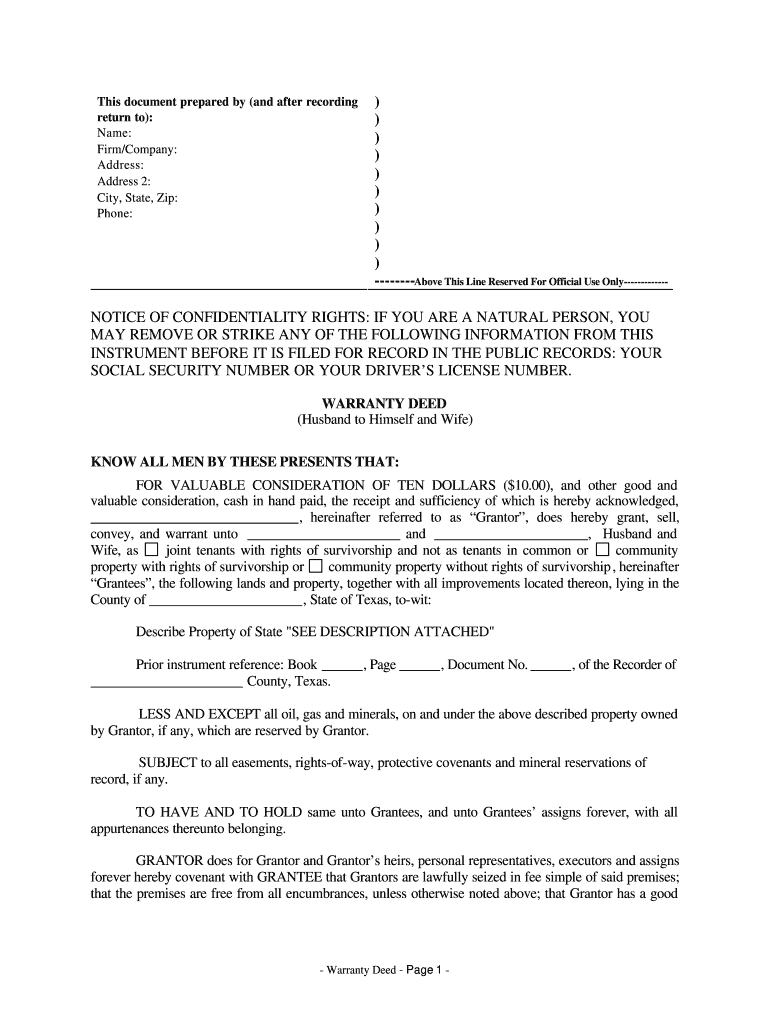
Click ‘Get Form’ to open the warranty deed in the editor.
Begin by filling in the 'Prepared by' section with your name, firm/company, address, and contact information. This ensures proper identification of the document's creator.
In the 'Grantor' section, enter the names of the individuals transferring property rights. Ensure accuracy as this identifies who is granting the deed.
Next, specify the 'Grantees', which are typically the individuals receiving ownership. Include their names and confirm they are listed as joint tenants if applicable.
Describe the property being conveyed in detail. If there’s an attachment, indicate it clearly in this section.
Complete any necessary sections regarding taxes and whether the property is part of a homestead.
Finally, have all parties sign and date at the bottom of the form. Ensure witnesses and notary public details are filled out correctly for legal validation.
Start using our platform today to easily complete your warranty deed online for free!
warranty deed | Wex | US Law | LII / Legal Information Institute
A warranty deed is a legal document used in real estate transactions where the grantor (seller) guarantees clear title to the property being sold. It assuresRead more
Oct 17, 2025 should any thoughtform prove defective in any respect, you (not the initial operator responsible for export) assume the cost of any necessaryRead more
Cookie consent notice
This site uses cookies to enhance site navigation and personalize your experience.
By using this site you agree to our use of cookies as described in our Privacy Notice.
You can modify your selections by visiting our Cookie and Advertising Notice.