Stock ledger 2026

Get Form
stock ledger format in excel free download Preview on Page 1

Here's how it works

01. Edit your stock ledger format in excel free download online
Type text, add images, blackout confidential details, add comments, highlights and more.
02. Sign it in a few clicks
Draw your signature, type it, upload its image, or use your mobile device as a signature pad.
03. Share your form with others
Send stock ledger template excel via email, link, or fax. You can also download it, export it or print it out.

How to Use or Fill Out Stock Ledger with Our Platform

Form edit decoration
9.5
Ease of Setup
DocHub User Ratings on G2
9.0
Ease of Use
DocHub User Ratings on G2
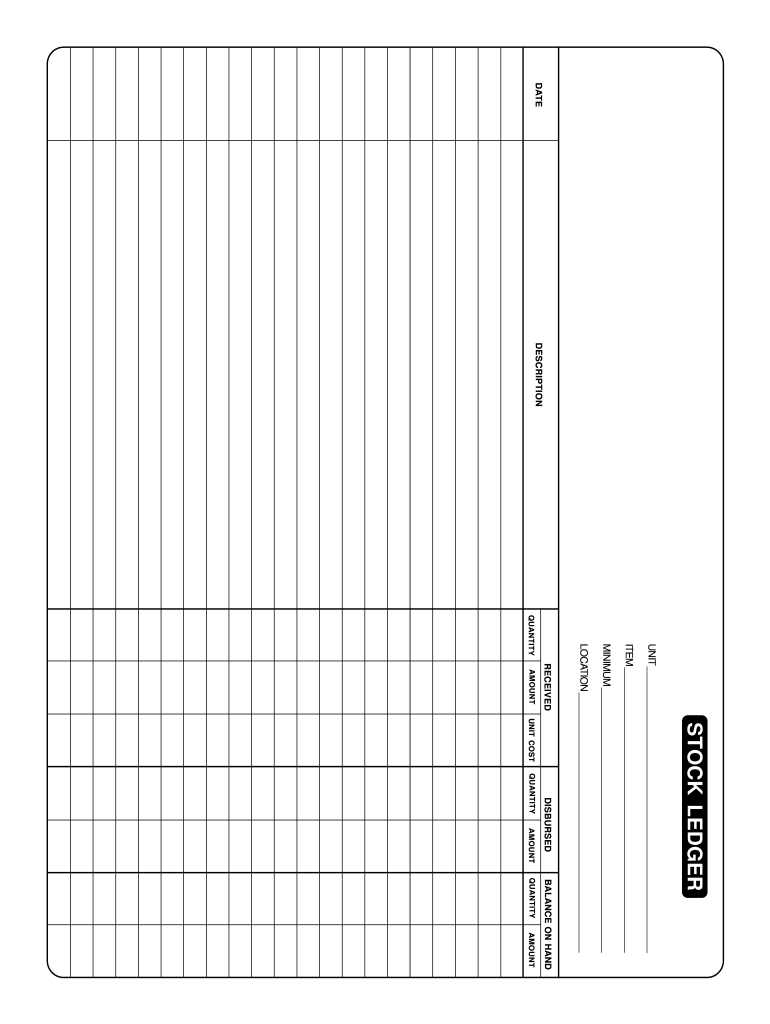
  1. Click ‘Get Form’ to open the stock ledger in the editor.
  2. Begin by entering the date at the top of the form. This is crucial for tracking transactions accurately.
  3. In the 'DESCRIPTION' section, provide a brief description of the item being recorded. This helps in identifying inventory easily.
  4. Fill in the 'UNIT' field with the measurement unit (e.g., pieces, boxes) relevant to your stock items.
  5. Enter the 'MINIMUM' quantity required for each item to ensure you maintain adequate stock levels.
  6. For 'AMOUNT RECEIVED', input the total cost of items received, followed by their respective 'QUANTITY'.
  7. Document any 'AMOUNT DISBURSED' along with its corresponding 'QUANTITY' to keep track of stock usage.
  8. Finally, update the 'BALANCE ON HAND' and specify the 'LOCATION' where items are stored for easy retrieval.

Start using our platform today to streamline your stock ledger management for free!

be ready to get more

Complete this form in 5 minutes or less

Get form

Got questions?

We have answers to the most popular questions from our customers. If you can't find an answer to your question, please contact us.
Contact us
A stock ledger is a book or table kept by a corporation in which are entered the names of the stockholders, the amounts of their respective holdings, contributions made by them for such stock, and a record of transfer of ownership. The ledger is kept in the format of a table, much like a simple spreadsheet.
The stock ledger in Merchandising records the financial results of the merchandising processes such as buying, selling, price changes, and transfers.
How do you maintain a Stock Ledger? Initial Setup: Create categories or sections for different types of stock items, such as raw materials, finished products, or components. Recording Transactions: Record every stock-related transaction, including purchases, sales, returns, and adjustments.
A starting point of a good stock ledger will include: Name of Stockholder. Stock Certificate Number. Type of Stock. Number of Shares. Date the Shares Were Issued. Address of Stockholder. Date the Shares Were Cancelled (if applicable). Date of Board Consent Approving the Stock Issuance.
Ledger users can now access 100+ tokenized stocks and ETFs directly via Ledger Live. Ledger and Ondos integration gives users a self-custodial way to manage tokenized real-world assets in Ledger Live as seamlessly as their crypto.

Security and compliance

At DocHub, your data security is our priority. We follow HIPAA, SOC2, GDPR, and other standards, so you can work on your documents with confidence.

Learn more

People also ask

Ledger balance in your Demat account is the total settled amount in the trading account linked to your Demat account. This balance shows the funds available after all buying, selling, and settlement processes are completed for the day. It excludes unsettled trades, pending withdrawals, or intraday adjustments.
In the Stock Transfer Ledger, the names of the shareholders can be listed along with important information such as their places of residence, the time that they gained ownership within the corporation, the number of shares issued, the amount paid for the shares, and the stock certificate number that was distributed (if

free stock ledger template