
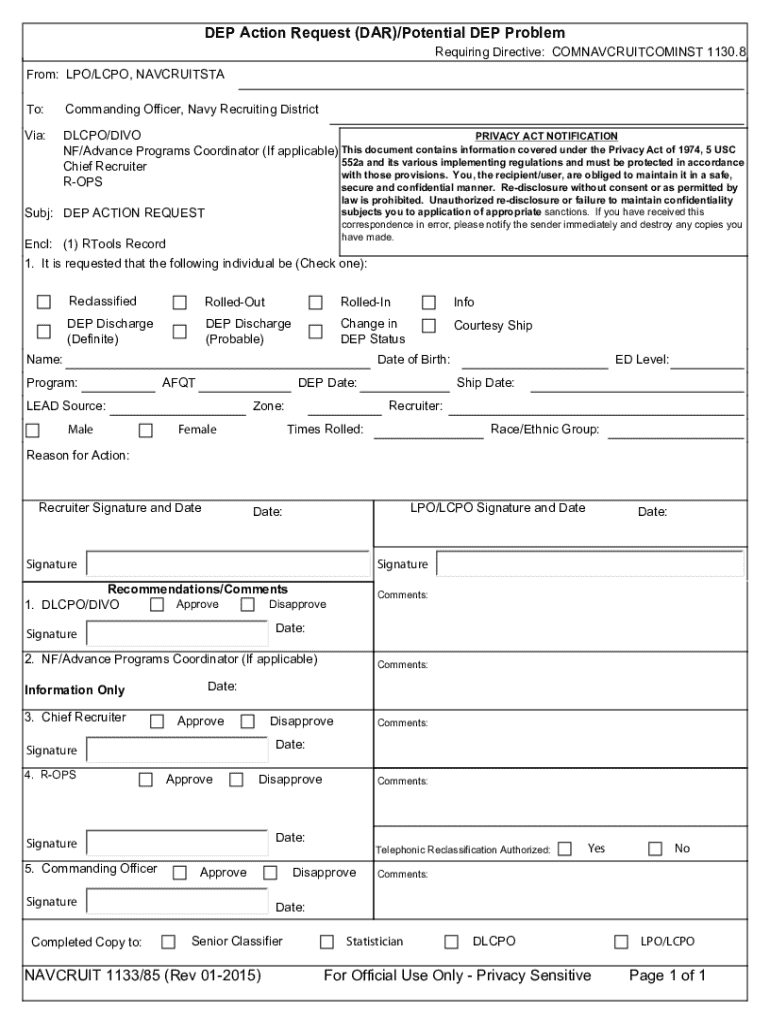







Definition & Meaning
Filling out a "form online" involves using digital platforms to complete necessary documentation on the web instead of the traditional paper method. These electronic forms can be for various purposes, including applications, surveys, registrations, or legal requirements. They are designed to be accessible and efficient, providing a streamlined process for users to input information, submit it, and often receive real-time feedback or confirmation.
Online Form Features
- Interactivity: Many online forms include interactive components such as dropdown menus, checkboxes, and radio buttons, which facilitate easier data entry and reduce errors.
- Real-time Validation: Users receive immediate feedback on missing or incorrect entries, which enhances accuracy and speeds up the submission process.
- Accessibility: Designed to work on multiple devices, online forms can be submitted using desktops, tablets, or smartphones, ensuring convenience and flexibility for users.
How to Use the Form Online
Using an online form typically follows a straightforward process to ensure efficient data collection and submission.
Steps to Use an Online Form
- Access the Form: Navigate to the website or platform where the form is hosted, such as a dedicated document processing website like DocHub.
- Fill in the Information: Enter the required details in each field. Many forms guide users with prompts or default questions to reduce confusion.
- Review the Information: Before submission, review entries to ensure all fields are filled out correctly and completely.
- Submit the Form: Click the submit button, often located at the end of the form. Some platforms may provide a confirmation message or email after submission.
- Save or Print Confirmation: If applicable, save or print the confirmation for your records. This step can be crucial for legal or administrative purposes.
How to Obtain the Form Online
Obtaining an online form is a simple task that varies slightly depending on the source and purpose of the form.
Methods to Obtain an Online Form
- Direct Downloads: Many organizations provide forms directly from their websites, downloadable as PDF files or accessible through online editors like DocHub.
- Email Requests: Forms may be sent via email, especially in official or company settings, sometimes requiring authentication or permissions before access.
- Third-Party Websites: Platforms specializing in document management offer a wide array of forms that can be filled out directly on the site or downloaded for offline use.
Steps to Complete the Form Online
Completing an online form involves several key steps. Each step ensures that the data provided is accurate and meets the requirements set forth by the form's issuer.
Detailed Procedure
- Read Instructions Carefully: Begin by reading any instructions provided at the start of the form to understand the requirements.
- Input Personal Details: Clearly enter personal information such as name, address, and contact details in the spaces provided.
- Respond to Specific Questions: Answer all questions or prompts associated with your form type, ensuring you adhere to any guidelines specified.
- Attach Required Documents: If necessary, upload any additional documentation as attachments. This may include identification, proof of residency, or legal documents.
- Review and Confirm: Double-check all entries before proceeding to ensure completeness and accuracy.
- Submit and Save a Copy: Once satisfied, submit the form and ensure you keep a digital or printed copy for future reference.
Why Should You Form Online
There are several compelling reasons for opting to complete forms online rather than using traditional methods.
Benefits of Online Forms
- Efficiency: Online forms can be completed much faster than their paper counterparts, thanks to automated processes and real-time error checking.
- Cost-Effective: Reduces costs associated with printing, mailing, and storing paper forms.
- Eco-Friendly: By decreasing the need for paper, online forms contribute to environmental sustainability.
- Data Security: Electronic filing protects sensitive information through encryption and other security measures.
Key Elements of the Form Online
Online forms contain various essential elements that facilitate the effective collection and processing of information.
Fundamental Components
- Title and Purpose: Clear headings and introductory text provide context and explain the form's objective.
- Input Fields: Spaces for adding information, such as text boxes, dropdown lists, and date selectors, tailored to specific data needs.
- Submission and Navigation Buttons: Tools that allow users to proceed through the form or submit it once completed.
- Help and Support Links: Many forms include contact information or links to support resources for users needing assistance.
Legal Use of the Form Online
Using forms online must be compliant with legal standards, ensuring that collected data is protected and users' rights are respected.
Legal Considerations
- Privacy Laws Compliance: Online forms must adhere to regulations such as the GDPR or CCPA, especially when collecting personal data.
- Consent and Acknowledgement: Many forms include a section requiring users to agree to terms, conditions, or acknowledgments related to privacy and data usage.
- Electronic Signatures: Legally binding in many jurisdictions, online forms may need signatures that meet legal standards for authenticity and enforceability.
Examples of Using the Form Online
Online forms see application in various scenarios, each offering a unique function and method of processing data.
Real-World Use Cases
- Job Applications: Candidates submit personal details and employment history, often including file attachments.
- Event Registrations: Collects participant information and preferences, often including payment processing for ticketing or membership.
- Surveys and Feedback: Organizations use forms to gather opinions, satisfaction metrics, or other response-driven data directly from users or customers.
Form Submission Methods (Online / Mail / In-Person)
Forms can be submitted in different ways, each suited to particular circumstances or preferences.
Available Submission Channels
- Online Submissions: The most efficient method, often permitting an immediate response or confirmation.
- Mail-In Forms: Suitable for users without reliable internet access, though processing times are generally longer.
- In-Person Drop-Off: Direct handover of completed forms at designated locations, ensuring personal delivery and sometimes immediate completion acknowledgment.
State-Specific Rules for the Form Online
Certain online forms, particularly those related to legal or governmental functions, may be subject to state-specific regulations and practices.
State-Specific Variations
- Regulatory Differences: State laws may require different data points, formats, or identification methods when submitting forms.
- Form Versions: Some states might have unique versions of the same form to reflect local requirements or standards.
- Submission Protocols: Variances in acceptable submission methods, digital signatures, and document storage may occur based on jurisdiction.




