Appointment reminder unit 2025

Get Form
appointment notification template Preview on Page 1

Here's how it works

01. Edit your appointment notification template online
Type text, add images, blackout confidential details, add comments, highlights and more.
02. Sign it in a few clicks
Draw your signature, type it, upload its image, or use your mobile device as a signature pad.
03. Share your form with others
Send appointment reminder via email, link, or fax. You can also download it, export it or print it out.

How to use or fill out appointment reminder unit with our platform

Form edit decoration
9.5
Ease of Setup
DocHub User Ratings on G2
9.0
Ease of Use
DocHub User Ratings on G2
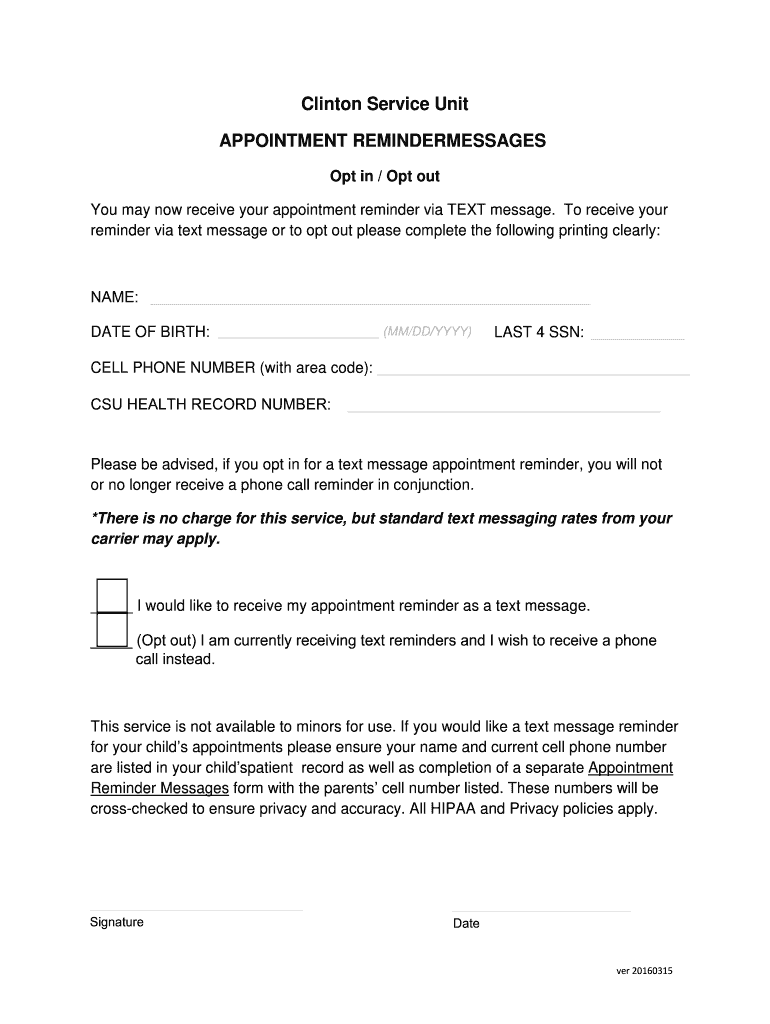
  1. Click ‘Get Form’ to open the appointment reminder unit in the editor.
  2. Begin by clearly entering your NAME in the designated field. This ensures that your appointment reminders are correctly associated with you.
  3. Next, input your DATE OF BIRTH in the format MM/DD/YYYY. This information helps verify your identity.
  4. Fill in your LAST FOUR DIGITS of SSN. This is an additional measure for identification purposes.
  5. Provide your CELL PHONE NUMBER, including the area code, to receive text message reminders.
  6. Enter your CSU HEALTH RECORD NUMBER if applicable, which links your medical records to this reminder service.
  7. Choose whether you would like to receive text reminders by checking the appropriate box. If opting out, select the alternative option for phone call reminders.
  8. Finally, sign and date the form at the bottom to confirm your choices and submit it through our platform.

Start using our platform today for free to streamline your appointment reminders!

See more appointment reminder unit versions

We've got more versions of the appointment reminder unit form. Select the right appointment reminder unit version from the list and start editing it straight away!
Versions Form popularity Fillable & printable
2016 4.8 Satisfied (121 Votes)
be ready to get more

Complete this form in 5 minutes or less

Get form

Got questions?

We have answers to the most popular questions from our customers. If you can't find an answer to your question, please contact us.
Contact us
An appointment reminder is a message sent ahead of a scheduled appointment to confirm the time, place, and any other relevant details. These messages can be delivered via email, text message (SMS), or push notification depending on your tools, preferences, and the services you offer.
Casual email reminder template Hey [CUSTOMER NAME], Just a quick reminder for your upcoming appointment on [DATE TIME]. Please reply to confirm this appointment. You can call our office at [PHONE NUMBER] anytime if youd like to reschedule.
There are 3 ways to remind patients of an appointment, and two of them can be automated. You can send text reminders, email reminders, or make a phone call. People check their phones about 96 times a day. If you send a reminder, theyll likely see it.
Send the first reminder message three weeks ahead of the appointment. Patient responses to reminder messages indicate that the highest confirmation rates occur when the message is sent three weeks prior to the appointment. The confirmation rate of strategies that include a three-week message is 79 percent.
be ready to get more

Complete this form in 5 minutes or less

Get form