





Definition and Meaning
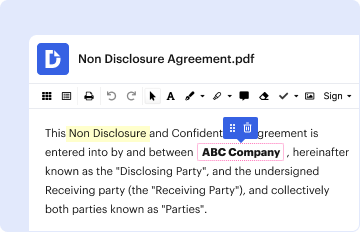
A "form online" refers to a digital document that can be filled out, submitted, and processed over the internet. These forms are essential for a wide range of applications, including legal filings, tax submissions, online registrations, and business processes. Using forms online streamlines the documentation process by reducing the need for physical paperwork and enabling immediate submission and processing. Forms can vary widely in purpose and complexity, from simple contact forms on websites to comprehensive legal documents with multiple sections and signature requirements.
How to Use the Form Online
Accessing and using forms online involves several straightforward steps. First, locate the required form on the respective platform or website. For instance, legal forms might be found on court websites, while tax forms are available on government portals like IRS.gov. Once located, the form can typically be opened directly in a web browser. Users can fill in all necessary fields, which might include text inputs, checkboxes, and dropdown selections. After completing the form, it's important to review all entries for accuracy. Many platforms allow forms to be saved digitally for future reference, printed, or directly submitted from the interface.
Steps to Complete the Form Online
- Locate the Form: Access the website or portal hosting the form.
- Open and Review: Open the form and review the required information sections.
- Fill Out Required Fields: Enter data into text boxes, make selections in dropdown menus, or check boxes where applicable.
- Attach Supporting Documents: If required, upload or attach necessary documents, such as ID copies or financial statements.
- Review for Accuracy: Verify all entries to ensure there are no errors.
- Submit the Form: Use the provided submission button or function to send the form. Some platforms send automated confirmations once submission is successful.
Why Should You Form Online
Utilizing forms online provides a number of advantages, chief among them are efficiency and convenience. Digital forms allow for quick data entry and immediate transmission to the intended recipient, significantly reducing processing time compared to traditional paper forms. Additionally, online forms often include validation features, which help ensure that all necessary information is entered correctly. Further, using online forms reduces the need for physical storage, as documents can be saved digitally. This format also supports sustainability by minimizing paper usage.
Key Elements of the Form Online
Online forms typically consist of several core elements that are essential for effectively gathering and processing information:
- Identification Fields: Include fields for personal or business details such as name, address, and contact information.
- Instructions Section: Provides guidance on how to fill out each part of the form.
- Data Entry Fields: Various input types such as text boxes for free text, dropdowns for selecting from options, and checkboxes for multiple selections.
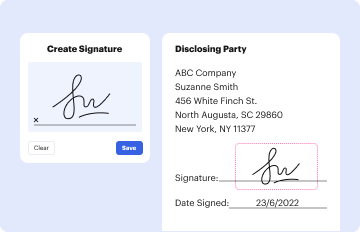
- Signature Fields: Allows for electronic signing, which is crucial for legal and formal documents.
- Submission Button: Facilitates the direct sending of the form to its destination.
Legal Use of the Form Online
Online forms are legally acceptable for various processes, especially when used in compliance with electronic signature laws such as the ESIGN Act in the United States. This ensures that signatures collected electronically carry the same legal weight as handwritten ones. Legal online forms are often used in areas such as employment, financial agreements, and legal disclosures. It is important to verify that the platform facilitating the form complies with relevant security and authentication standards to ensure legality and confidentiality.
Examples of Using the Form Online
Several scenarios illustrate the practical utility of online forms:
- Job Applications: Potential employees fill out application forms and submit resumes directly through career portals.
- Tax Filings: Taxpayers submit forms electronically, making use of integrated e-filing systems for faster processing.
- Legal Documents: Documents, such as lease agreements or non-disclosure agreements, can be completed and signed online.
- Customer Feedback: Businesses collect customer service feedback and conduct surveys via online forms.
Required Documents
Completing an online form may necessitate the attachment of additional documents to support the information provided:
- Identification Proof: Such as a driver's license or passport for verification purposes.
- Financial Statements: Bank statements or income proof for credit applications.
- Professional Certifications: Relevant for applications requiring proof of qualifications or specialty. Ensuring all required attachments are ready before starting the form can streamline the completion process.
Form Submission Methods
Online forms can typically be submitted in multiple ways, providing flexibility for users:
- Direct Online Submission: Most commonly, forms are submitted by clicking a submission button provided on the platform. This is efficient and allows for immediate processing.
- Email Submission: Some platforms allow for completed forms to be downloaded and sent as an email attachment.
- Download and Postal Mail: After completing an online form, users might have the option to download a printable version for signing and mailing physically, particularly when an original signature is required.




