
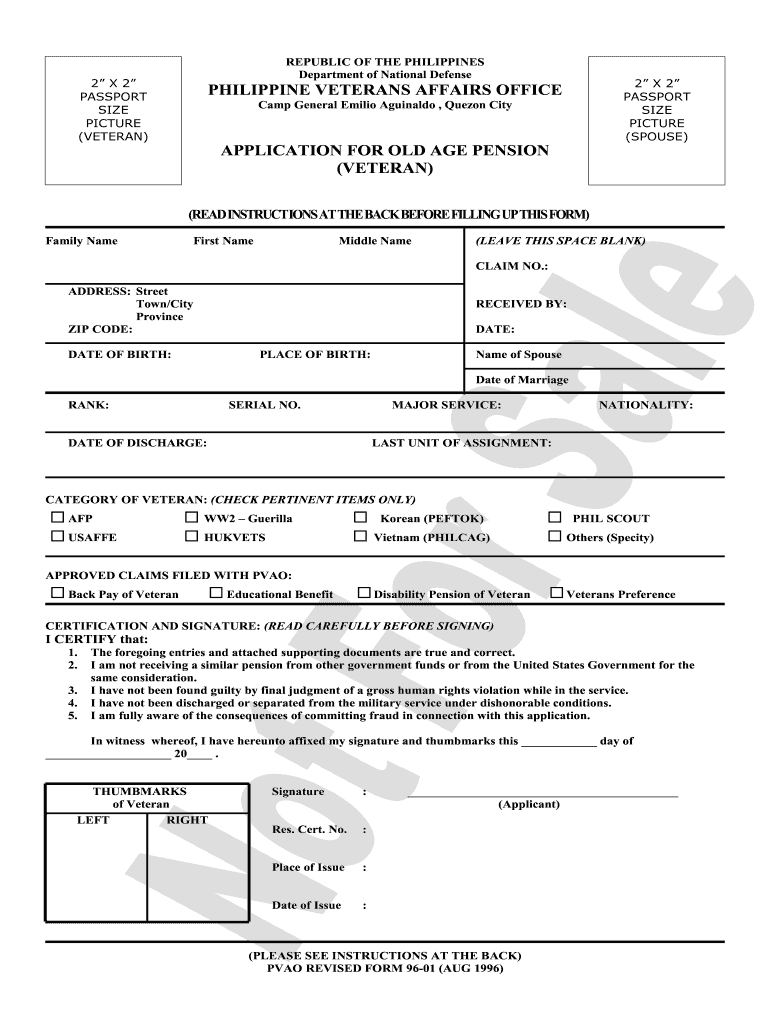







Definition & Meaning of the PVAA Pension Update Online
The pvao pension update online refers to the digital process that allows Philippine Veterans Affairs Office (PVAO) pensioners to manage and update their pension information via a secure online platform. This service substantially eases the traditional paperwork methods by enabling veterans and their beneficiaries to access and modify their records efficiently. The system is specifically designed to streamline pension management, ensuring that recipients maintain accurate information for timely disbursement of benefits.
Using the online platform, veterans can submit updates regarding personal details such as marital status changes, updates on dependents, or alterations to contact information. This approach minimizes the need for physical visits to government offices, making it a convenient solution that enhances accessibility for all pensioners, particularly those who reside in remote areas or face mobility challenges.
How to Use the PVAA Pension Update Online
Navigating the pvao pension update online system requires a few straightforward steps to ensure that pensioners can successfully update their records. Here's how to utilize this service:
- Access the Online Portal: Begin by visiting the official PVAO website. The online update system will typically be prominently featured on the homepage.
- Create an Account or Log In: If you are a first-time user, you will need to create a secure account. Existing users can log in using their credentials.
- Input Personal Information: Fill in the required fields such as your name, pension number, and other relevant details. Ensuring that this information is accurate is essential to successfully processing your update.
- Select Update Type: Specify what information you wish to update, such as personal status changes, new contact information, or updates in dependent details.
- Submit Supporting Documents: Certain updates may require you to upload relevant documentation, such as marriage certificates for marital status changes or identification documents for dependents.
- Review and Confirm Submission: Before finalizing the update, carefully review all the information you have entered for accuracy. Then, confirm your submission.
- Track Your Update Status: After submitting your update, you will typically receive confirmation and, in some cases, the ability to track the status of your modification on the portal.
Steps to Complete the PVAA Pension Update Online
Completing the pvao pension update online involves a systematic approach that guarantees all necessary information is accurately reported. Follow these succinct steps for a successful update:
- Navigate to the Update Form: Locate the dedicated pension update form on the PVAO website.
- Fill in the Required Fields:
- Name
- Pension Number
- Address
- Contact Information
- Select Any Updates Needed: Clearly indicate all changes you wish to make.
- Upload Necessary Documents:
- Any legal documents that support your request, such as certificates or IDs.
- Confirm Your Submission: After verifying that all information is inputted correctly, submit the form.
- Retain Confirmation for Your Records: Save or print the confirmation screen for your own records, as it may be needed for follow-up inquiries.
Important Terms Related to the PVAA Pension Update Online
Understanding the jargon associated with the pvao pension update online system is crucial for efficient use. Key terms include:
- Pensioner: A veteran receiving pension benefits from the PVAO.
- Dependent: Individuals, typically family members, who may also be eligible for benefits based on the primary pensioner's status.
- Update Request: The action of modifying existing information related to a pensioner’s account.
- Supporting Documents: Files or certificates that validate the changes being requested, such as affidavits, identification cards, or civil status documents.
- Online Portal: The digital platform where pensioners submit their updates and manage their accounts.
Required Documents for the PVAA Pension Update Online
To complete the pvao pension update online, pensioners must prepare certain documents to support their update requests. Commonly required documents include:
- Identification Cards: A government-issued ID to verify identity.
- Civil Status Documents: Marriage certificates or divorce papers if marital status is changing.
- Dependent Verification: Birth certificates or school records for children.
- Proof of Address: A recent utility bill or lease agreement showing your current residence.
Gathering these documents in advance facilitates a smoother submission process, thereby reducing the likelihood of delays in processing updates. It is advisable to check the specific documents needed for your particular update type on the PVAO website to ensure accuracy.




