




Here's how it works

01. Edit your level 99 waiver online
Type text, add images, blackout confidential details, add comments, highlights and more.

02. Sign it in a few clicks
Draw your signature, type it, upload its image, or use your mobile device as a signature pad.

03. Share your form with others
Send level 99 waiver form online via email, link, or fax. You can also download it, export it or print it out.
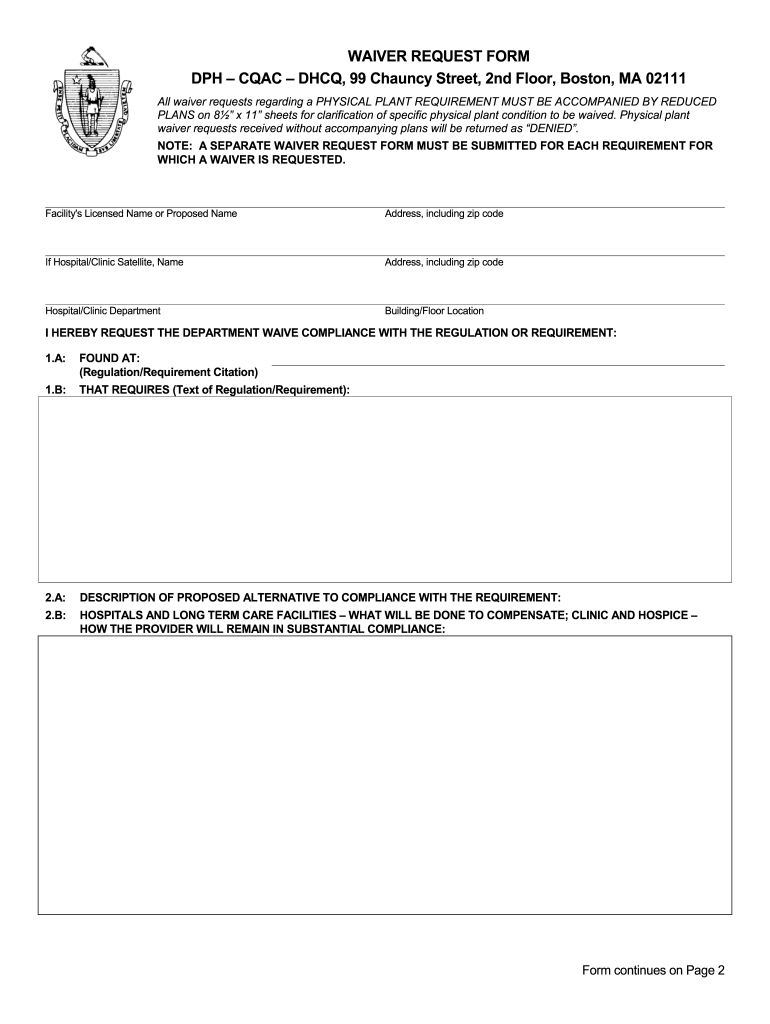
How to use or fill out Massachusetts Waiver Request with Our Platform

- Click ‘Get Form’ to open the Massachusetts Waiver Request in the editor.
- Begin by entering the Facility's Licensed Name or Proposed Name along with the complete address, including zip code. If applicable, provide the name and address of any Hospital/Clinic Satellite.
- Specify the Hospital/Clinic Department and Building/Floor Location where the waiver is being requested.
- In section 1.A, clearly state your request for a waiver of compliance with the specific regulation or requirement. Include the citation in 1.B.
- Describe in detail your proposed alternative to compliance in section 2.A. For hospitals and long-term care facilities, explain how you will compensate for this waiver in section 2.B.
- Provide an explanation of how meeting the requirement would cause undue hardship in section 3.
- In section 4, assure that approval of the waiver will not limit your capacity to provide adequate care and will not jeopardize patient or resident health and safety.
- Finally, have both the Facility Authorized Representative and Clinical Representative sign and date where indicated.
Start using our platform today to streamline your Massachusetts Waiver Request process for free!
Fill out massachusetts waiver request online
It's free
It's free
See more massachusetts waiver request versions
We've got more versions of the massachusetts waiver request form. Select the right massachusetts waiver request version from the list and start editing it straight away!
Security and compliance
At DocHub, your data security is our priority. We follow HIPAA, SOC2, GDPR, and other standards, so you can work on your documents with confidence.
Learn more


