Type text, add images, blackout confidential details, add comments, highlights and more.
02. Sign it in a few clicks
Draw your signature, type it, upload its image, or use your mobile device as a signature pad.
03. Share your form with others
Send it via email, link, or fax. You can also download it, export it or print it out.
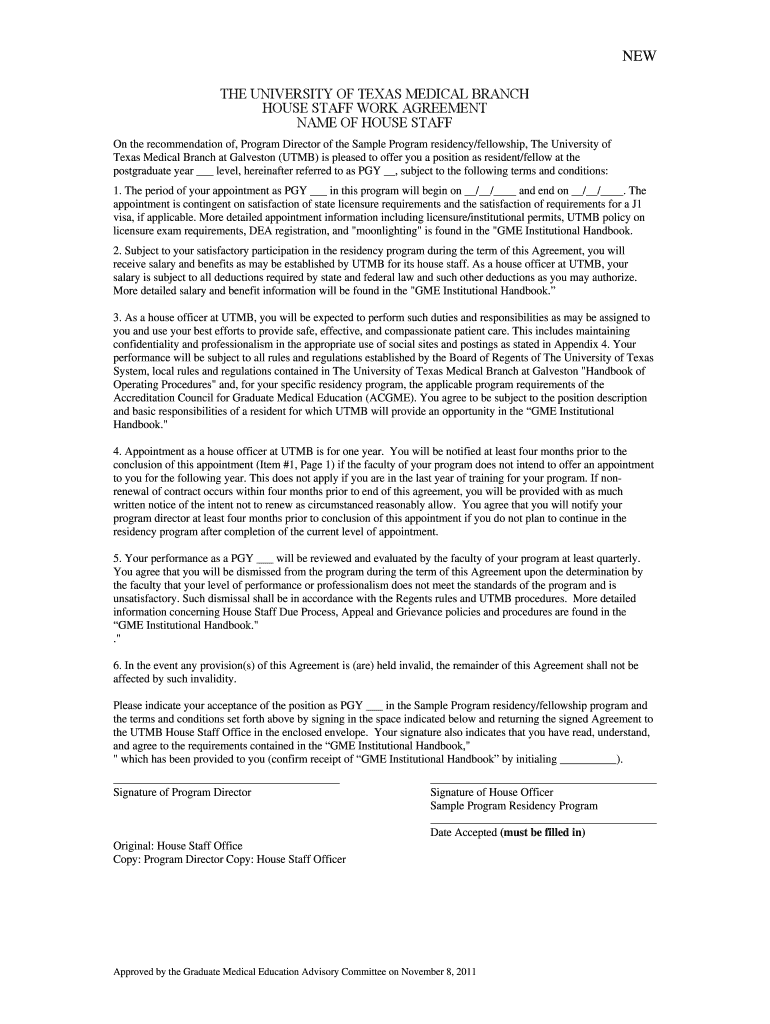
How to use or fill out 2012-2013 Work Agreement NEW APPOINTMENTS - Approved by GMEC on November 8, 2011 - utmb
Ease of Setup
DocHub User Ratings on G2
Ease of Use
DocHub User Ratings on G2
Click ‘Get Form’ to open it in the editor.
Begin by filling in your name and the postgraduate year (PGY) level in the designated fields. Ensure accuracy as this information is crucial for your appointment.
Next, enter the start and end dates of your appointment. This section is vital for establishing the duration of your residency.
Review the terms regarding salary and benefits. Make sure to understand any deductions that may apply, as outlined in the GME Institutional Handbook.
Complete the signature section at the bottom of the form. Both you and your Program Director must sign to validate the agreement.
Finally, return the signed document to the UTMB House Staff Office using the provided envelope to ensure proper processing.
Start using our platform today to easily complete your Work Agreement and streamline your residency onboarding process!
Fill out 2012-2013 Work Agreement NEW APPOINTMENTS - Approved by GMEC on November 8, 2011 - utmb online It's free
Oct 31, 2017 The current structure is described in detail in the Amended and Restated. Collaboration Agreement approved by the UNT System Board of Regents on
Cookie consent notice
This site uses cookies to enhance site navigation and personalize your experience.
By using this site you agree to our use of cookies as described in our Privacy Notice.
You can modify your selections by visiting our Cookie and Advertising Notice.