2023 PURPLE BOOK - Taxpayer Advocate Service-2026

Get Form
2023 PURPLE BOOK - Taxpayer Advocate Service Preview on Page 1

Here's how it works

01. Edit your form online
Type text, add images, blackout confidential details, add comments, highlights and more.

02. Sign it in a few clicks
Draw your signature, type it, upload its image, or use your mobile device as a signature pad.

03. Share your form with others
Send it via email, link, or fax. You can also download it, export it or print it out.

How to use or fill out 2023 PURPLE BOOK - Taxpayer Advocate Service with our platform

Form edit decoration
9.5
Ease of Setup
DocHub User Ratings on G2
9.0
Ease of Use
DocHub User Ratings on G2
  1. Click ‘Get Form’ to open the 2023 PURPLE BOOK in the editor.
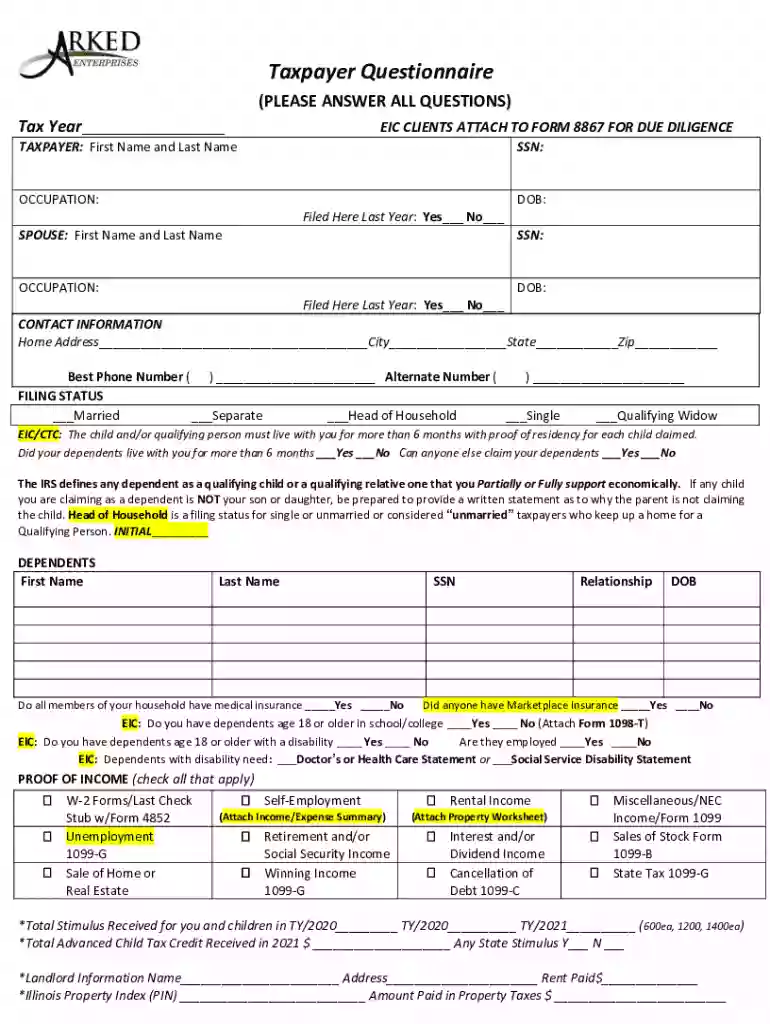
  2. Begin by entering your tax year at the top of the form. This is crucial for accurate processing.
  3. Fill in your personal information, including your first and last name, Social Security Number (SSN), occupation, and date of birth. Ensure accuracy as this data is essential for identification.
  4. Provide details about your spouse if applicable, including their name, SSN, occupation, and date of birth. Indicate whether you filed taxes here last year.
  5. Complete the contact information section with your home address and phone numbers. This ensures that you can be reached regarding your tax matters.
  6. Select your filing status from the options provided. This will affect your tax calculations.
  7. Answer questions regarding dependents and proof of income by checking the appropriate boxes and providing necessary documentation as indicated.
  8. Review all sections carefully before signing at the bottom to confirm that all information is true and complete.

Start using our platform today to fill out your 2023 PURPLE BOOK efficiently and for free!

be ready to get more

Complete this form in 5 minutes or less

Get form

Got questions?

We have answers to the most popular questions from our customers. If you can't find an answer to your question, please contact us.
Contact us
You can also check your refund with IRS2Go. Find your tax information in your online account or get a copy (transcript) of your tax records. To check an amended return, visit Wheres My Amended Return?
Use Wheres My Refund, call us at 800-829-1954 (toll-free) and use the automated system, or speak with a representative by calling 800-829-1040 (see telephone assistance for hours of operation).
by TurboTax 1680 Updated 8 months ago Sign in at TurboTax.com. Go to Tax Home and scroll down and select Your tax returns documents. Here, youll see the years of taxes youve filed with TurboTax. Select 2023 and choose Download/print return (PDF) to get a copy or Download .
Depending on the tax issue complexities, it could take a couple weeks to a couple months to resolve your tax issue.
People can get their tax transcripts by mail or by phone. By mail: Taxpayers can complete and send either Form 4506-T or Form 4506-T-EZ to the IRS to get one by mail. By phone: Taxpayers can call 800-908-9946 to request a transcript by phone.

Security and compliance

At DocHub, your data security is our priority. We follow HIPAA, SOC2, GDPR, and other standards, so you can work on your documents with confidence.

Learn more
ccpa2
pci-dss
gdpr-compliance
hipaa
soc-compliance

People also ask

The fastest and easiest way for taxpayers to view their tax records is by logging on to their IRS Online Account. There, they can: View, print or download their tax transcripts. Find out how much they owe.

Related links