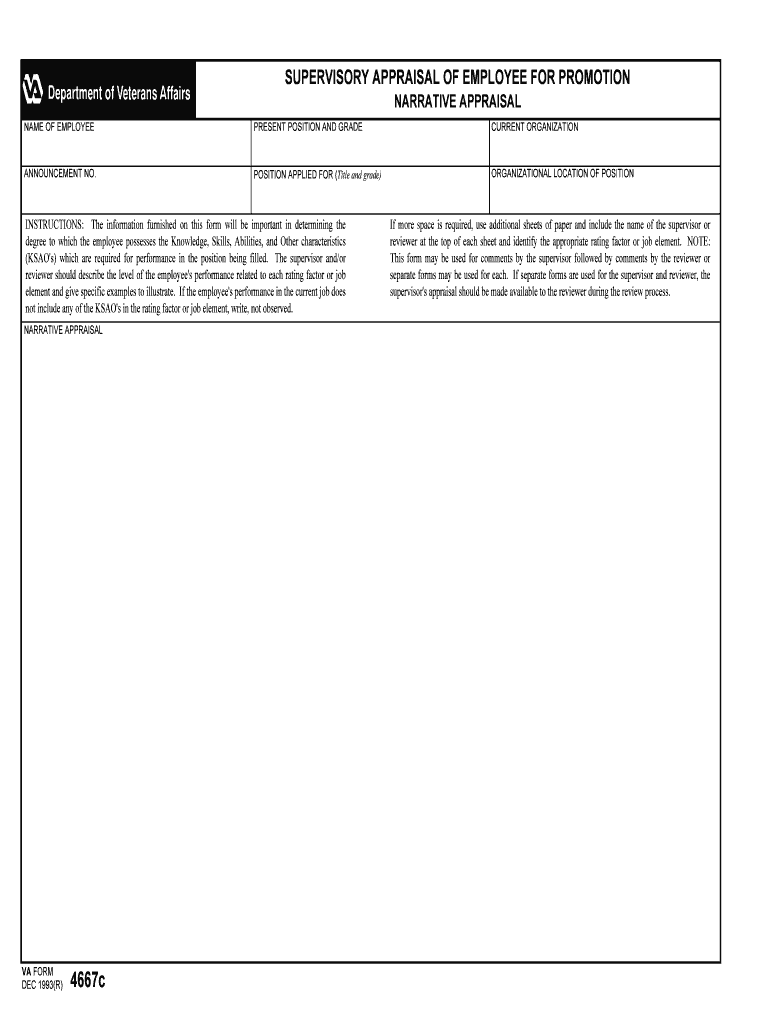
VA Form 4667c, SUPERVISORY APPRAISAL OF EMPLOYEE FOR PROMOTION 4667c, SUPERVISORY, APPRAISAL, EMPLOY 2026

Get Form
VA Form 4667c, SUPERVISORY APPRAISAL OF EMPLOYEE FOR PROMOTION 4667c, SUPERVISORY, APPRAISAL, EMPLOY Preview on Page 1

Here's how it works

01. Edit your form online
Type text, add images, blackout confidential details, add comments, highlights and more.
02. Sign it in a few clicks
Draw your signature, type it, upload its image, or use your mobile device as a signature pad.
03. Share your form with others
Send it via email, link, or fax. You can also download it, export it or print it out.

How to use or fill out VA Form 4667c, SUPERVISORY APPRAISAL OF EMPLOYEE FOR PROMOTION 4667c, SUPERVISORY, APPRAISAL, EMPLOY with our platform

Form edit decoration
9.5
Ease of Setup
DocHub User Ratings on G2
9.0
Ease of Use
DocHub User Ratings on G2
  1. Click ‘Get Form’ to open the VA Form 4667c in the editor.
  2. Begin by entering the employee's name in the designated field at the top of the form. This identifies who is being appraised.
  3. Fill in the present position and grade of the employee. This information is crucial for context regarding their current role.
  4. Input the current organization and announcement number. These details help track the appraisal process within your department.
  5. Specify the position applied for, including title and grade. This section outlines what role you are evaluating them for.
  6. Describe each rating factor or job element in detail, providing specific examples of performance related to Knowledge, Skills, Abilities, and Other characteristics (KSAO's). If a KSAO was not observed, note that accordingly.
  7. Complete any additional sheets if more space is needed for comments. Ensure to include your name and identify relevant rating factors on these sheets.
  8. Sign and date the form as a supervisor. If applicable, have a reviewer sign as well after their assessment.

Start using our platform today to streamline your document editing and form completion for free!

be ready to get more

Complete this form in 5 minutes or less

Get form

Got questions?

We have answers to the most popular questions from our customers. If you can't find an answer to your question, please contact us.
Contact us

Sure, it is possible with DocHub. This trustworthy and compliant online solution features a phone-based signing option. After you log in to your DocHub account and import your VA Form 4667c, SUPERVISORY APPRAISAL OF EMPLOYEE FOR PROMOTION 4667c, SUPERVISORY, APPRAISAL, EMPLOY to our editor, complete all required fields and use the Sign feature on the upper barf. Click on Create your signature and select Phone from the available choices. Here, you scan a QR code with your smartphone and draw your signature on your phone screen, as you normally do when signing hard copies. If you access DocHub right from your mobile device, you can eSign your paperwork by drawing your electronic signature, uploading its photo, or simply with a typed name.

If you are searching for a state-specific VA Form 4667c, SUPERVISORY APPRAISAL OF EMPLOYEE FOR PROMOTION 4667c, SUPERVISORY, APPRAISAL, EMPLOY sample, you will find it in our DocHub Forms & Templates catalog. Use the search field, enter your form’s name, and search through the results for your state. You can also filter out irrelevant results while browsing our catalog by groups.

VA Form 0750(ES), PERFORMANCE APPRAISAL PROGRAM. Page 1. PERFORMANCE APPRAISAL. This form is to be used for Title 5/Hybrid Title 38 employees. Instructions for completing this form may be found at under the Performance tab.
6 tips on how to conduct an effective performance appraisal: Prepare. Preparation is key - both for the employee the person running the appraisal. Create an agenda. Discuss successes challenges. Discuss ideas for development. Agree actions. Summarise the meeting provide further support.
5 Steps to a Performance Evaluation System Develop an evaluation form. Identify performance measures. Set guidelines for feedback. Create disciplinary and termination procedures. Set an evaluation schedule.

Security and compliance

At DocHub, your data security is our priority. We follow HIPAA, SOC2, GDPR, and other standards, so you can work on your documents with confidence.

Learn more
ccpa2
pci-dss
gdpr-compliance
hipaa
soc-compliance

People also ask

Describe to the employee their value to the company, and offer any advice on ways they can do things even better. (which is NOT the same as telling them what theyre doing wrong). Note select positive feedback gathered from other employees.
Your adherence to your work schedule contributes greatly to our teams productivity and efficiency. Youve shown a remarkable consistency in arriving on time and being prepared for meetings and assignments. Your excellent attendance reflects your professionalism and commitment to your role and the team.

Related links